Trình tạo ảnh AI: Công cụ tạo ảnh AI chất lượng hàng đầu
Biến văn bản/ảnh thành ảnh nổi bật bằng Trình tạo ảnh AI. Tạo ảnh với các mô hình tiên tiến như SeeDream 4.0 và HiDream I1.
Các ví dụ về Hey Dream Trình tạo ảnh AI
Khám phá các ví dụ Trình tạo ảnh AI về mockup thiết kế, bảng ý tưởng sản phẩm, cảnh phong cách tài liệu, trực quan hóa kiến trúc, concept art và xây dựng thế giới.
Chuyển đổi Văn bản thành Ảnh
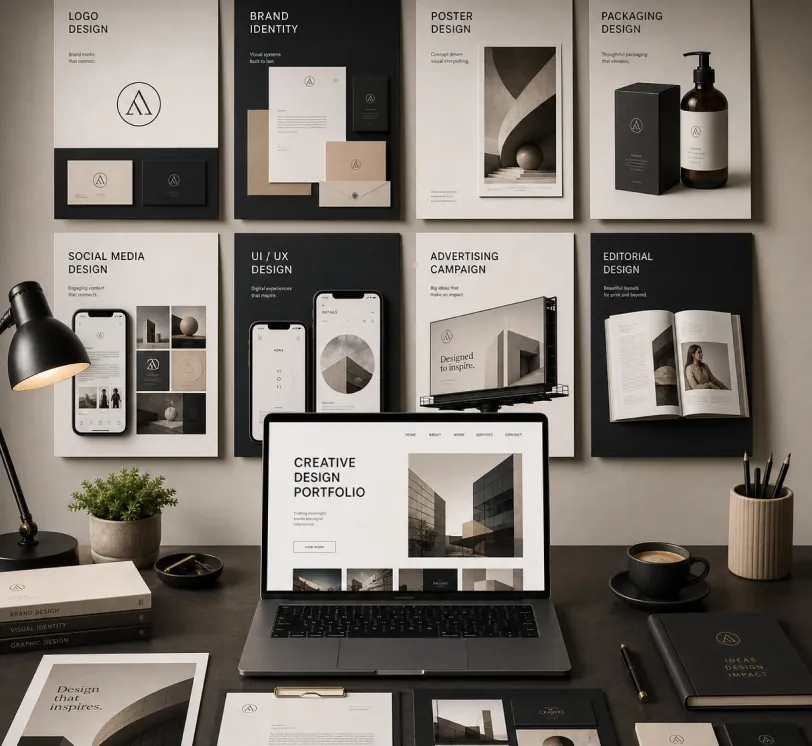
Create a premium graphic design portfolio mockup in a professional creative studio style. Show a clean, elegant workspace presentation featuring multiple graphic design project cards arranged in a refined grid layout, a modern laptop screen displaying a portfolio homepage, and several printed posters laid out neatly on the desk and mounted on the wall.Use a polished creative-director aesthetic with soft shadows, subtle depth, realistic materials, and a high-end studio atmosphere. Include sleek typography placeholders, branding samples, editorial-style poster designs, business cards, stationery, notebook, pen, coffee cup, desk lamp, and small plant for a realistic studio setup.The design should have a clean grid layout, balanced spacing, soft realistic shadows, premium lighting, and neutral luxury tones such as black, white, warm beige, gray, champagne, and cream. Make the laptop screen show a minimal portfolio interface with project thumbnails, navigation menu, and bold hero text.Add multiple portfolio project cards such as logo design, brand identity, poster design, packaging design, social media design, UI/UX design, and advertising campaign mockups. Arrange everything professionally with a modern minimalist style, sharp details, clean typography, elegant composition, and a premium creative agency presentation look.Style: high-end graphic design portfolio, modern creative studio, luxury branding mockup, clean desk setup, realistic shadows, editorial layout, minimalist premium design, professional presentation, 4K, ultra-detailed.
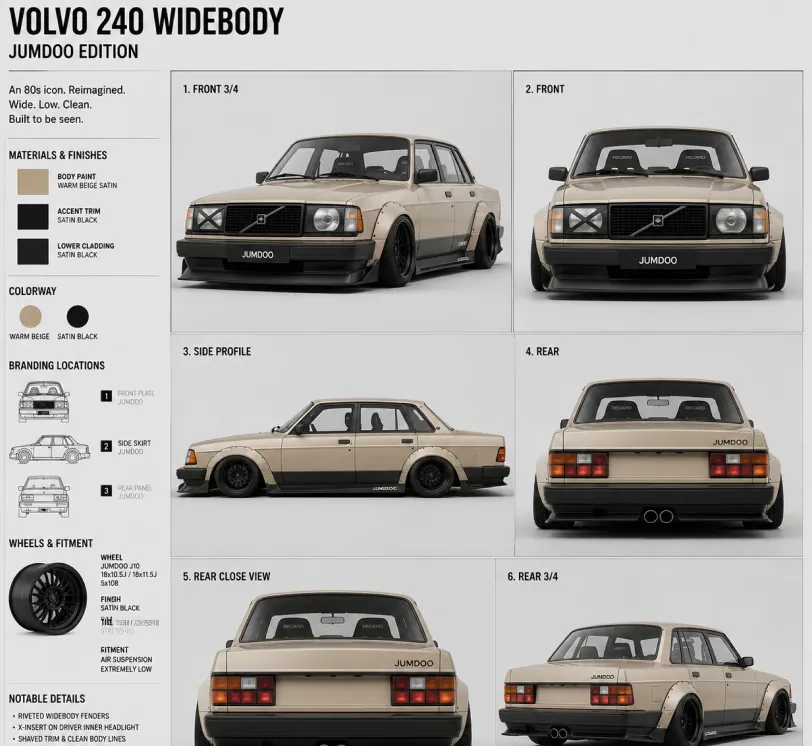
Create a clean 1:1 automotive design specification board on a light gray studio background. Feature a highly detailed 1980s Volvo 240 widebody show car, JUMDOO EDITION, in warm beige satin paint with satin black accents. The car should have a boxy Volvo 240 silhouette, very low air-suspension stance, extra-wide track width, riveted wide fender flares, deep black front splitter with near-ground clearance, black side skirts, black lower cladding, black deep-dish multi-spoke wheels, stretched low-profile tires, black grille with Volvo diagonal slash, one inner front headlight covered by an X-pattern insert for an asymmetric look, shaved clean body trim, dual center exhaust, and visible racing bucket seats. Add small JUMDOO branding on the front plate area, side skirt, and rear panel. Arrange six studio render views in a 3x2 grid: front 3/4, front, side profile, rear, rear close view, and rear 3/4. Use crisp realistic 3D product-render lighting, soft shadows, black sans-serif typography, thin gray divider lines, and minimal Swiss-style layout. Include a top-left title: VOLVO 240 WIDEBODY, subheadline: JUMDOO EDITION. Add small side panels for material swatches, colorway, branding locations, wheels and fitment, and notable details.
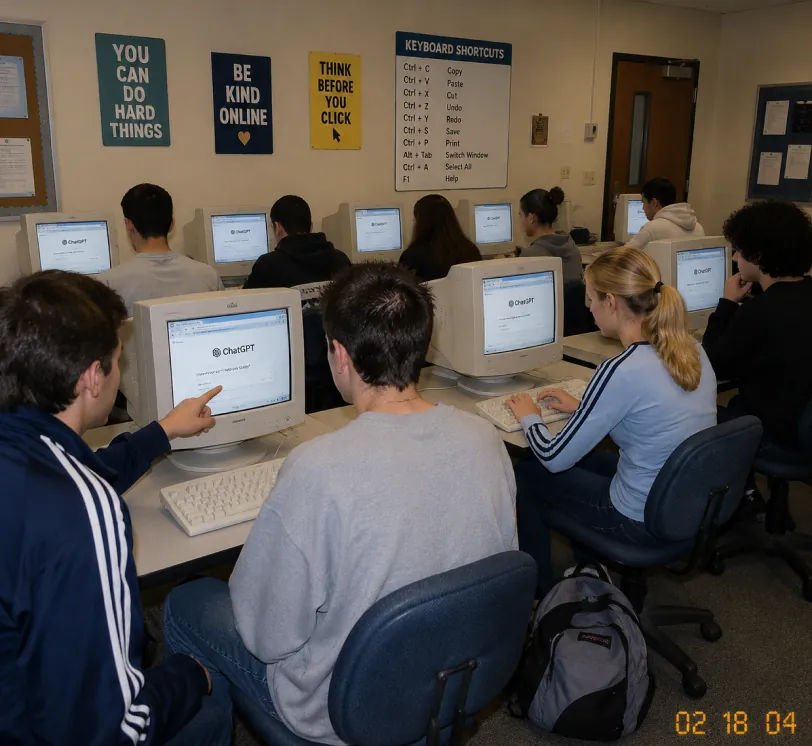
A candid documentary-style photo of a high school computer lab classroom with exactly 10 students. Viewed from the back-left corner at a slight wide angle. Early-2000s snapshot look: consumer digital camera, direct flash, soft grain, warm fluorescent lighting, timestamp "02 18 04" in bottom-right corner.Foreground details: Left: student in navy track jacket with white stripes pointing at CRT monitor Center: student with short spiky hair in oversized gray sweatshirt, back to camera Right: blonde girl with ponytail in light blue long-sleeve top with dark stripes, typing on keyboard Far right: student with curly dark hair at workstation Other students sit in middle and back rows, all facing their screens. Bulky off-white CRT computers show ChatGPT interface with "ChatGPT" heading and simple prompt text visible. Room details: beige walls, drop ceiling, rolling office chairs, white keyboards and mice, backpack on floor. Back wall has 4 readable posters: "YOU CAN DO HARD THINGS", "BE KIND ONLINE", "THINK BEFORE YOU CLICK", and a large "KEYBOARD SHORTCUTS" poster. Also bulletin boards and a classroom door at the back. Faces softly anonymized or partially obscured. Realistic classroom photo style, focus on students using ChatGPT in an old computer lab.
Từ bản phác thảo đến kết xuất chân thực
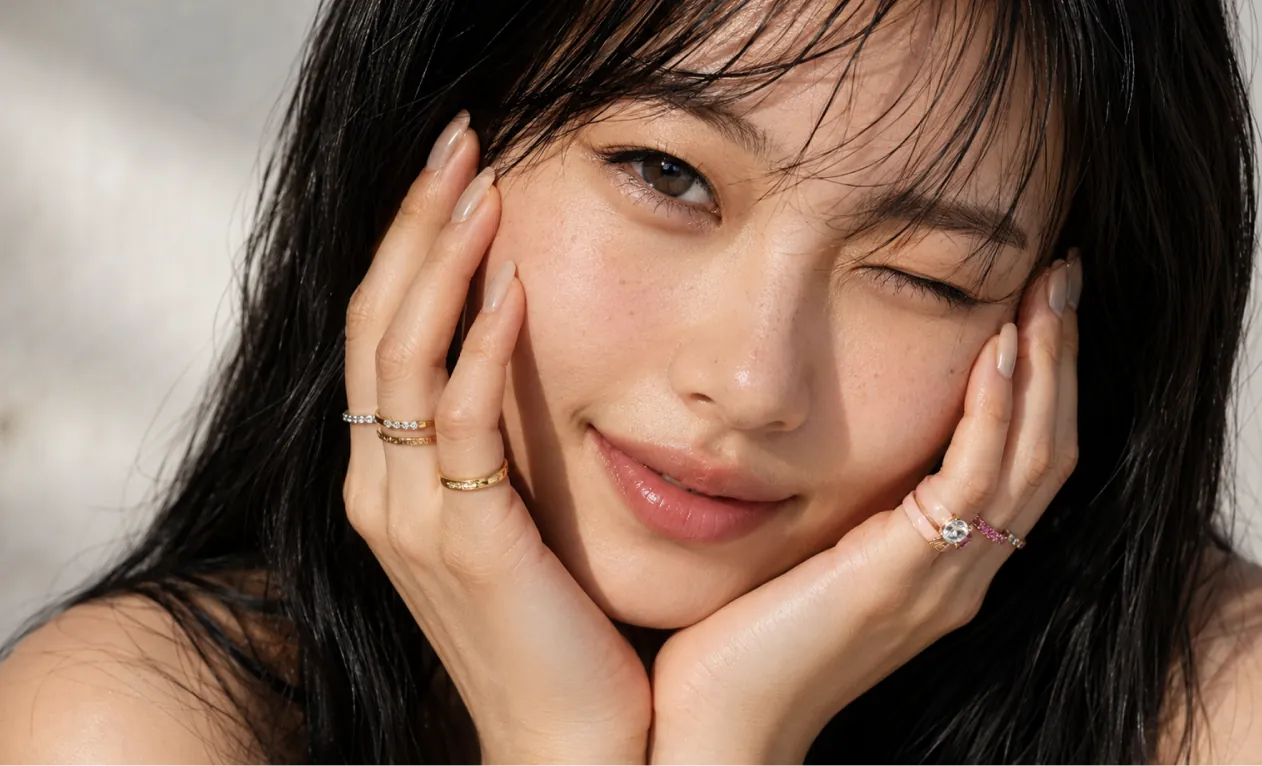
A professional hand-drawn architectural sketch of a modern Japanese-style house, isometric view, 3D floor plan. The house features a central Zen courtyard with a single bonsai tree and white gravel. Interior shows a tatami room with sliding shoji doors, and a compact kitchen. Fine pen and pencil hatching, clean black ink lines on white paper. Includes architectural dimension lines and handwritten numbers. Soft natural lighting, placed on a wooden desk background with a fountain pen nearby, hyper-realistic photography of a drawing, high detail.
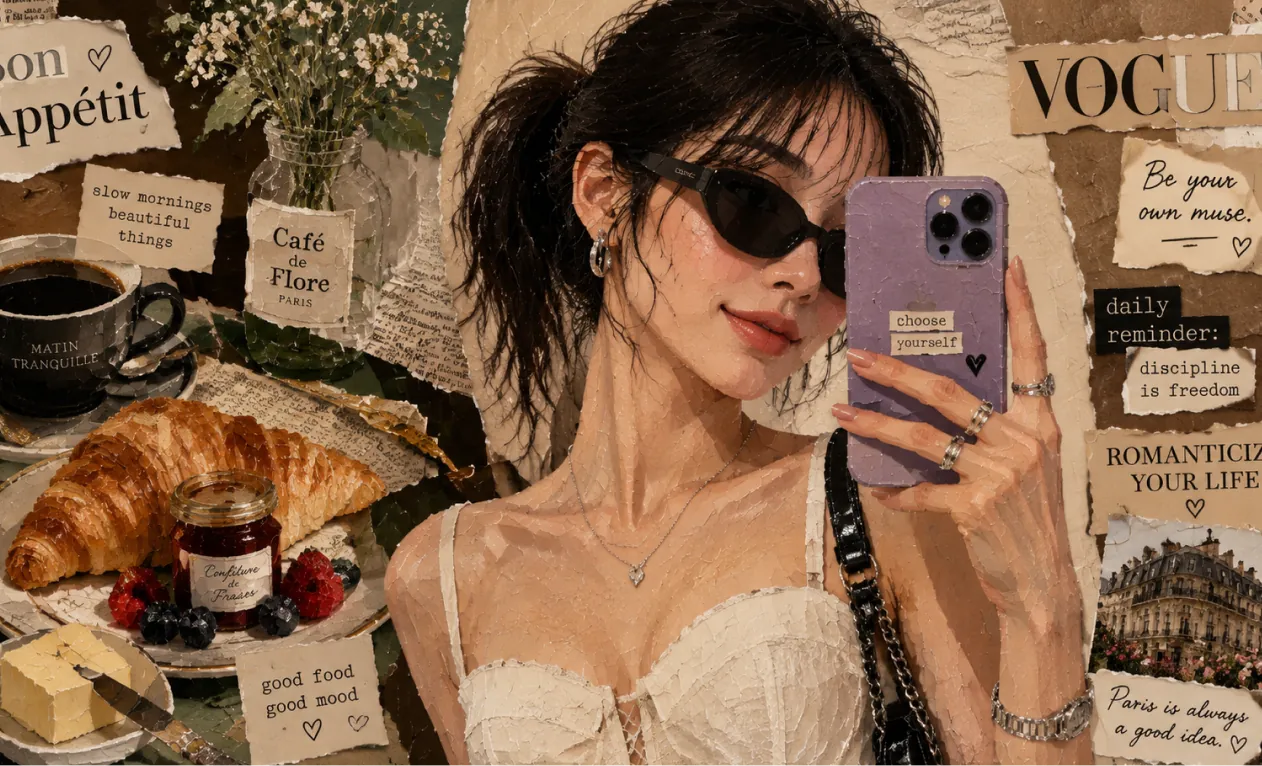
Based on this floor plan, generate a photorealistic rendering of the interior. A Japanese-inspired minimalist house with warm hinoki wood tones, a central courtyard garden visible through floor-to-ceiling glass with a single red maple tree, tatami flooring, an engawa wooden veranda with dappled afternoon light. Sliding shoji screens partially open. Match the layout exactly.
Concept art và xây dựng thế giới
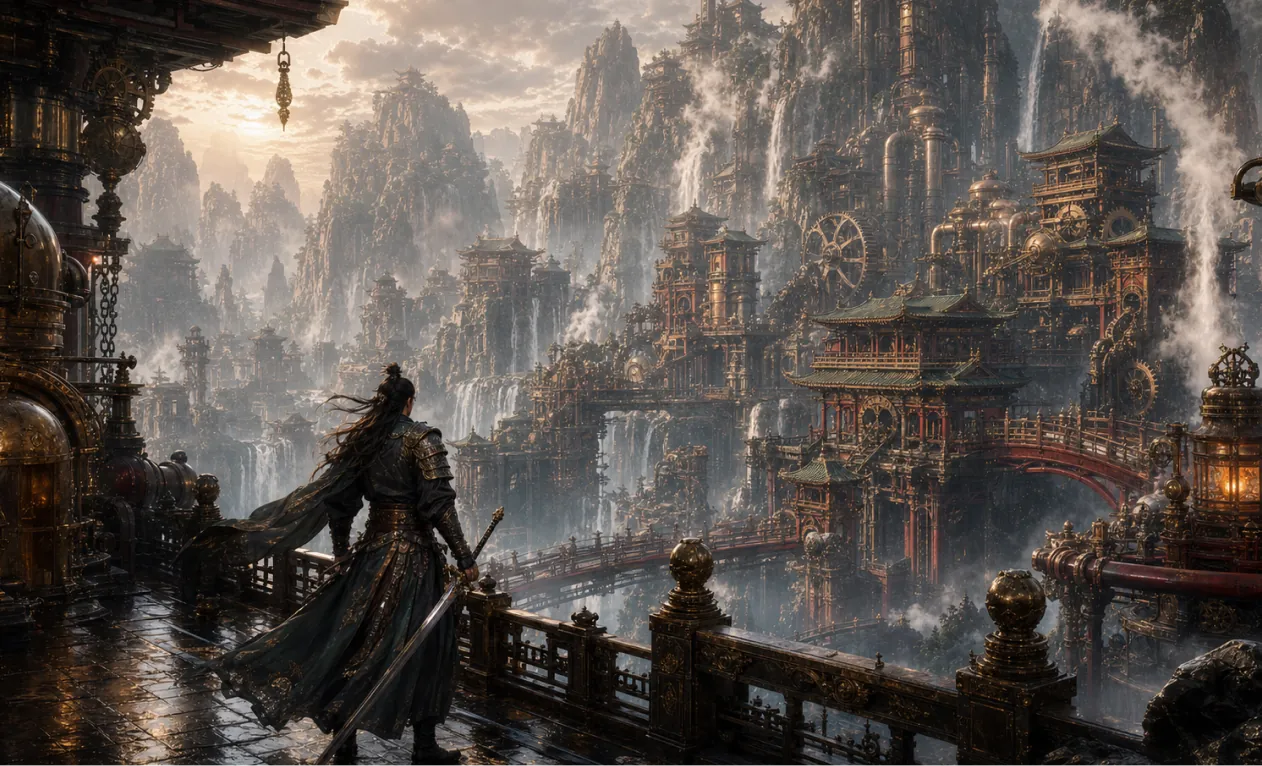
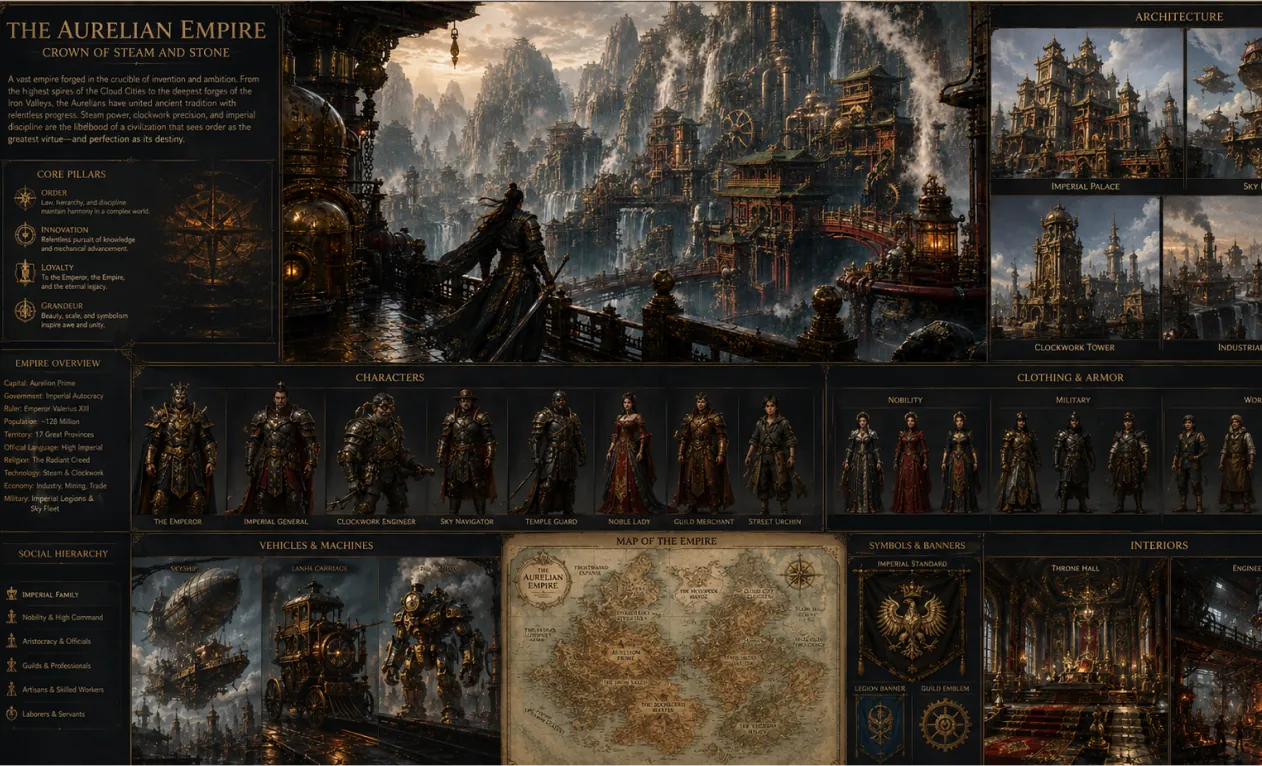
Generate a 16:9 game concept art of Chinese martial arts and steampunk fusion style, without any text.
Create a complete visual world-building model for a civilization with the style of reference image, including multiple images of buildings, characters, clothing, vehicles and maps, using a unified design language and featuring a cinematic-like realism with extremely rich details.
Ưu điểm nổi bật của Trình tạo ảnh AI
Cung cấp trải nghiệm tạo & chỉnh sửa ảnh hiệu quả, linh hoạt cho cá nhân và doanh nghiệp; hỗ trợ sáng tạo đa phong cách, tuỳ chỉnh và ứng dụng tiện lợi.
Giữ nhất quán nhân vật
Dù thay đổi dáng, ánh sáng, bối cảnh, nhân vật chính vẫn nhất quán, đảm bảo ảnh liền mạch, tự nhiên, thể hiện logic kể chuyện.
Mở rộng thiết kế
Vẫn giữ được cấu trúc & chi tiết chính, bạn có thể áp dụng các phong cách nghệ thuật hoặc chất liệu khác nhau, tạo sáng tạo mới mẻ.
Tổng hợp sáng tạo
Kết hợp nhiều yếu tố hình ảnh vào cùng một prompt để tạo ra tác phẩm độc đáo hài hòa.
Các ứng dụng Trình tạo ảnh AI
Trình tạo ảnh AI ứng dụng rộng rãi cho thiết kế poster, quảng bá thương hiệu, trình bày giáo dục, và sáng tạo nghệ thuật. Hỗ trợ kiểm soát linh hoạt chi tiết ảnh & văn bản, nâng cao hiệu suất sáng tạo và tác động thị giác, cung cấp giải pháp sáng tạo hiệu quả, chuyên nghiệp cho nhà thiết kế, doanh nghiệp và giáo viên.
Thiết kế mẫu nhanh
Hỗ trợ chỉnh sửa chi tiết poster, nội dung thị giác; tuỳ chỉnh font, kích thước, phong cách, lý tưởng cho quảng cáo sự kiện & thương hiệu.
Hỗ trợ giáo dục & học tập
Tạo, chỉnh sửa ảnh phục vụ giảng dạy, giúp xây dựng tài liệu & giáo án hấp dẫn, nâng cao trình bày và hiệu quả lớp học.
Marketing doanh nghiệp & xây dựng thương hiệu
Giúp doanh nghiệp tạo nhanh tài liệu quảng bá, hình ảnh nhận diện, nâng tầm hình ảnh thương hiệu và tăng sức cạnh tranh.
Sáng tạo văn hoá & nghệ thuật
Cung cấp công cụ phong phú cho nghệ sĩ, nhà thiết kế, hỗ trợ biến đổi phong cách & diễn đạt đa dạng, mở rộng tiềm năng sáng tạo nghệ thuật.
Cách dùng Trình tạo ảnh AI
Hướng dẫn chi tiết để bạn tận dụng tối đa công cụ Trình tạo ảnh AI.
Bước 1: Chọn mô hình AI phù hợp
Chọn mô hình phù hợp nhất để tạo ảnh.
Bước 2: Nhập nội dung văn bản
Nhập prompt (nội dung mô tả ảnh) cho việc tạo ảnh.
Bước 3: Chọn tỷ lệ khung hình ảnh
Chọn tỷ lệ khung hình phù hợp cho ảnh của bạn.
Bước 4: Nhấn tạo & nhận ảnh trong vài giây
Tạo ảnh
Các câu hỏi thường gặp về Hey Dream Trình tạo ảnh AI
Tin tức & bài viết về Hey Dream Trình tạo ảnh AI
Cập nhật trang web HeyDream AI: Bệ phóng sáng tạo mới cho hình ảnh, video và 3D
Trang chủ mới của HeyDream AI biến việc tạo hình ảnh, video và 3D thành một bệ phóng sáng tạo một màn hình nhanh hơn dành cho các nhà sáng tạo.
ChatGPT Image 2 Đã Ra Mắt: Những Thay Đổi Đối Với Việc Tạo Ảnh AI và Quy Trình Làm Việc API
Khám phá ChatGPT Image 2 như một động cơ sáng tạo cho hình ảnh được hỗ trợ bởi API, mockup thương hiệu, nội dung mạng xã hội và các quy trình làm việc AI ở bước tiếp theo.
Hướng dẫn Trình tạo Ảnh AI HeyDream: Các Mô hình Tốt nhất cho Text-to-Image và Image-to-Image
Tìm hiểu cách sử dụng trình tạo hình ảnh của HeyDream AI cho việc tạo từ văn bản thành hình ảnh và từ hình ảnh thành hình ảnh, kèm so sánh các mô hình và mẹo sử dụng Nano Banana 2.

