AI画像生成器:No.1高品質AI画像ツール
AI画像生成器でテキスト・画像を美しい画像に変換。SeeDream 4.0やHiDream I1など先進モデル対応。
Hey Dream AI画像生成器の作例
デザインモックアップ、製品コンセプトボード、ドキュメンタリー風シーン、建築ビジュアライゼーション、コンセプトアート、世界観構築まで、AI画像生成ツールの事例を紹介します。
テキストから画像へ変換
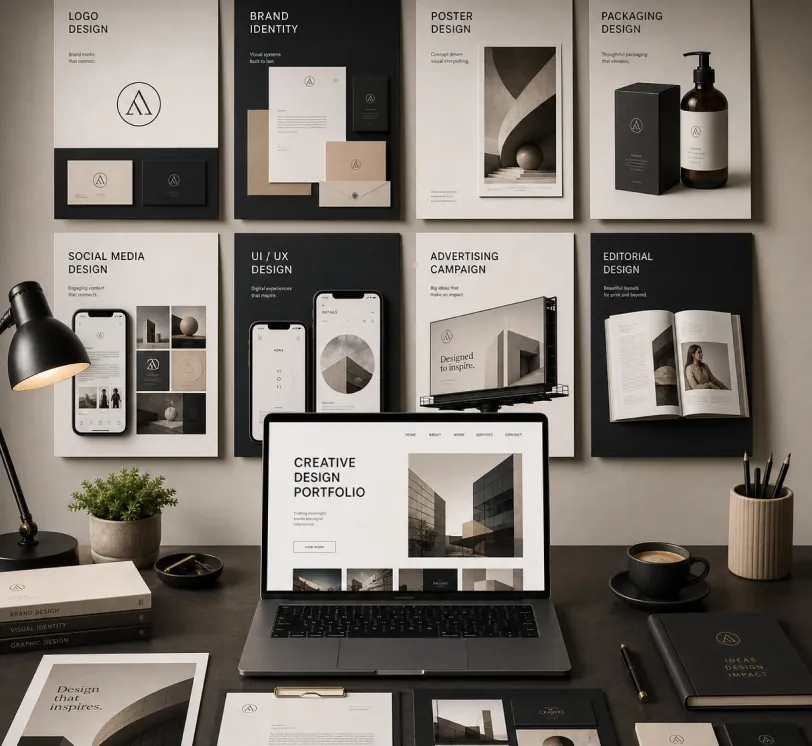
Create a premium graphic design portfolio mockup in a professional creative studio style. Show a clean, elegant workspace presentation featuring multiple graphic design project cards arranged in a refined grid layout, a modern laptop screen displaying a portfolio homepage, and several printed posters laid out neatly on the desk and mounted on the wall.Use a polished creative-director aesthetic with soft shadows, subtle depth, realistic materials, and a high-end studio atmosphere. Include sleek typography placeholders, branding samples, editorial-style poster designs, business cards, stationery, notebook, pen, coffee cup, desk lamp, and small plant for a realistic studio setup.The design should have a clean grid layout, balanced spacing, soft realistic shadows, premium lighting, and neutral luxury tones such as black, white, warm beige, gray, champagne, and cream. Make the laptop screen show a minimal portfolio interface with project thumbnails, navigation menu, and bold hero text.Add multiple portfolio project cards such as logo design, brand identity, poster design, packaging design, social media design, UI/UX design, and advertising campaign mockups. Arrange everything professionally with a modern minimalist style, sharp details, clean typography, elegant composition, and a premium creative agency presentation look.Style: high-end graphic design portfolio, modern creative studio, luxury branding mockup, clean desk setup, realistic shadows, editorial layout, minimalist premium design, professional presentation, 4K, ultra-detailed.
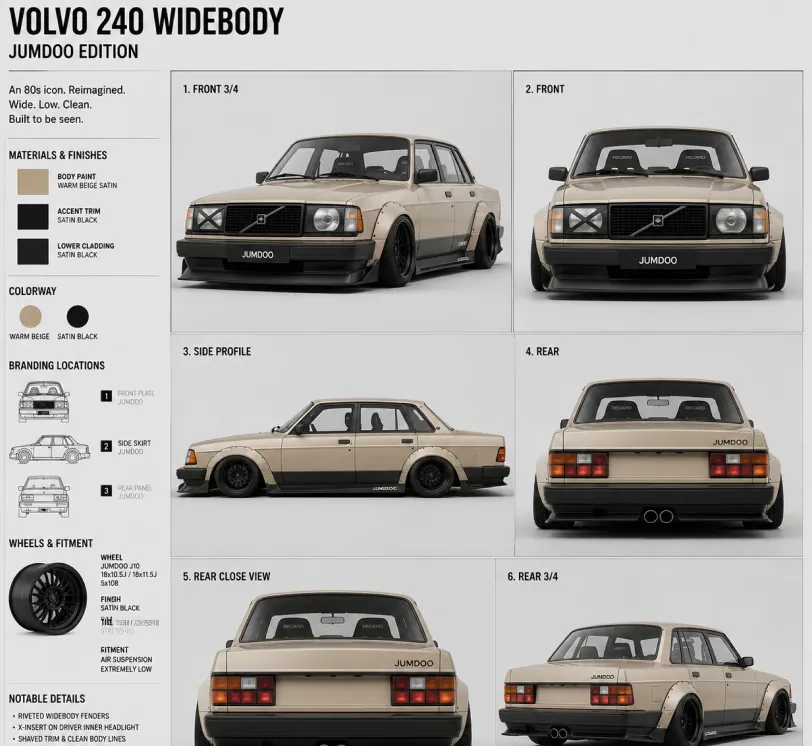
Create a clean 1:1 automotive design specification board on a light gray studio background. Feature a highly detailed 1980s Volvo 240 widebody show car, JUMDOO EDITION, in warm beige satin paint with satin black accents. The car should have a boxy Volvo 240 silhouette, very low air-suspension stance, extra-wide track width, riveted wide fender flares, deep black front splitter with near-ground clearance, black side skirts, black lower cladding, black deep-dish multi-spoke wheels, stretched low-profile tires, black grille with Volvo diagonal slash, one inner front headlight covered by an X-pattern insert for an asymmetric look, shaved clean body trim, dual center exhaust, and visible racing bucket seats. Add small JUMDOO branding on the front plate area, side skirt, and rear panel. Arrange six studio render views in a 3x2 grid: front 3/4, front, side profile, rear, rear close view, and rear 3/4. Use crisp realistic 3D product-render lighting, soft shadows, black sans-serif typography, thin gray divider lines, and minimal Swiss-style layout. Include a top-left title: VOLVO 240 WIDEBODY, subheadline: JUMDOO EDITION. Add small side panels for material swatches, colorway, branding locations, wheels and fitment, and notable details.
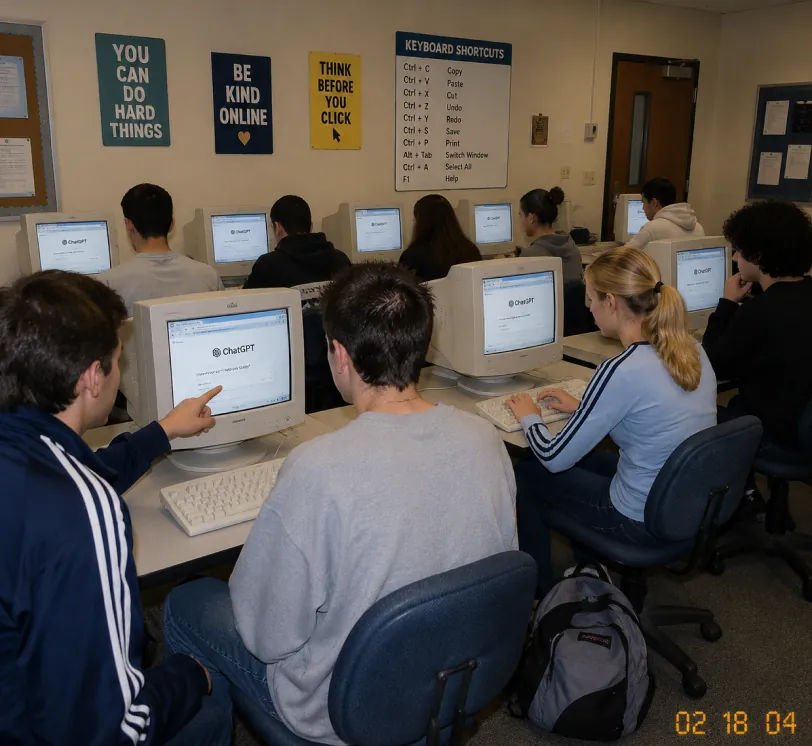
A candid documentary-style photo of a high school computer lab classroom with exactly 10 students. Viewed from the back-left corner at a slight wide angle. Early-2000s snapshot look: consumer digital camera, direct flash, soft grain, warm fluorescent lighting, timestamp "02 18 04" in bottom-right corner.Foreground details: Left: student in navy track jacket with white stripes pointing at CRT monitor Center: student with short spiky hair in oversized gray sweatshirt, back to camera Right: blonde girl with ponytail in light blue long-sleeve top with dark stripes, typing on keyboard Far right: student with curly dark hair at workstation Other students sit in middle and back rows, all facing their screens. Bulky off-white CRT computers show ChatGPT interface with "ChatGPT" heading and simple prompt text visible. Room details: beige walls, drop ceiling, rolling office chairs, white keyboards and mice, backpack on floor. Back wall has 4 readable posters: "YOU CAN DO HARD THINGS", "BE KIND ONLINE", "THINK BEFORE YOU CLICK", and a large "KEYBOARD SHORTCUTS" poster. Also bulletin boards and a classroom door at the back. Faces softly anonymized or partially obscured. Realistic classroom photo style, focus on students using ChatGPT in an old computer lab.
スケッチからリアルなレンダリングへ
A professional hand-drawn architectural sketch of a modern Japanese-style house, isometric view, 3D floor plan. The house features a central Zen courtyard with a single bonsai tree and white gravel. Interior shows a tatami room with sliding shoji doors, and a compact kitchen. Fine pen and pencil hatching, clean black ink lines on white paper. Includes architectural dimension lines and handwritten numbers. Soft natural lighting, placed on a wooden desk background with a fountain pen nearby, hyper-realistic photography of a drawing, high detail.
Based on this floor plan, generate a photorealistic rendering of the interior. A Japanese-inspired minimalist house with warm hinoki wood tones, a central courtyard garden visible through floor-to-ceiling glass with a single red maple tree, tatami flooring, an engawa wooden veranda with dappled afternoon light. Sliding shoji screens partially open. Match the layout exactly.
コンセプトアートと世界観構築
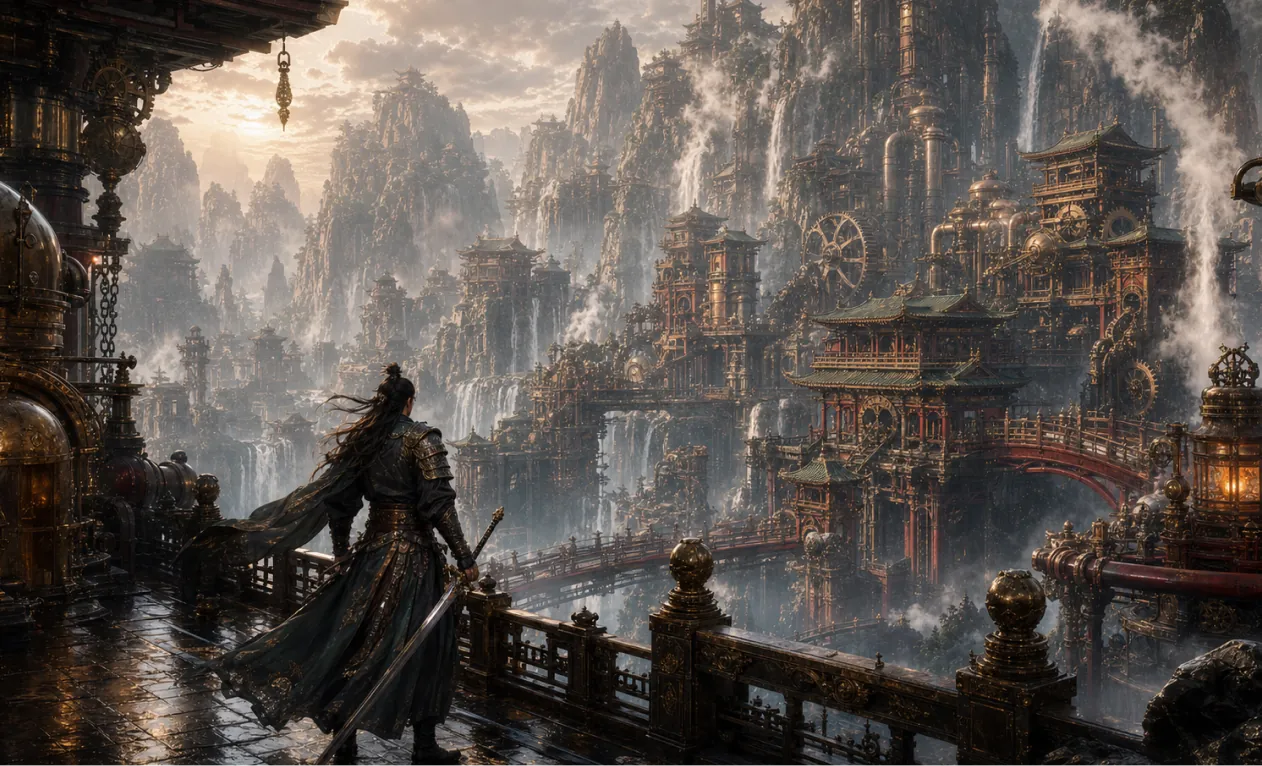
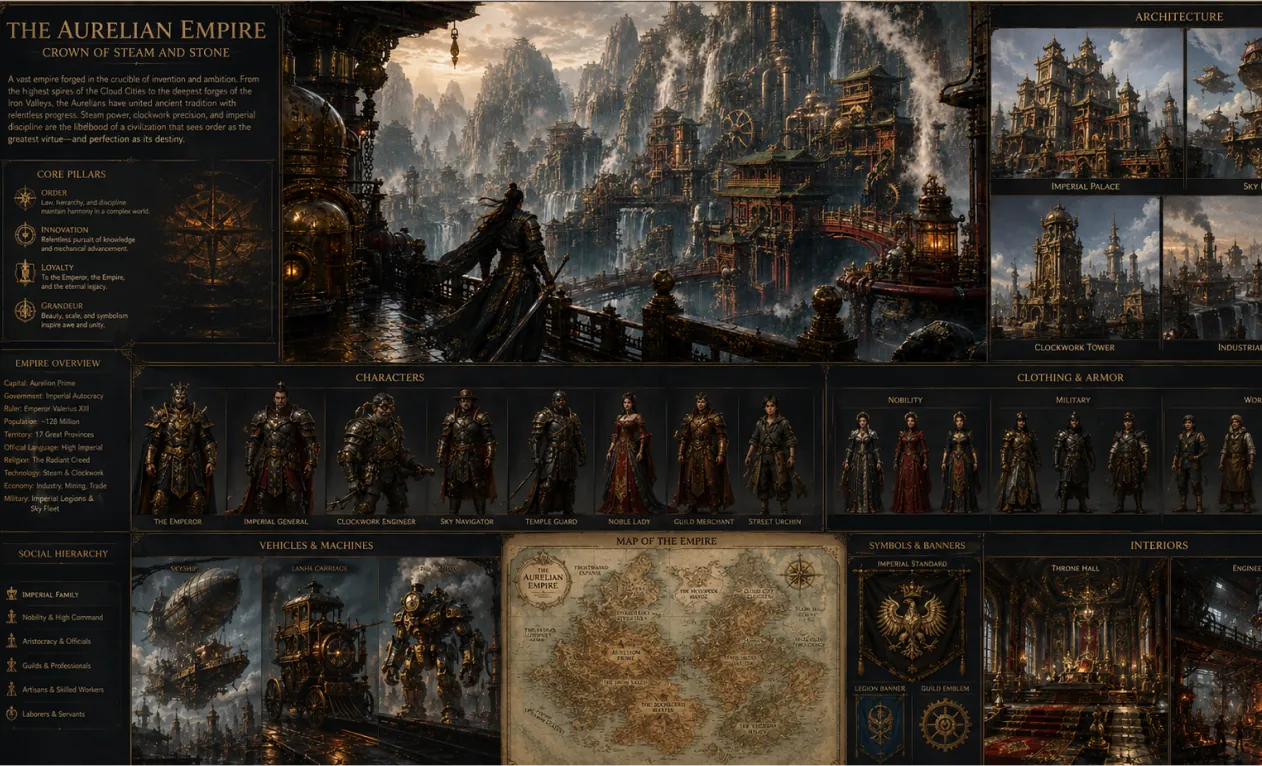
Generate a 16:9 game concept art of Chinese martial arts and steampunk fusion style, without any text.
Create a complete visual world-building model for a civilization with the style of reference image, including multiple images of buildings, characters, clothing, vehicles and maps, using a unified design language and featuring a cinematic-like realism with extremely rich details.
AI画像生成器の主な強み
個人・法人ユーザーに効率的かつコントロール自在な画像生成・編集を提供。多彩なスタイル創出、柔軟カスタマイズ、利便性をサポート。
キャラクター一貫性
ポーズやライティング、シーンが変化しても主役の特徴は常に一貫して維持され、自然で物語性を持った画像が実現します。
デザイン拡張性
コア構造やディテールを保ちながら、様々なアートスタイルやテクスチャに柔軟に転換可能。クリエイティブな再解釈にも対応。
創造的な統合生成
複数の画像要素を同じプロンプトに投入し、独自で調和の取れた全体構成の画像を生成。
AI画像生成器の活用シーン
AI画像生成器はポスター、ブランド・プロモ、教育資料、アート創作など幅広く活用可能。画像・テキストを柔軟にコントロールし、創作効率・ビジュアル・インパクト向上。デザイナー・企業チーム・教育者のための効率的かつプロフェッショナルなクリエイティブ支援を実現。
高速プロトタイプデザイン
ポスターや様々なビジュアルを細やかに編集。フォントやサイズ、スタイルの柔軟な調整でイベントやブランドプロモに最適。
教育・学習サポート
教育分野では教材画像や学習リソースの生成・編集を支援。授業資料の質や伝達力を向上します。
企業マーケティング・ブランド強化
マーケティング資料やブランドビジュアルを効率的に創出し、ブランドイメージ向上&競争力強化に貢献。
カルチャー・アート創作
アーティストやデザイナーに豊富なクリエイティブツールを提供。スタイル変換や多様な表現で、芸術創作の可能性を広げます。
AI画像生成器の使い方
このガイドではAI画像生成ツールを最大限活用できる実用的な手順を解説します。
ステップ1:お好みのAIモデルを選択
画像生成に最適なモデルを選んでください。
ステップ2:テキスト入力
画像生成用のプロンプトを入力してください。
ステップ3:画像アスペクト比の選択
画像に最適なアスペクト比を選択してください。
ステップ4:「生成」を押して即画像を入手
画像を作成
Hey Dream AI画像生成器のFAQ
Hey Dream AI画像生成器 ニュース・記事
HeyDream AIウェブサイトのアップデート:画像・動画・3Dのための新たなクリエイティブ発進基地
HeyDream AIの新しいホームページは、画像・動画・3D制作を、クリエイターのためのより高速なワンストップのクリエイティブ起点へと変えます。
ChatGPT Image 2 が登場:AI画像生成とAPIワークフローはどう変わるのか
ChatGPT Image 2 を、API 連携のビジュアル、ブランドのモックアップ、ソーシャルコンテンツ、そして次世代の AI ワークフローのためのクリエイティブエンジンとして活用しましょう。
HeyDream AI 画像ジェネレーターガイド:テキストから画像・画像から画像へのベストモデル
HeyDream AI の画像ジェネレーターを使って、テキストから画像を生成する「テキスト・トゥ・イメージ」と、画像から画像を生成する「イメージ・トゥ・イメージ」を行う方法を学びましょう。さらに、モデル比較や Nano Banana 2 の活用ヒントも紹介します。

