
Wait… the football star is sitting in the audience?! ⚽️
Kling 3.0 Turbo AI 비디오 생성기: 빠른 Kling 3.0 AI
Kling 3.0 Turbo는 Kling 3.0을 기반으로 한 더 빠르고 비용 효율적인 모델입니다. 멀티모달 비디오 생성, 영상과 오디오의 통합 생성, Storyboard 및 Elements 3.0 제어를 유지해 멀티샷 편집과 캐릭터 및 소품 일관성을 지원합니다.
비디오 기록
Kling 3.0 Turbo AI 비디오 생성기 소개
더 빠른 텍스트-비디오 및 첫 프레임 이미지-비디오 워크플로를 위한 Kling 비디오 모델을 살펴보세요.
Kling 3.0 Turbo는 짧은 시네마틱 클립을 빠르게 만들기 위한 Kling 비디오 생성 경험입니다. 텍스트-비디오, 이미지-비디오, 720p/1080p, 16:9·9:16·1:1 비율, 3~15초 길이, 최대 6개 샷의 구조화 계획을 지원합니다.
Kling 3.0 Turbo AI 비디오 생성기 예시
실용적인 프롬프트 예시를 통해 장면 설명, 카메라 지시, 첫 프레임 참조가 완성도 있는 짧은 AI 비디오로 바뀌는 과정을 확인하세요.
원본 이미지
비디오
프롬프트
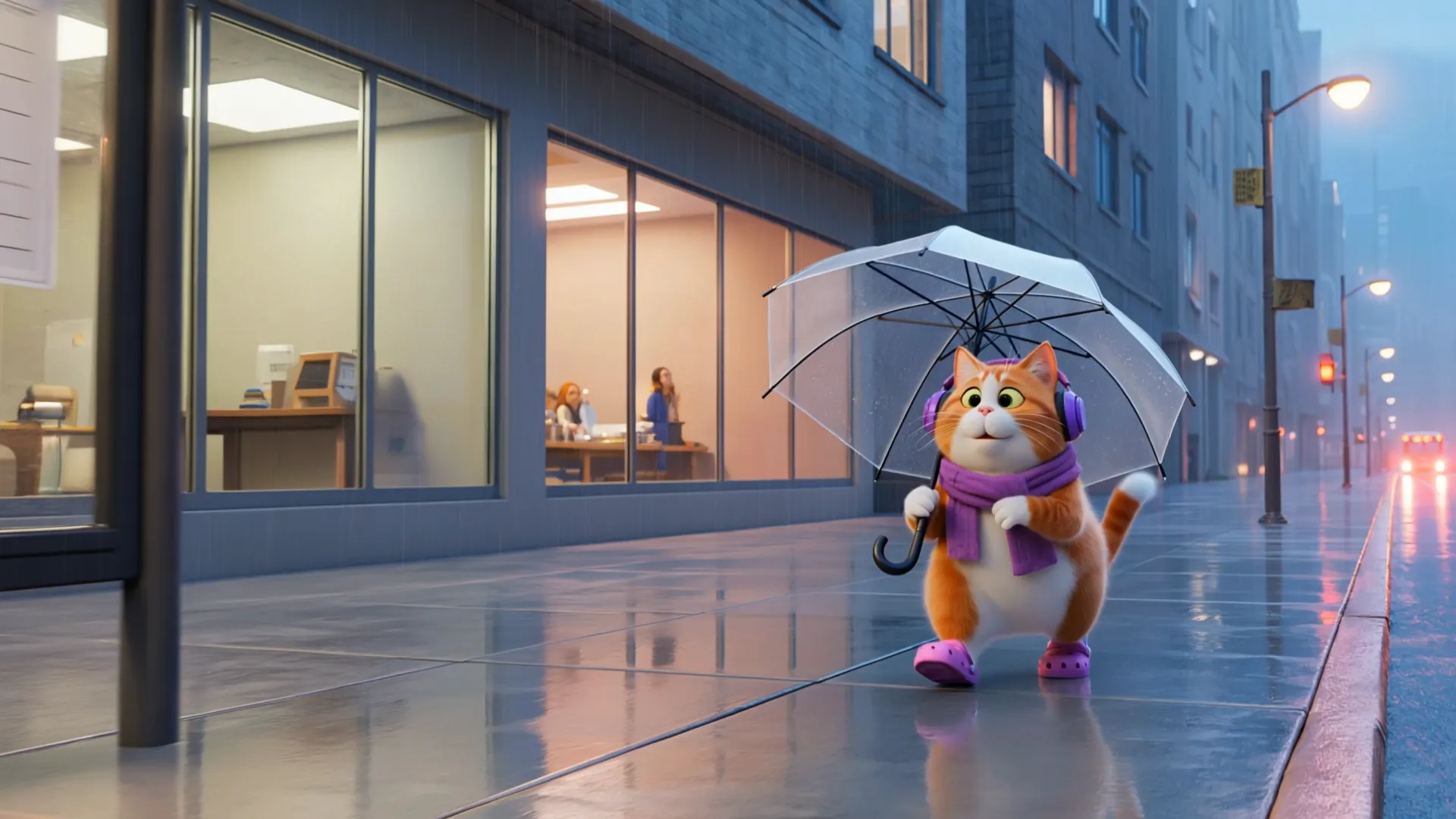
Cinematic ultra-realistic 3D animated cat daily vlog, cozy rainy evening aesthetic, adorable chubby orange-and-white British Shorthair cat acting like a human commuter, wearing purple headphones, purple scarf, purple tote bag, and purple Crocs throughout the entire video, consistent character design in every scene. Soft rainy city atmosphere, reflective wet streets, cinematic depth of field, warm indoor lighting, highly detailed fur physics, realistic rain droplets, smooth Pixar-style animation mixed with realistic textures. Scene 1 — 17 :31 GET OFF WORK The cat exits a modern office building during rain while holding a transparent umbrella, walking confidently on wet reflective pavement, city lights glowing softly, cinematic tracking shot. Scene 2 — 17 :47 THE CAR HAS ARRIVED The cat waits at a rainy bus stop with umbrella, bus headlights approaching through misty rain, soft ambient traffic reflections, emotional urban vibe. Scene 3 — 18 :07 I'M SO SLEEPY Inside public transport, the cat sits sleepily near a rainy window, eyes closed while listening to music, soft vehicle motion, cozy evening commute feeling. Scene 4 — 18 :27 ARRIVED AT THE COMMUNITY Rear view of the cat walking through a quiet residential community in rain, umbrella dripping water, playground and apartment lights blurred in background. Scene 5 — 18 :31 WAIT FOR THE ELEVATOR The cat stands patiently in front of an apartment elevator holding the folded transparent umbrella, warm hallway lighting, realistic reflections on elevator doors. Scene 6 — 18 :40 FINALLY HOME The cat enters a cozy apartment hallway, removes the tote bag and umbrella, relaxing after work, warm cinematic home atmosphere. Scene 7 — 18 :52 TAKE A BATH FIRST Cute bathroom scene, cat removing scarf before shower, soft white lighting, realistic steam and bathroom reflections, adorable expression. Scene 8 — 19: 12 THE TAKEOUT HAS ARRIVED Food delivery person hands takeout to the cat at the apartment door, cat now wearing soft purple
Kling 3.0 Turbo AI 비디오 모델 주요 기능
Kling 3.0 Turbo는 빠른 AI 비디오 생성과 텍스트-비디오, 첫 프레임 이미지-비디오, 짧은 길이, 멀티샷 구조 제어를 결합합니다.
Turbo 텍스트-비디오 생성
상세한 프롬프트를 액션, 조명, 카메라 움직임, 장면 리듬이 제어된 짧은 AI 비디오로 변환합니다.
첫 프레임 이미지-비디오 애니메이션
지원되는 JPG, JPEG, PNG 첫 프레임 이미지를 업로드하고 프롬프트로 자연스러운 움직임과 카메라 방향을 더하세요.
멀티샷 프롬프트 제어
하나의 프롬프트에서 최대 6개 샷을 계획하고 각 샷의 순서, 길이, 설명을 지정할 수 있습니다.
Kling 3.0 Turbo AI 비디오 생성기의 장점
Kling 3.0 Turbo는 빠른 콘셉트 테스트부터 숏폼 제작까지 속도, 프롬프트 제어, 출력 유연성을 실용적으로 균형 있게 제공합니다.
더 빠른 숏폼 비디오 제작
Turbo 워크플로는 아이디어를 빠르게 검증하고 프롬프트 초안에서 활용 가능한 숏폼 비디오 변형으로 빠르게 나아가도록 설계되었습니다.
명확한 출력 제어
720p/1080p, 세로 9:16, 정사각형 1:1, 가로 16:9 등 일반 게시 형식에 맞춰 출력 설정을 선택할 수 있습니다.
강화된 장면 계획
구조화된 멀티샷 계획은 제품 공개, 소셜 훅, 스토리보드 미리보기, 짧은 광고의 템포와 전환을 제어하는 데 유용합니다.
유연한 텍스트 및 이미지 입력
글로 쓴 장면 아이디어나 첫 프레임 이미지에서 시작해 움직임, 카메라, 분위기, 시각 스타일을 프롬프트로 조정하세요.
Kling 3.0 Turbo AI 비디오 생성기 사용 방법
1단계: 프롬프트 입력 또는 첫 프레임 이미지 업로드
텍스트-비디오용 장면을 설명하거나 지원되는 첫 프레임 이미지를 업로드하세요. 피사체 동작, 카메라, 조명, 스타일, 샷 타이밍을 포함합니다.
2단계: 해상도, 비율, 길이 설정
720p 또는 1080p, 16:9, 9:16 또는 1:1, 3~15초 길이를 선택하세요. 더 정교한 리듬에는 멀티샷 계획을 사용합니다.
3단계: 검토, 수정, 내보내기
생성된 비디오를 확인하고 프롬프트나 샷 설명을 조정해 변형을 만든 뒤 캠페인, 소셜, 웹사이트, 프레젠테이션에 맞는 최적 결과를 내보내세요.
Twitter에서 Kling 3.0 Turbo AI 비디오 작품 보기

First Look New Kling Update! Upgraded O3 There's also Fast versions Looks noticably better! Image to Video Use the uploaded image as the exact identity reference for the woman: confident playful expression, light skin, stylish modern look. Convert her into realistic


Kling 3.0 Turbo and O3 upgrades is now live on fal! Turbo: faster generation, lower costs, superior lip-sync, stable motion Omni: stronger prompt and reference consistency Up to 15s clips with full 4K generation with Omni Smarter storyboards and high quality multishot workflows

The Kling vs Seedance race is getting spicy. Kling will drop 3.0 Fast / Omni upgrade tomorrow. Kling😊: Here’s 3.0 Fast — faster, cheaper, better lip-sync. Seedance 😁: Cute. Here’s 2.0 Mini, cheaper and faster than Fast. Kling 🙄: Also Omni supports 15s and 4K in/out. Seedance


Comparing Seedance 2.0 vs. Kling 3.0 Turbo Which one wins your workflow? Dropping my full initial review in the comments soon!
Kling 3.0 Turbo and O3 upgrades is now live on fal! Turbo: faster generation, lower costs, superior lip-sync, stable motion Omni: stronger prompt and reference consistency Up to 15s clips with full 4K generation with Omni Smarter storyboards and high quality multishot workflows

