AI 이미지 생성기: No.1 고품질 AI 이미지 도구
텍스트/이미지를 AI 이미지 생성기로 변환해 보세요. SeeDream 4.0 및 HiDream I1 등 첨단 모델로 이미지를 만듭니다.
Hey Dream AI 이미지 생성기 예시
디자인 목업, 제품 콘셉트 보드, 다큐멘터리 스타일 장면, 건축 시각화, 콘셉트 아트, 세계관 구축까지 AI 이미지 생성기 예시를 살펴보세요.
텍스트를 이미지로 변환
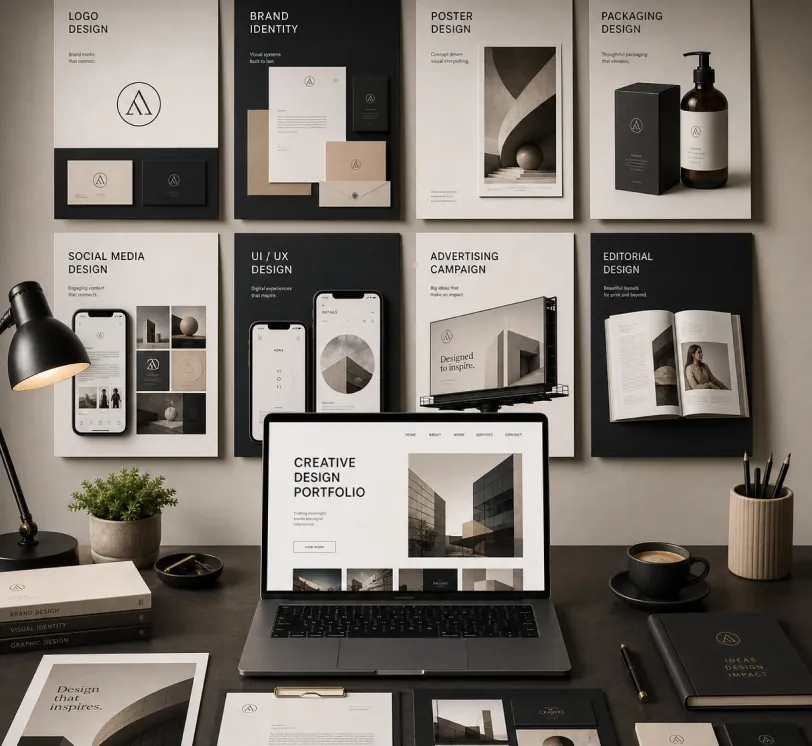
Create a premium graphic design portfolio mockup in a professional creative studio style. Show a clean, elegant workspace presentation featuring multiple graphic design project cards arranged in a refined grid layout, a modern laptop screen displaying a portfolio homepage, and several printed posters laid out neatly on the desk and mounted on the wall.Use a polished creative-director aesthetic with soft shadows, subtle depth, realistic materials, and a high-end studio atmosphere. Include sleek typography placeholders, branding samples, editorial-style poster designs, business cards, stationery, notebook, pen, coffee cup, desk lamp, and small plant for a realistic studio setup.The design should have a clean grid layout, balanced spacing, soft realistic shadows, premium lighting, and neutral luxury tones such as black, white, warm beige, gray, champagne, and cream. Make the laptop screen show a minimal portfolio interface with project thumbnails, navigation menu, and bold hero text.Add multiple portfolio project cards such as logo design, brand identity, poster design, packaging design, social media design, UI/UX design, and advertising campaign mockups. Arrange everything professionally with a modern minimalist style, sharp details, clean typography, elegant composition, and a premium creative agency presentation look.Style: high-end graphic design portfolio, modern creative studio, luxury branding mockup, clean desk setup, realistic shadows, editorial layout, minimalist premium design, professional presentation, 4K, ultra-detailed.
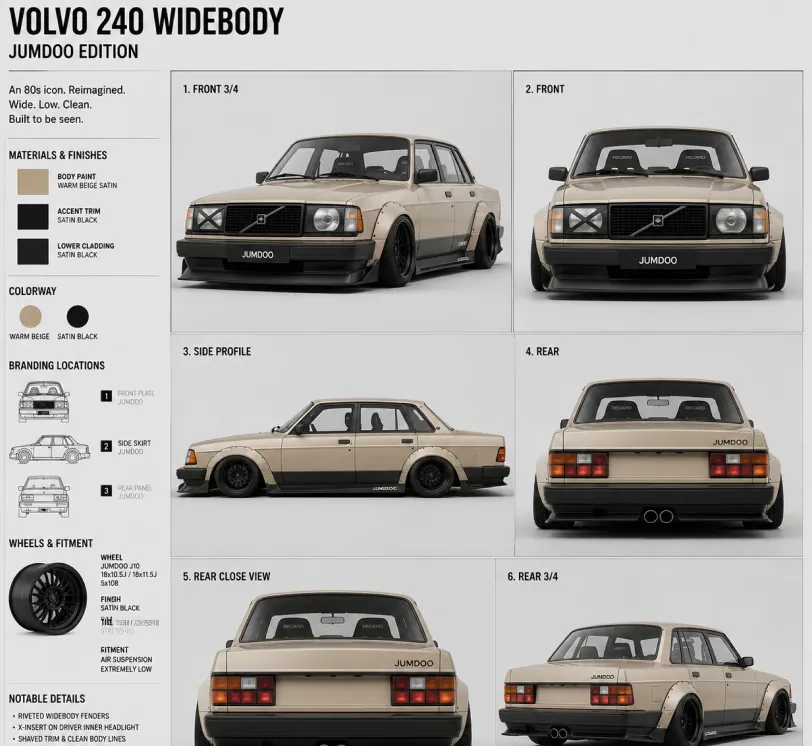
Create a clean 1:1 automotive design specification board on a light gray studio background. Feature a highly detailed 1980s Volvo 240 widebody show car, JUMDOO EDITION, in warm beige satin paint with satin black accents. The car should have a boxy Volvo 240 silhouette, very low air-suspension stance, extra-wide track width, riveted wide fender flares, deep black front splitter with near-ground clearance, black side skirts, black lower cladding, black deep-dish multi-spoke wheels, stretched low-profile tires, black grille with Volvo diagonal slash, one inner front headlight covered by an X-pattern insert for an asymmetric look, shaved clean body trim, dual center exhaust, and visible racing bucket seats. Add small JUMDOO branding on the front plate area, side skirt, and rear panel. Arrange six studio render views in a 3x2 grid: front 3/4, front, side profile, rear, rear close view, and rear 3/4. Use crisp realistic 3D product-render lighting, soft shadows, black sans-serif typography, thin gray divider lines, and minimal Swiss-style layout. Include a top-left title: VOLVO 240 WIDEBODY, subheadline: JUMDOO EDITION. Add small side panels for material swatches, colorway, branding locations, wheels and fitment, and notable details.
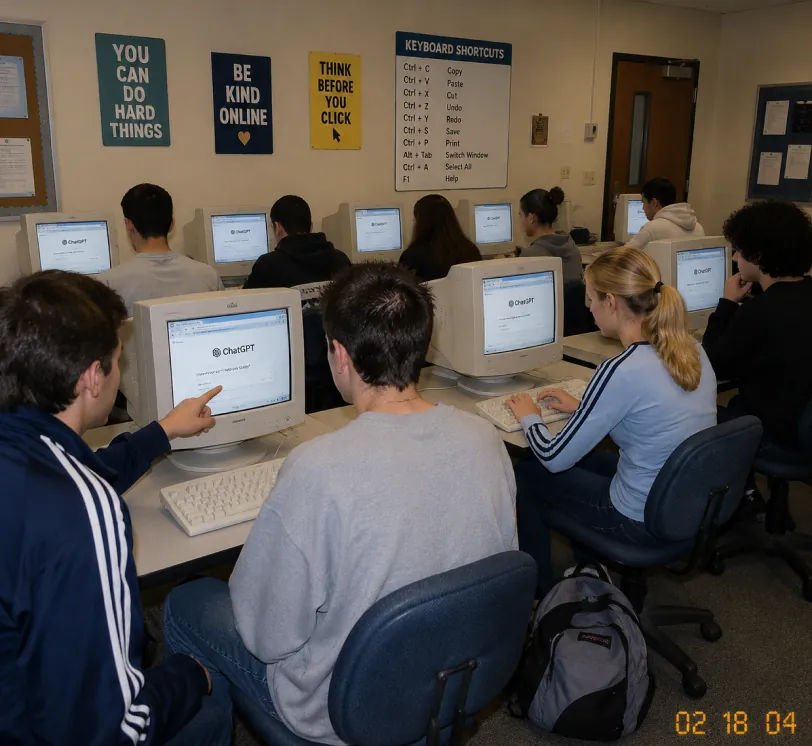
A candid documentary-style photo of a high school computer lab classroom with exactly 10 students. Viewed from the back-left corner at a slight wide angle. Early-2000s snapshot look: consumer digital camera, direct flash, soft grain, warm fluorescent lighting, timestamp "02 18 04" in bottom-right corner.Foreground details: Left: student in navy track jacket with white stripes pointing at CRT monitor Center: student with short spiky hair in oversized gray sweatshirt, back to camera Right: blonde girl with ponytail in light blue long-sleeve top with dark stripes, typing on keyboard Far right: student with curly dark hair at workstation Other students sit in middle and back rows, all facing their screens. Bulky off-white CRT computers show ChatGPT interface with "ChatGPT" heading and simple prompt text visible. Room details: beige walls, drop ceiling, rolling office chairs, white keyboards and mice, backpack on floor. Back wall has 4 readable posters: "YOU CAN DO HARD THINGS", "BE KIND ONLINE", "THINK BEFORE YOU CLICK", and a large "KEYBOARD SHORTCUTS" poster. Also bulletin boards and a classroom door at the back. Faces softly anonymized or partially obscured. Realistic classroom photo style, focus on students using ChatGPT in an old computer lab.
스케치에서 사실적인 렌더링으로
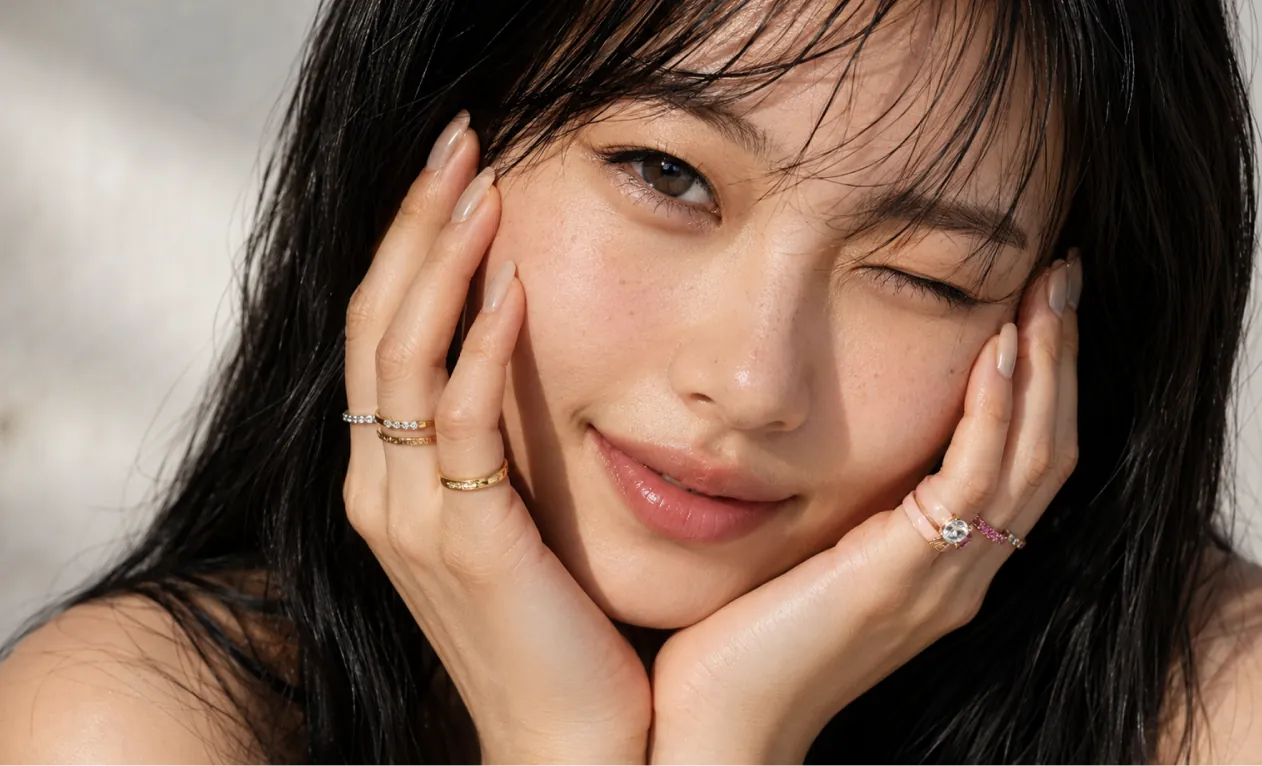
A professional hand-drawn architectural sketch of a modern Japanese-style house, isometric view, 3D floor plan. The house features a central Zen courtyard with a single bonsai tree and white gravel. Interior shows a tatami room with sliding shoji doors, and a compact kitchen. Fine pen and pencil hatching, clean black ink lines on white paper. Includes architectural dimension lines and handwritten numbers. Soft natural lighting, placed on a wooden desk background with a fountain pen nearby, hyper-realistic photography of a drawing, high detail.
Based on this floor plan, generate a photorealistic rendering of the interior. A Japanese-inspired minimalist house with warm hinoki wood tones, a central courtyard garden visible through floor-to-ceiling glass with a single red maple tree, tatami flooring, an engawa wooden veranda with dappled afternoon light. Sliding shoji screens partially open. Match the layout exactly.
콘셉트 아트와 세계관 구축
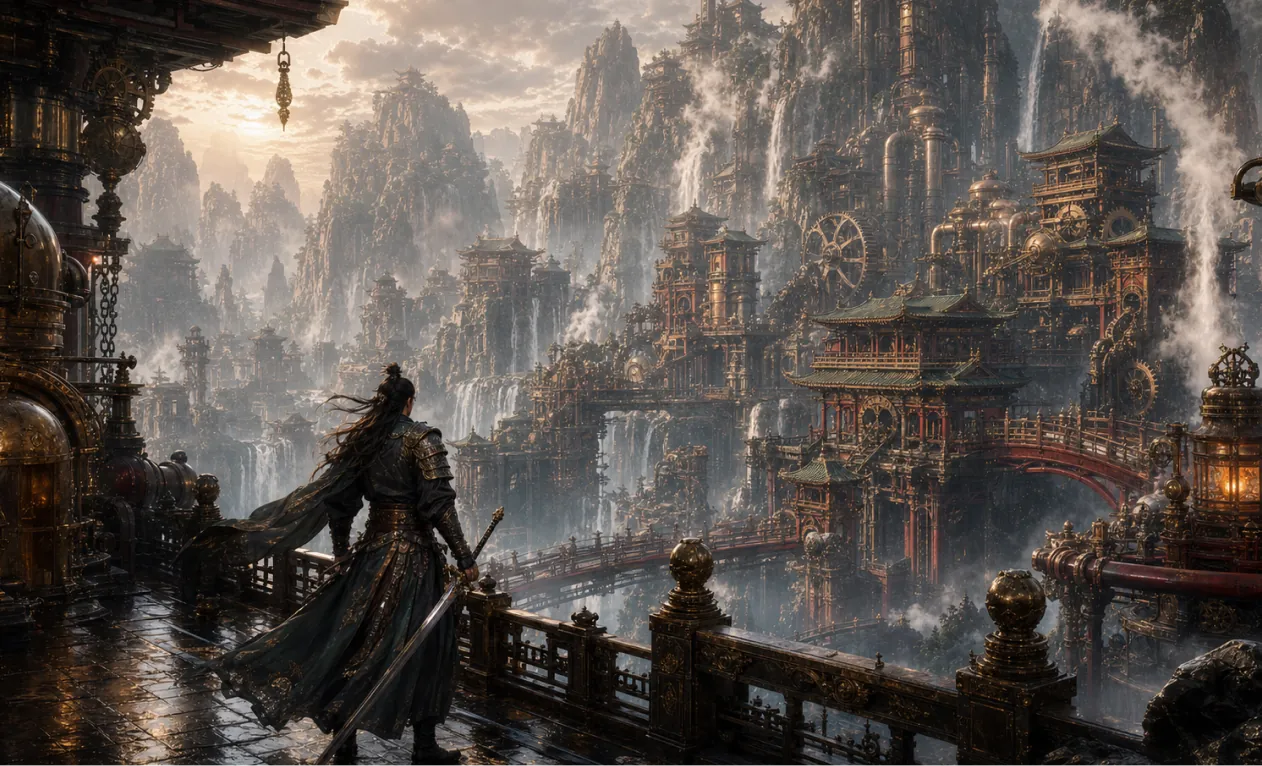
Generate a 16:9 game concept art of Chinese martial arts and steampunk fusion style, without any text.
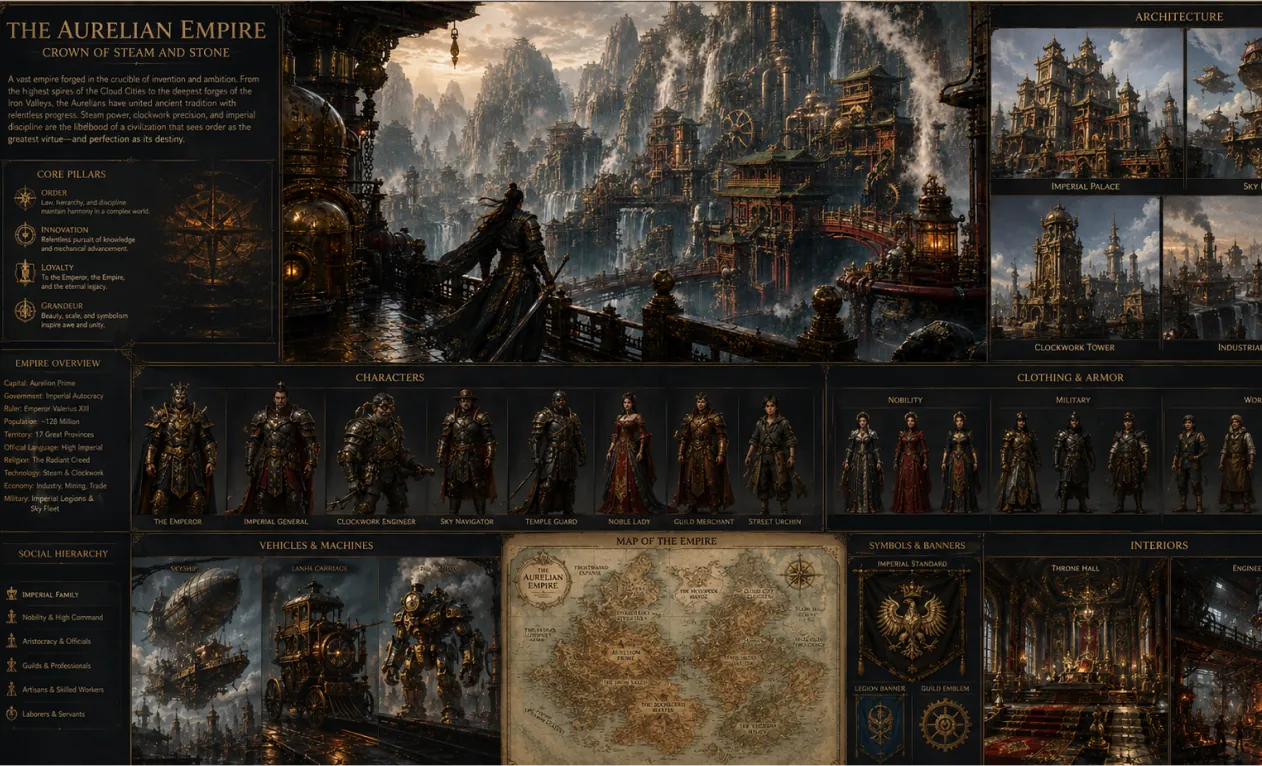
Create a complete visual world-building model for a civilization with the style of reference image, including multiple images of buildings, characters, clothing, vehicles and maps, using a unified design language and featuring a cinematic-like realism with extremely rich details.
AI 이미지 생성기의 핵심 장점
개인과 기업 사용자를 위한 효율적이고 제어 가능한 이미지 생성 및 편집 경험을 제공합니다. 다양한 스타일 창작, 유연한 맞춤, 편리한 적용이 가능합니다.
캐릭터 일관성
포즈·조명·장면이 바뀌어도 주인공의 주요 특성은 그대로 유지되어 자연스러운 내러티브를 구현합니다.
디자인 확장성
핵심 구조와 디테일을 보존하면서도 다양한 예술 스타일·질감을 유연하게 적용해 창의적 재해석이 가능합니다.
창의적 합성
여러 이미지 요소를 하나의 프롬프트에 통합해 독특하고 조화로운 전체 구성을 만들어냅니다.
AI 이미지 생성기 활용 사례
AI 이미지 생성기는 포스터 디자인, 브랜드 마케팅, 교육 프레젠테이션, 예술 창작 등 폭넓게 쓰입니다. 이미지·텍스트 디테일을 유연하게 제어해 창작 효율과 시각적 임팩트를 높이며, 디자이너, 기업팀, 교육자를 위한 효율적이고 전문적인 창의 지원을 제공합니다.
빠른 시안/프로토타입 디자인
포스터·다양한 시각 자료 세밀 편집, 글꼴·크기·스타일 자유 조절로 행사 홍보와 브랜드 마케팅에 최적입니다.
교육 및 학습 지원
교육현장에서 교재 및 학습 자료용 이미지를 쉽게 생성·편집, 수업 발표력과 학습 효율을 높입니다.
기업 마케팅 및 브랜드 홍보
기업의 마케팅·브랜드 비주얼 콘텐츠를 효율적으로 제작, 브랜드 이미지 제고 및 시장 경쟁력 강화에 기여합니다.
문화창작 및 예술 제작
아티스트와 디자이너를 위한 풍부한 창작 도구를 제공, 스타일 변환과 다양한 표현 지원으로 예술 창작의 가능성을 넓혀줍니다.
AI 이미지 생성기 사용법
이 안내서를 따라 AI 이미지 생성기 도구를 최대한 활용해 보세요.
1단계: 선호하는 AI 모델 선택
이미지 생성을 위한 적합한 모델을 선택하세요.
2단계: 텍스트 입력
이미지 생성을 위한 프롬프트를 입력하세요.
3단계: 이미지 비율 선택
이미지에 적합한 가로세로 비율을 선택하세요.
4단계: 생성 클릭 후 이미지 즉시 받기
이미지 생성
Hey Dream AI 이미지 생성기 FAQ
Hey Dream AI 이미지 생성기 관련 기사·소식 더 보기
Seedream 5.0 Pro 이미지 생성: 전문적인 제품 비주얼, 포스터, 그리고 정밀한 AI 편집
HeyDream에서 Seedream 5.0 Pro를 사용하여 레퍼런스, 프롬프트, 검토 체크를 통해 제품 비주얼, 포스터, 인포그래픽, 그리고 정밀한 AI 편집을 지금 제작하세요.
무료 Seedream 4.5 및 Seedream 4.5 API: 온라인에서 이미지 모델을 사용해 보는 방법
HeyDream AI에서 Seedream 4.5를 무료로 체험하는 방법과, 확장 가능한 이미지 워크플로, 편집, 팀 사용을 위해 Flaq AI에서 Seedream 4.5 API를 언제 사용해야 하는지 지금 알아보세요.
HeyDream AI 웹사이트 업데이트: 이미지, 비디오, 3D를 위한 새로운 크리에이티브 런치패드
HeyDream AI의 새로운 홈페이지는 이미지, 비디오, 3D 제작을 크리에이터를 위한 더 빠른 원스톱 크리에이티브 출발점으로 바꿔줍니다.
ChatGPT 이미지 2가 출시되었습니다: AI 이미지 생성과 API 워크플로에 어떤 변화가 있을까요?
ChatGPT Image 2를 활용해 API 기반 비주얼, 브랜드 목업, 소셜 콘텐츠, 그리고 차세대 AI 워크플로우를 위한 크리에이티브 엔진으로 활용해 보세요.
HeyDream AI 이미지 생성기 가이드: 텍스트→이미지 및 이미지→이미지용 베스트 모델
HeyDream AI의 이미지 생성기를 사용하여 텍스트-투-이미지 및 이미지-투-이미지 생성 방법을 배우고, 모델 비교와 Nano Banana 2 활용 팁을 알아보세요.

