
Created with Google Flow. Visuals, Sound Design, and Voice were prompted using Veo 3 text-to-video. Welcome to a new era of filmmaking.
Flow 동영상 생성기: 고급 Google 동영상 AI
Flow 동영상 생성기로 Veo 3.1, Omni Flash 등 고급 모델을 사용해 텍스트나 이미지를 자연스러운 AI 동영상으로 손쉽게 만들 수 있습니다. 아이디어만 입력하면 소셜 게시물, 마케팅 등에 사용할 동영상을 빠르게 생성할 수 있습니다.
비디오 기록
Flow 동영상 생성기 소개
프롬프트나 이미지로 시작해 지원되는 AI 동영상 모델을 선택하고 사용 가능한 설정을 조정하여 일관된 짧은 동영상을 생성할 수 있습니다.
프롬프트나 이미지로 시작해 지원되는 AI 동영상 모델을 선택하고 사용 가능한 설정을 조정하여 일관된 짧은 동영상을 생성할 수 있습니다.
Flow 동영상 생성기 예시
텍스트-동영상, 이미지-동영상, 프레임 가이드, 모델 선택, 프롬프트 최적화, 출력 설정을 하나의 실용적인 AI 동영상 제작 워크플로에 결합합니다.
원본 이미지
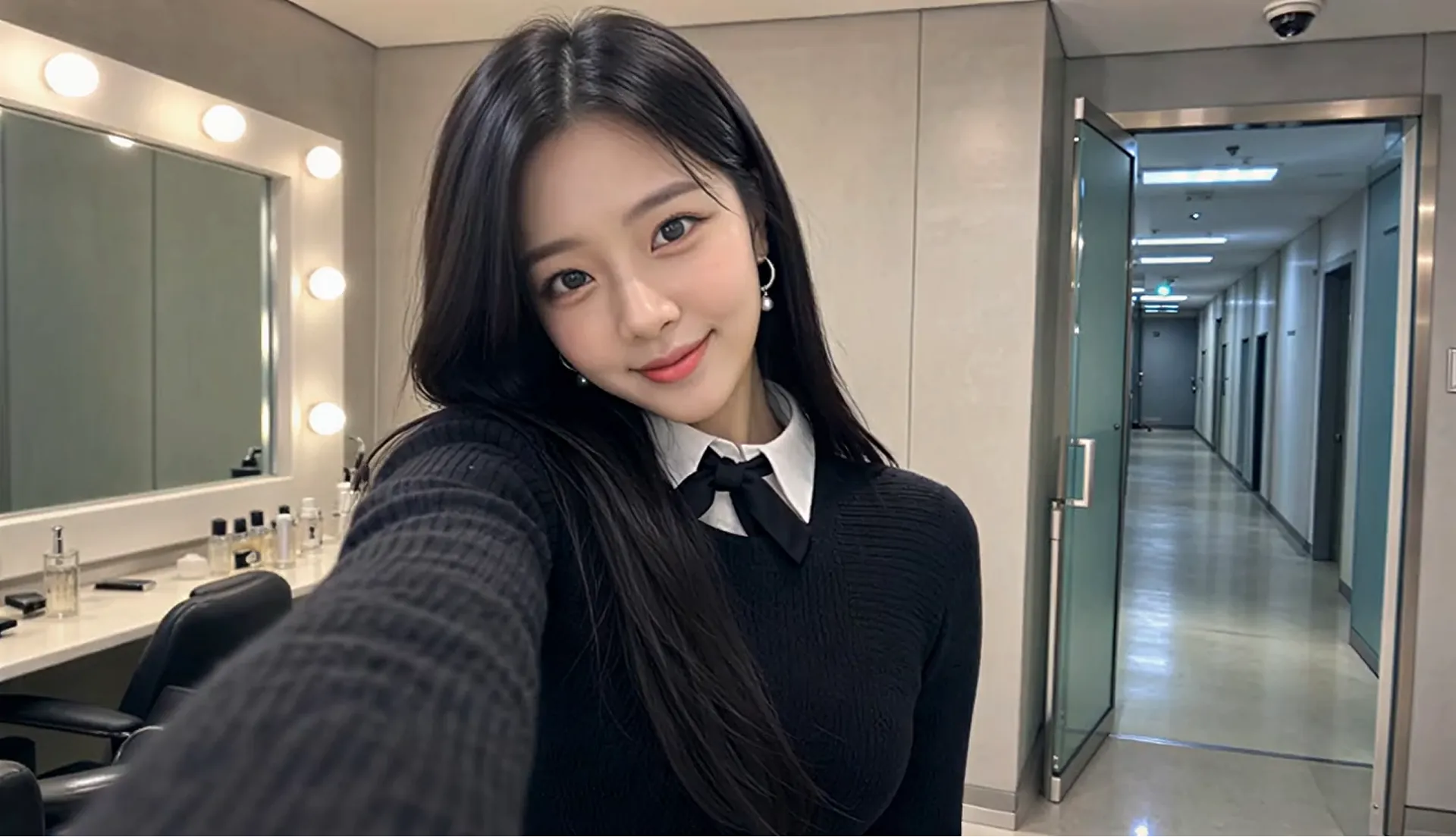
비디오
프롬프트
Style: 8K photorealistic phone/mirrorless vlog, no 3D/anime. K-pop idol YouTube BTS: handheld selfie, punchy cuts, whip-pans, snap-zooms. Lighting: vanity bulbs key + soft spill, K-beauty glow, high-key face. Color: mono 60:30:10 warm gray/black wardrobe/pink accents. Camera: phone selfie (wide) + handheld, micro-shake, 180° shutter. Skin: pore dewy K-beauty, blush, glossy lips, catchlights. Acting: bubbly smiles, playful micros, eye contact, alive. Physics: hair bounce, skirt flare, real shadows. Continuity: same RENA/outfit/room. 24fps snappy 8K. Audio: cheerful, bright Korean lines, lip-sync. RENA: 20yo idol 166cm slim cute: round face full cheeks, big dark brown eyes +aegyo-sal, small nose, glass skin, coral lips, left beauty mark. Long straight black hair past chest, center part, face strands. Pearl-silver drop earrings. Black ribbed knit + oversized pleated collar + black ribbon, white collar peek, black micro pleated skirt + buckle, crew socks, chunky platform loafers. Scene: MV studio waiting room daytime. Vanity bulbs left; rack behind; gray couch + pink fan right; door upstage. Alone glam, phone vlog, fast handheld. CUT1(~2s) Selfie: close grin +finger-heart, hair swing, eyes sparkle. "하이 여러분~!" CUT2(~2s) Whip-pan: flip phone across vanity/rack/couch/fan back to face. "여기는 대기실!" CUT3(~2s) Zoom mirror: fix strand, press lips, nod. "예쁘죠?" CUT4(~1.5s) Macro: straighten ribbon, earring sway, collar. Fabric rustle. CUT5(~2s) Spin: skirt flare hair fan, land hands-frame. "짜잔~!" CUT6(~2s) Couch: sip banana milk, puff cheeks. "음~ 맛있어!" CUT7(~1.5s) Bottle to face, tap twice, grin. "이거 최고." CUT8(~2s) Knock, wide eyes, wave wink double-heart, spring up. Hold mirror. "가자! 안녕~!"
Flow 동영상 생성기 주요 기능
텍스트-동영상, 이미지-동영상, 프레임 가이드, 모델 선택, 프롬프트 최적화, 출력 설정을 하나의 실용적인 AI 동영상 제작 워크플로에 결합합니다.
텍스트-동영상 및 이미지-동영상 제작
텍스트-동영상, 이미지-동영상, 프레임 가이드, 모델 선택, 프롬프트 최적화, 출력 설정을 하나의 실용적인 AI 동영상 제작 워크플로에 결합합니다.
시작 및 종료 프레임 가이드
텍스트-동영상, 이미지-동영상, 프레임 가이드, 모델 선택, 프롬프트 최적화, 출력 설정을 하나의 실용적인 AI 동영상 제작 워크플로에 결합합니다.
모델 및 출력 설정
텍스트-동영상, 이미지-동영상, 프레임 가이드, 모델 선택, 프롬프트 최적화, 출력 설정을 하나의 실용적인 AI 동영상 제작 워크플로에 결합합니다.
프롬프트 최적화 워크플로
텍스트-동영상, 이미지-동영상, 프레임 가이드, 모델 선택, 프롬프트 최적화, 출력 설정을 하나의 실용적인 AI 동영상 제작 워크플로에 결합합니다.
Flow 동영상 생성기의 장점
프롬프트, 이미지, 모델 설정, 프레임 가이드를 결합해 빠른 동영상 초안부터 마케팅용 크리에이티브 콘셉트까지 간편하게 만들 수 있습니다.
초보자 친화적인 동영상 제작
프롬프트, 이미지, 모델 설정, 프레임 가이드를 결합해 빠른 동영상 초안부터 마케팅용 크리에이티브 콘셉트까지 간편하게 만들 수 있습니다.
유연한 모델 선택
프롬프트, 이미지, 모델 설정, 프레임 가이드를 결합해 빠른 동영상 초안부터 마케팅용 크리에이티브 콘셉트까지 간편하게 만들 수 있습니다.
가이드형 프롬프트 워크플로
프롬프트, 이미지, 모델 설정, 프레임 가이드를 결합해 빠른 동영상 초안부터 마케팅용 크리에이티브 콘셉트까지 간편하게 만들 수 있습니다.
일상적인 동영상 제작에 유용
프롬프트, 이미지, 모델 설정, 프레임 가이드를 결합해 빠른 동영상 초안부터 마케팅용 크리에이티브 콘셉트까지 간편하게 만들 수 있습니다.
Flow 동영상 생성기 사용 방법
명확한 프롬프트나 이미지를 준비하고 모델과 설정을 선택해 동영상을 생성하세요. 미리보기를 검토하면서 필요에 따라 세부 사항을 조정할 수 있습니다.
1단계: 프롬프트 입력 또는 이미지 업로드
명확한 프롬프트나 이미지를 준비하고 모델과 설정을 선택해 동영상을 생성하세요. 미리보기를 검토하면서 필요에 따라 세부 사항을 조정할 수 있습니다.
2단계: 모델 및 설정 선택
명확한 프롬프트나 이미지를 준비하고 모델과 설정을 선택해 동영상을 생성하세요. 미리보기를 검토하면서 필요에 따라 세부 사항을 조정할 수 있습니다.
3단계: 검토, 다듬기 및 내보내기
명확한 프롬프트나 이미지를 준비하고 모델과 설정을 선택해 동영상을 생성하세요. 미리보기를 검토하면서 필요에 따라 세부 사항을 조정할 수 있습니다.
Twitter에서 Flow 동영상 생성기로 만든 작품 살펴보기

We just discovered the 🔥 COOLEST 🔥 trick in Flow that we have to share: Instead of wordsmithing the perfect prompt, you can just... draw it. Take the image of your scene, doodle what you'd like on it (through any editing app), and then briefly describe what needs to happen
We've seen amazing Flow videos created using JSON prompts! It's not the only or even "best" way, just one way to help structure hyper-specific visual directions. No JSON? No problem! Regardless of how you prompt, it helps to be specific with your setting, subject, action,

Same tide. Same vibe. 4 different perspectives Test which view you like the most, or create an interesting effect for your content with this 2x2 grid prompt using Gemini Omni. Try it out for yourself 👇

