
Created with Google Flow. Visuals, Sound Design, and Voice were prompted using Veo 3 text-to-video. Welcome to a new era of filmmaking.
Flow 影片生成工具:先進的 Google 視頻 AI
Flow 影片生成工具可讓您借助 Veo 3.1、Omni Flash 和其他先進模型,輕鬆將文字或圖片轉化為流暢的 AI 視頻。只需輸入想法,即可快速為社交帖子、營銷等創建視頻。
影片創作紀錄
Flow 影片生成工具介紹
探索 Flow 影片生成工具,這是一個簡單的 AI 視頻創作工作流,支持文生視頻、圖生視頻、模型選擇以及首幀或尾幀引導。
Flow 影片生成工具圍繞精簡的視頻創作流程構建:從提示詞或圖片開始,選擇受支持的 AI 視頻模型,調整可用設置,然後生成連貫的短視頻。它適合希望獲得流暢運動、清晰場景方向以及用於社交內容、營銷、教育和品牌敘事的實用輸出的創作者。
Flow 影片生成工具示例
探索實用的提示詞示例,瞭解 Flow 影片生成工具如何將故事創意、參考圖、首尾幀、鏡頭方向和模型設置轉化為流暢的 AI 視頻概念。
原始圖片
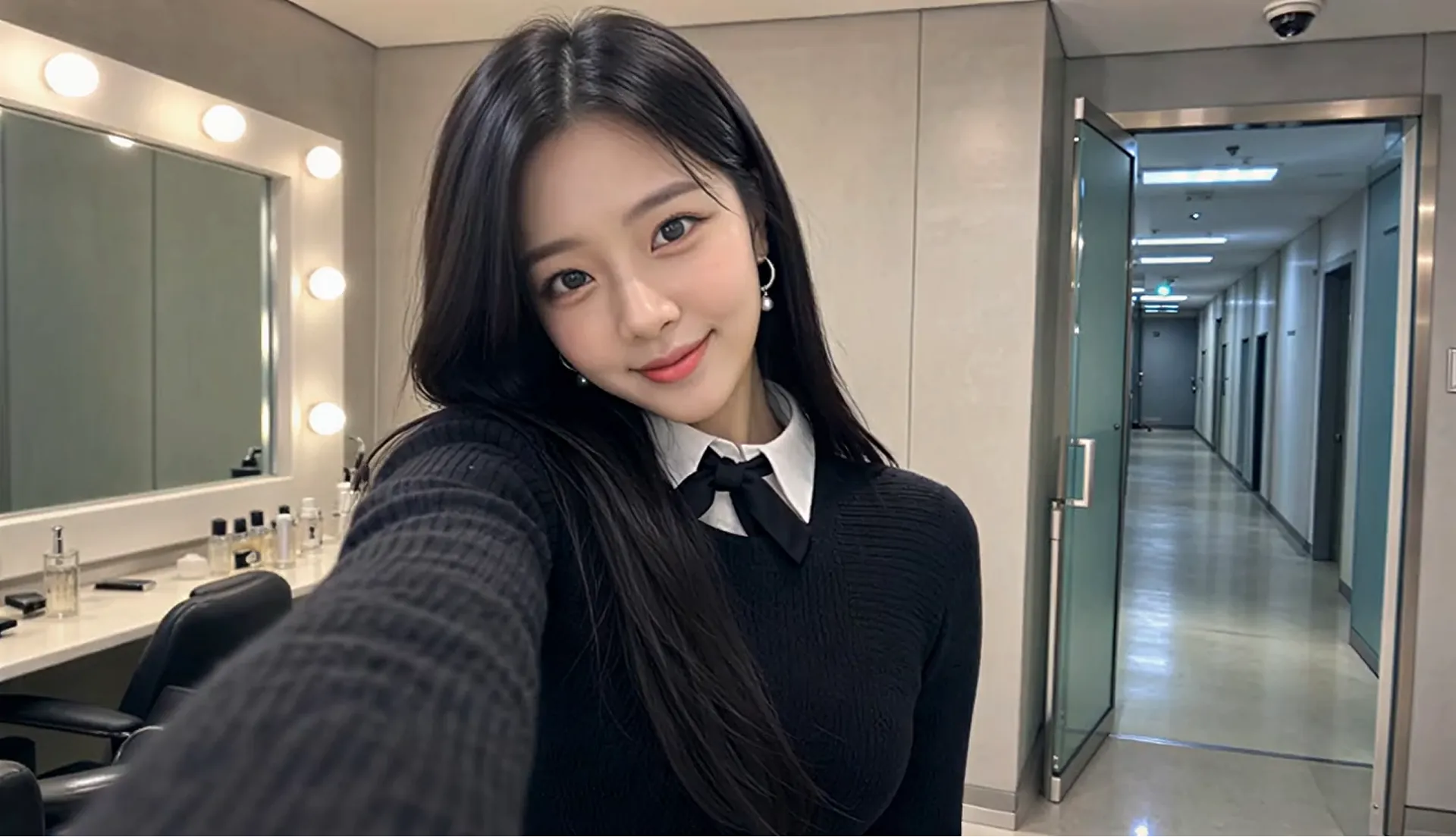
影片
提示詞
Style: 8K photorealistic phone/mirrorless vlog, no 3D/anime. K-pop idol YouTube BTS: handheld selfie, punchy cuts, whip-pans, snap-zooms. Lighting: vanity bulbs key + soft spill, K-beauty glow, high-key face. Color: mono 60:30:10 warm gray/black wardrobe/pink accents. Camera: phone selfie (wide) + handheld, micro-shake, 180° shutter. Skin: pore dewy K-beauty, blush, glossy lips, catchlights. Acting: bubbly smiles, playful micros, eye contact, alive. Physics: hair bounce, skirt flare, real shadows. Continuity: same RENA/outfit/room. 24fps snappy 8K. Audio: cheerful, bright Korean lines, lip-sync. RENA: 20yo idol 166cm slim cute: round face full cheeks, big dark brown eyes +aegyo-sal, small nose, glass skin, coral lips, left beauty mark. Long straight black hair past chest, center part, face strands. Pearl-silver drop earrings. Black ribbed knit + oversized pleated collar + black ribbon, white collar peek, black micro pleated skirt + buckle, crew socks, chunky platform loafers. Scene: MV studio waiting room daytime. Vanity bulbs left; rack behind; gray couch + pink fan right; door upstage. Alone glam, phone vlog, fast handheld. CUT1(~2s) Selfie: close grin +finger-heart, hair swing, eyes sparkle. "하이 여러분~!" CUT2(~2s) Whip-pan: flip phone across vanity/rack/couch/fan back to face. "여기는 대기실!" CUT3(~2s) Zoom mirror: fix strand, press lips, nod. "예쁘죠?" CUT4(~1.5s) Macro: straighten ribbon, earring sway, collar. Fabric rustle. CUT5(~2s) Spin: skirt flare hair fan, land hands-frame. "짜잔~!" CUT6(~2s) Couch: sip banana milk, puff cheeks. "음~ 맛있어!" CUT7(~1.5s) Bottle to face, tap twice, grin. "이거 최고." CUT8(~2s) Knock, wide eyes, wave wink double-heart, spring up. Hold mirror. "가자! 안녕~!"
Flow 影片生成工具的主要功能
Flow 影片生成工具將文生視頻、圖生視頻、幀引導、模型選擇、提示詞優化和輸出設置整合到一個實用的 AI 視頻創作工作流中。
文生視頻與圖生視頻創作
輸入詳細提示詞或上傳參考圖,即可生成主體清晰、動作自然、鏡頭方向明確且視覺風格連貫的 AI 視頻。
首幀與尾幀引導
使用可用的首幀和尾幀控制來引導視頻的開頭或結尾,使產品鏡頭、人物瞬間和故事創意呈現更清晰的視覺方向。
模型與輸出設置
選擇受支持的 AI 視頻模型,並調整畫面比例、分辨率、時長、提示詞優化和音頻選項等可用設置(以所選模型支持為準)。
提示詞優化工作流
通過提示詞優化和清晰的創意方向完善場景想法,幫助用戶在生成最終視頻前描述運動、鏡頭行為、光線和輸出目標。
Flow 影片生成工具的優勢
從快速視頻草案到可用於營銷的創意概念,Flow 影片生成工具為創作者提供了一種簡單方式,將提示詞、圖片、模型設置、幀引導和可預覽的 AI 視頻生成結合起來。
適合新手的視頻創作
從提示詞或圖片開始,選擇模型後即可生成視頻,無需手動編輯時間線、製作設備或高級動態設計技能。
靈活的模型選擇
根據當前創作目標,從受支持的 AI 視頻模型中選擇,以匹配真實感、運動質量、速度、圖像引導或創意風格等不同需求。
引導式提示詞工作流
使用清晰的提示詞字段、提示詞優化和可選圖像引導來描述主體、運動、鏡頭行為、光線和場景目標,減少反復試錯。
適用於日常視頻需求
通過支持快速迭代和實用創意輸出的工作流,創建社交短片、產品開場、教育視覺、品牌故事和活動草案。
如何使用 Flow 影片生成工具
第 1 步:輸入提示詞或上傳圖片
編寫清晰的提示詞,包含主體、環境、鏡頭運動、視覺風格和場景目標。當您需要圖生視頻或更強的視覺方向時,可上傳參考圖。
第 2 步:選擇模型和設置
選擇受支持的 AI 視頻模型,並調整畫面比例、分辨率、時長、首幀、尾幀、提示詞優化或音頻選項等可用設置。
第 3 步:預覽、優化並導出
預覽生成的視頻,調整不理想的場景或提示詞細節,創建變體,並將最佳結果導出用於社交媒體、廣告、演示、網站或創意評審。
在 Twitter 上探索 Flow 影片生成工具作品

We just discovered the 🔥 COOLEST 🔥 trick in Flow that we have to share: Instead of wordsmithing the perfect prompt, you can just... draw it. Take the image of your scene, doodle what you'd like on it (through any editing app), and then briefly describe what needs to happen
We've seen amazing Flow videos created using JSON prompts! It's not the only or even "best" way, just one way to help structure hyper-specific visual directions. No JSON? No problem! Regardless of how you prompt, it helps to be specific with your setting, subject, action,

Same tide. Same vibe. 4 different perspectives Test which view you like the most, or create an interesting effect for your content with this 2x2 grid prompt using Gemini Omni. Try it out for yourself 👇

