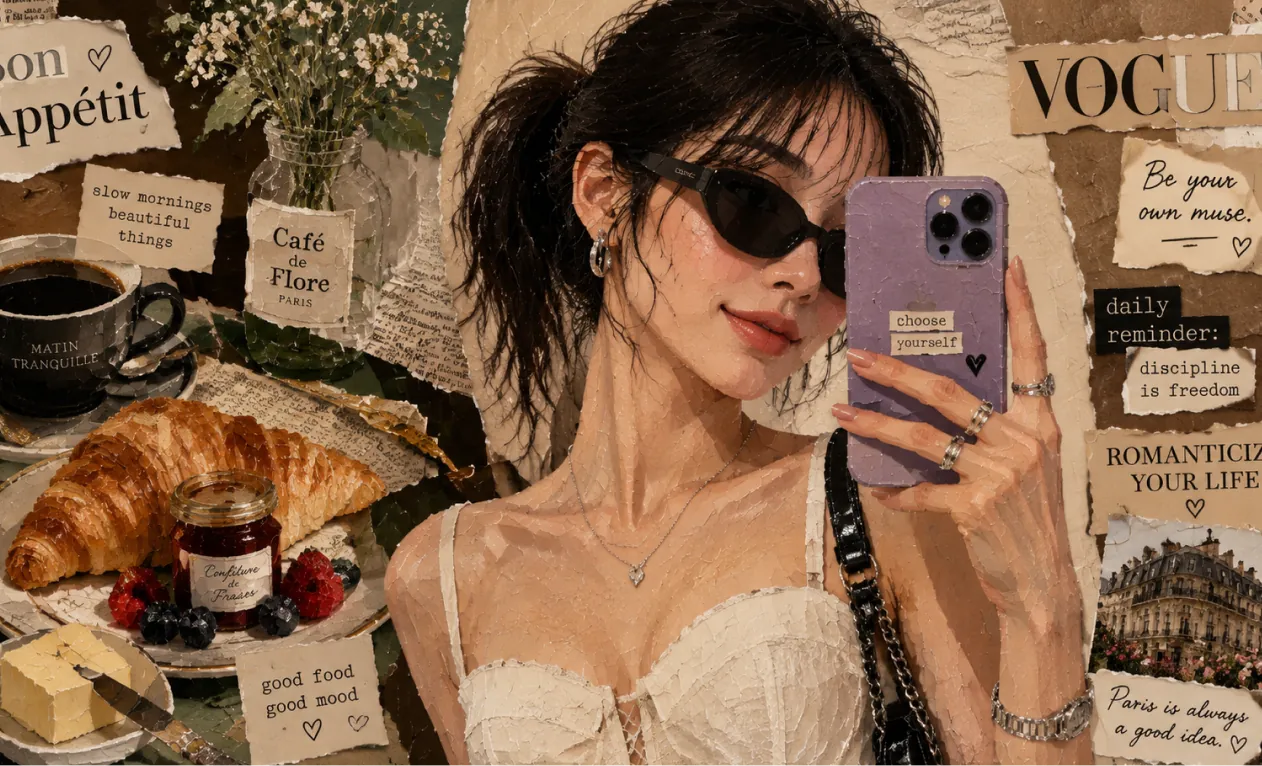
เครื่องมือสร้างภาพ AI: เครื่องมือสร้างภาพด้วย AI คุณภาพสูงอันดับ 1
เปลี่ยนข้อความหรือภาพให้เป็นภาพที่สวยงามด้วย เครื่องมือสร้างภาพ AI โดยใช้โมเดลล้ำหน้าเช่น SeeDream 4.0 และ HiDream I1
ตัวอย่างการใช้งาน Hey Dream เครื่องมือสร้างภาพ AI
สำรวจตัวอย่าง เครื่องมือสร้างภาพ AI ตั้งแต่ม็อกอัปงานออกแบบ บอร์ดคอนเซ็ปต์สินค้า ฉากสไตล์สารคดี งานภาพสถาปัตยกรรม คอนเซ็ปต์อาร์ต ไปจนถึงการสร้างโลก
เปลี่ยนข้อความเป็นภาพ
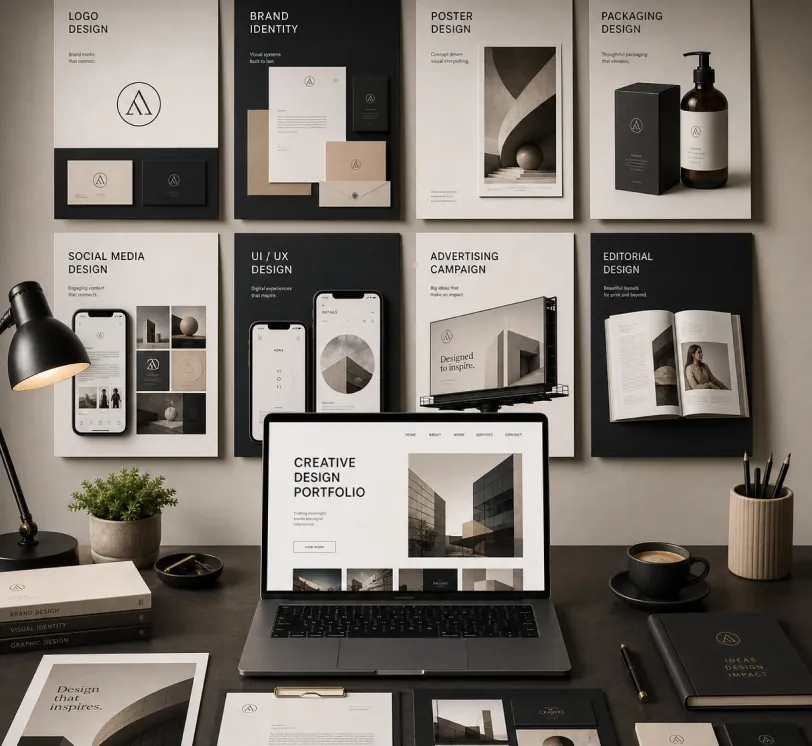
Create a premium graphic design portfolio mockup in a professional creative studio style. Show a clean, elegant workspace presentation featuring multiple graphic design project cards arranged in a refined grid layout, a modern laptop screen displaying a portfolio homepage, and several printed posters laid out neatly on the desk and mounted on the wall.Use a polished creative-director aesthetic with soft shadows, subtle depth, realistic materials, and a high-end studio atmosphere. Include sleek typography placeholders, branding samples, editorial-style poster designs, business cards, stationery, notebook, pen, coffee cup, desk lamp, and small plant for a realistic studio setup.The design should have a clean grid layout, balanced spacing, soft realistic shadows, premium lighting, and neutral luxury tones such as black, white, warm beige, gray, champagne, and cream. Make the laptop screen show a minimal portfolio interface with project thumbnails, navigation menu, and bold hero text.Add multiple portfolio project cards such as logo design, brand identity, poster design, packaging design, social media design, UI/UX design, and advertising campaign mockups. Arrange everything professionally with a modern minimalist style, sharp details, clean typography, elegant composition, and a premium creative agency presentation look.Style: high-end graphic design portfolio, modern creative studio, luxury branding mockup, clean desk setup, realistic shadows, editorial layout, minimalist premium design, professional presentation, 4K, ultra-detailed.
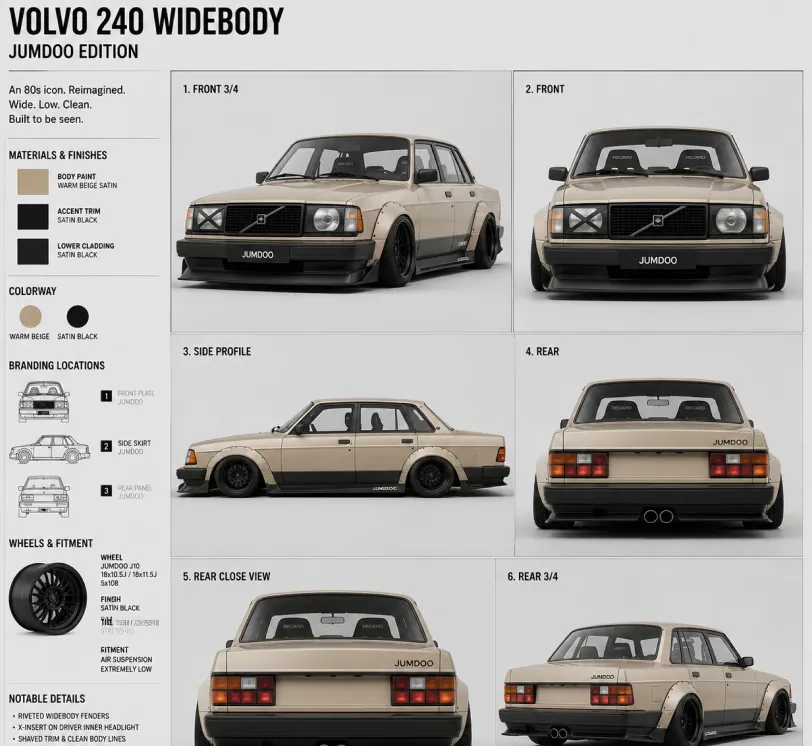
Create a clean 1:1 automotive design specification board on a light gray studio background. Feature a highly detailed 1980s Volvo 240 widebody show car, JUMDOO EDITION, in warm beige satin paint with satin black accents. The car should have a boxy Volvo 240 silhouette, very low air-suspension stance, extra-wide track width, riveted wide fender flares, deep black front splitter with near-ground clearance, black side skirts, black lower cladding, black deep-dish multi-spoke wheels, stretched low-profile tires, black grille with Volvo diagonal slash, one inner front headlight covered by an X-pattern insert for an asymmetric look, shaved clean body trim, dual center exhaust, and visible racing bucket seats. Add small JUMDOO branding on the front plate area, side skirt, and rear panel. Arrange six studio render views in a 3x2 grid: front 3/4, front, side profile, rear, rear close view, and rear 3/4. Use crisp realistic 3D product-render lighting, soft shadows, black sans-serif typography, thin gray divider lines, and minimal Swiss-style layout. Include a top-left title: VOLVO 240 WIDEBODY, subheadline: JUMDOO EDITION. Add small side panels for material swatches, colorway, branding locations, wheels and fitment, and notable details.
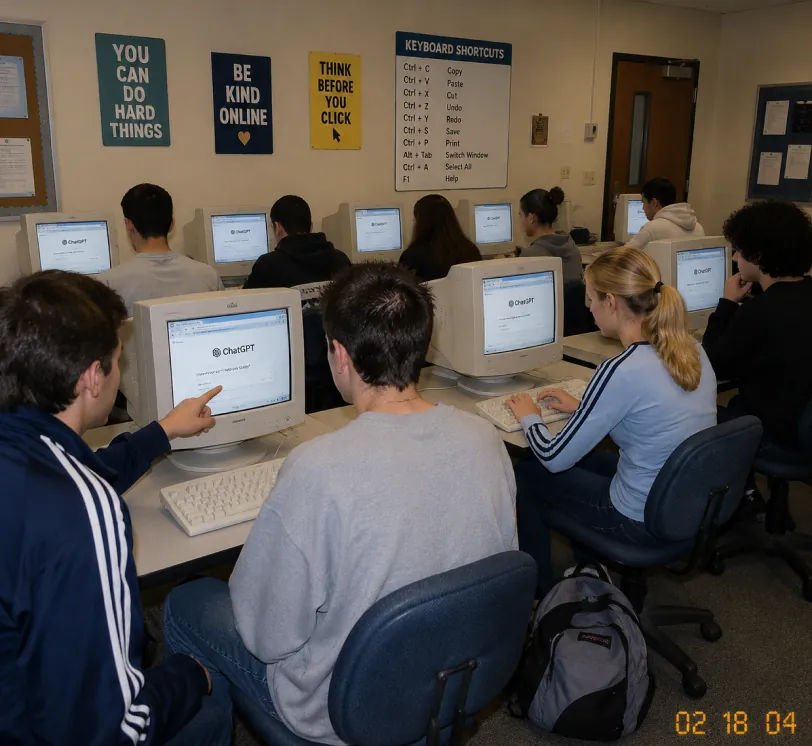
A candid documentary-style photo of a high school computer lab classroom with exactly 10 students. Viewed from the back-left corner at a slight wide angle. Early-2000s snapshot look: consumer digital camera, direct flash, soft grain, warm fluorescent lighting, timestamp "02 18 04" in bottom-right corner.Foreground details: Left: student in navy track jacket with white stripes pointing at CRT monitor Center: student with short spiky hair in oversized gray sweatshirt, back to camera Right: blonde girl with ponytail in light blue long-sleeve top with dark stripes, typing on keyboard Far right: student with curly dark hair at workstation Other students sit in middle and back rows, all facing their screens. Bulky off-white CRT computers show ChatGPT interface with "ChatGPT" heading and simple prompt text visible. Room details: beige walls, drop ceiling, rolling office chairs, white keyboards and mice, backpack on floor. Back wall has 4 readable posters: "YOU CAN DO HARD THINGS", "BE KIND ONLINE", "THINK BEFORE YOU CLICK", and a large "KEYBOARD SHORTCUTS" poster. Also bulletin boards and a classroom door at the back. Faces softly anonymized or partially obscured. Realistic classroom photo style, focus on students using ChatGPT in an old computer lab.
จากสเก็ตช์สู่เรนเดอร์สมจริง
A professional hand-drawn architectural sketch of a modern Japanese-style house, isometric view, 3D floor plan. The house features a central Zen courtyard with a single bonsai tree and white gravel. Interior shows a tatami room with sliding shoji doors, and a compact kitchen. Fine pen and pencil hatching, clean black ink lines on white paper. Includes architectural dimension lines and handwritten numbers. Soft natural lighting, placed on a wooden desk background with a fountain pen nearby, hyper-realistic photography of a drawing, high detail.
Based on this floor plan, generate a photorealistic rendering of the interior. A Japanese-inspired minimalist house with warm hinoki wood tones, a central courtyard garden visible through floor-to-ceiling glass with a single red maple tree, tatami flooring, an engawa wooden veranda with dappled afternoon light. Sliding shoji screens partially open. Match the layout exactly.
คอนเซ็ปต์อาร์ตและการสร้างโลก
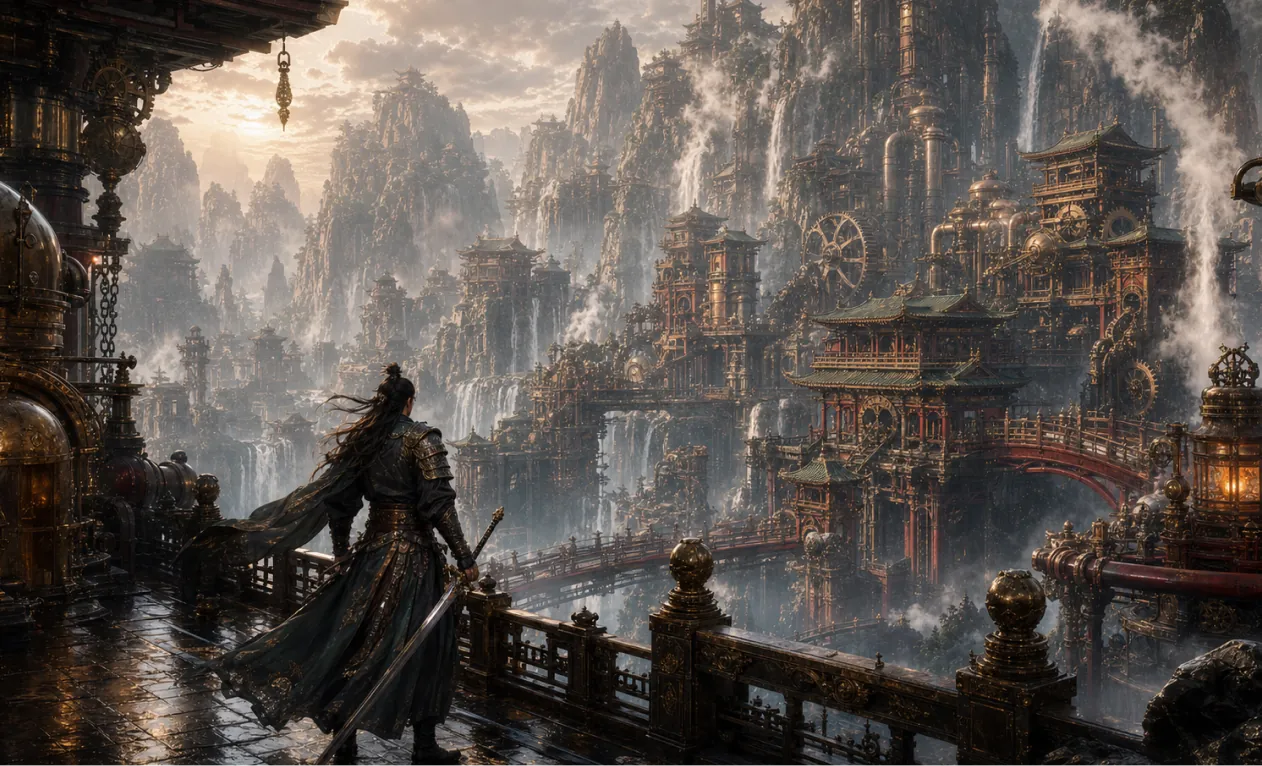
Generate a 16:9 game concept art of Chinese martial arts and steampunk fusion style, without any text.
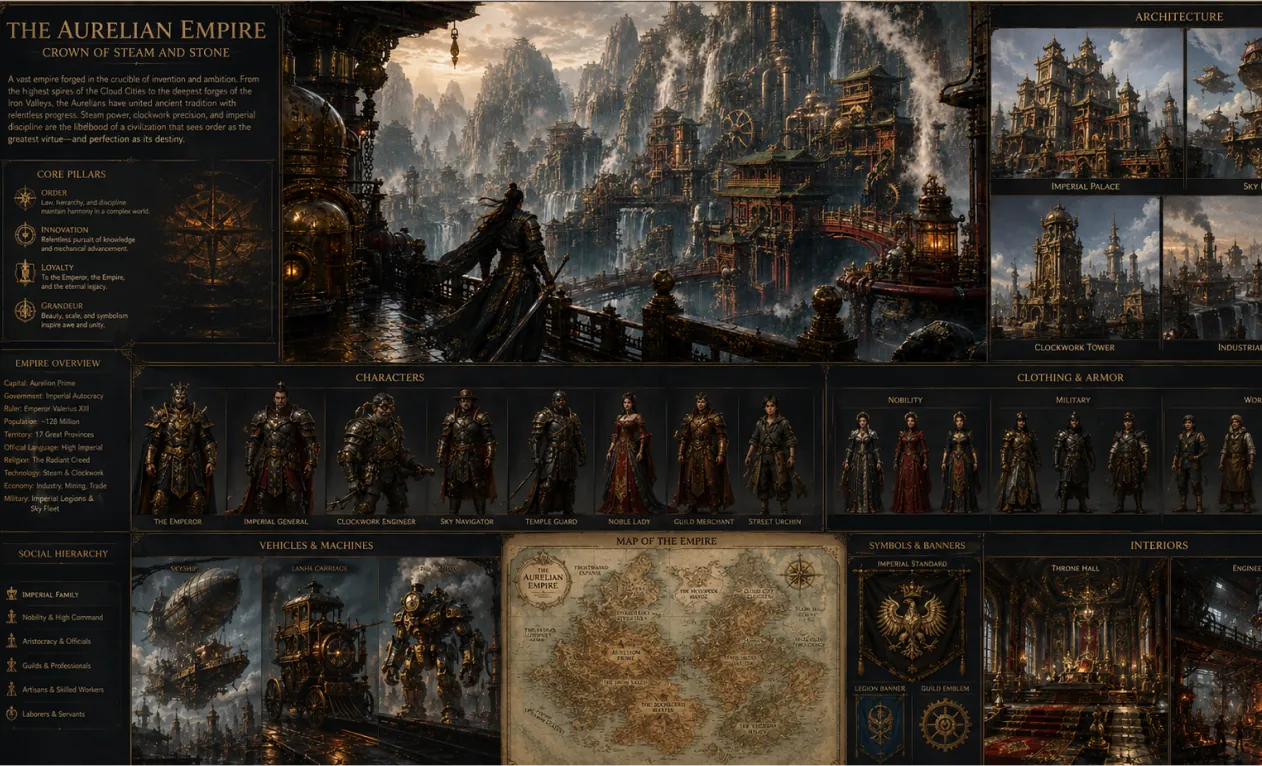
Create a complete visual world-building model for a civilization with the style of reference image, including multiple images of buildings, characters, clothing, vehicles and maps, using a unified design language and featuring a cinematic-like realism with extremely rich details.
ข้อได้เปรียบหลักของ เครื่องมือสร้างภาพ AI
มอบประสบการณ์สร้างและแก้ไขภาพอย่างมีประสิทธิภาพและควบคุมได้ทั้งผู้ใช้ทั่วไปและองค์กร รองรับการสร้างสรรค์สไตล์ที่หลากหลาย ปรับแต่งได้ยืดหยุ่น และใช้งานได้สะดวก
ความสม่ำเสมอของตัวละคร
ไม่ว่าวัตถุหลักจะเปลี่ยนท่า ทิศทางแสง หรือฉาก ตัวตนยังคงมีเอกลักษณ์เหมือนเดิม ถ่ายทอดเรื่องราวต่อเนื่องและเป็นธรรมชาติ
เสริมดีไซน์
ยังคงโครงสร้างหลักและรายละเอียดเดิม พร้อมแปลงสไตล์ศิลป์หรือพื้นผิวใหม่ๆ ได้อย่างยืดหยุ่นเพื่อมุมมองสร้างสรรค์
สังเคราะห์อย่างสร้างสรรค์
รวมหลายองค์ประกอบภาพผ่านพรอมต์เดียว เพื่อผลงานที่โดดเด่นและกลมกลืน
กรณีการใช้งานของ เครื่องมือสร้างภาพ AI
เครื่องมือสร้างภาพ AI ใช้ได้หลากหลาย ทั้งออกแบบโปสเตอร์ การตลาดแบรนด์ พรีเซนต์การศึกษา และงานศิลป์ ด้วยการควบคุมพรอมต์และรายละเอียดภาพได้ยืดหยุ่น ยกระดับประสิทธิภาพและผลลัพธ์งาน ช่วยเหลือดีไซเนอร์ ทีมองค์กร และผู้สอนอย่างมืออาชีพ
ออกแบบต้นแบบอย่างรวดเร็ว
เครื่องมือสร้างภาพ AI รองรับการแก้ไขโปสเตอร์และงานวิชวลอื่นๆ ได้อย่างละเอียด ทั้งฟอนต์ ขนาด และสไตล์ เหมาะสำหรับโปรโมตกิจกรรมและแคมเปญแบรนด์
ช่วยสื่อการเรียนรู้
ในวงการศึกษา เครื่องมือสร้างภาพ AI สร้างหรือแก้ไขภาพประกอบสำหรับหนังสือเรียนและเนื้อหา ช่วยนำเสนอในห้องเรียนและเสริมประสิทธิภาพการสอน
การตลาดองค์กรและส่งเสริมแบรนด์
เครื่องมือสร้างภาพ AI ช่วยองค์กรผลิตภาพงานและสื่อแบรนด์อย่างมีประสิทธิภาพ เสริมภาพลักษณ์และการแข่งขันทางการตลาด
วัฒนธรรมสร้างสรรค์และงานศิลป์
เครื่องมือสร้างภาพ AI มีเครื่องมือสร้างสรรค์อุดมสมบูรณ์สำหรับศิลปินและนักออกแบบ รองรับแปลงสไตล์และการแสดงออกที่หลากหลาย เปิดมุมมองใหม่ของศิลปะ
วิธีใช้ เครื่องมือสร้างภาพ AI
คู่มือนี้ช่วยคุณใช้งาน เครื่องมือสร้างภาพ AI ให้ได้ประโยชน์สูงสุด
ขั้นตอนที่ 1: เลือก AI Model ที่คุณต้องการ
เลือกโมเดลที่เหมาะสมกับการสร้างภาพ
ขั้นตอนที่ 2: ใส่ข้อความ
ใส่พรอมต์หรือข้อความที่ต้องการสำหรับสร้างภาพ
ขั้นตอนที่ 3: เลือกอัตราส่วนภาพ
เลือกอัตราส่วนของภาพให้เหมาะกับงานของคุณ
ขั้นตอนที่ 4: คลิกสร้าง รอรับภาพ
สร้างภาพ
คำถามที่พบบ่อยเกี่ยวกับ Hey Dream เครื่องมือสร้างภาพ AI
บทความและข่าวสารเพิ่มเติมเกี่ยวกับ Hey Dream เครื่องมือสร้างภาพ AI
Seedream 5.0 Pro การสร้างภาพ: ภาพสินค้าแบบมืออาชีพ โปสเตอร์ และการแก้ไขด้วย AI อย่างแม่นยำ
สร้างภาพสินค้า โปสเตอร์ อินโฟกราฟิก และงานแก้ไขด้วย AI ที่แม่นยำด้วย Seedream 5.0 Pro บน HeyDream โดยใช้ภาพอ้างอิง พรอมต์ และการตรวจทานได้แล้วตอนนี้
เครื่องมือสร้างภาพ GPT ฟรีที่ดีที่สุด (Image 2) คืออะไร? ทดลองใช้ HeyDream สำหรับภาพ โปสเตอร์ และการแก้ไขภาพด้วย AI
ทดสอบ HeyDream ในฐานะเครื่องมือสร้างภาพ GPT Image 2 ฟรี สำหรับรูปภาพ โปสเตอร์ การแก้ไข ม็อกอัปสินค้า ชุดแบรนด์ กราฟิกสำหรับโซเชียล พรอมป์ต์ และเวิร์กโฟลว์ของครีเอเตอร์
Seedream 4.5 และ Seedream 4.5 API ฟรี: วิธีลองใช้โมเดลสร้างภาพออนไลน์
เรียนรู้วิธีทดลองใช้ Seedream 4.5 ฟรีบน HeyDream AI และควรใช้ Seedream 4.5 API บน Flaq AI เมื่อใดสำหรับเวิร์กโฟลว์ด้านภาพที่ปรับขนาดได้ การแก้ไข และการใช้งานร่วมกันเป็นทีมได้ตั้งแต่วันนี้
อัปเดตเว็บไซต์ HeyDream AI: แพลตฟอร์มเปิดตัวความคิดสร้างสรรค์รูปแบบใหม่สำหรับรูปภาพ วิดีโอ และ 3D
หน้าแรกใหม่ของ HeyDream AI เปลี่ยนการสร้างภาพ วิดีโอ และงาน 3D ให้กลายเป็นแพลตฟอร์มเริ่มต้นงานครีเอทีฟแบบหน้าจอเดียวที่เร็วขึ้นสำหรับครีเอเตอร์
ChatGPT Image 2 มาแล้ว: สิ่งที่เปลี่ยนไปสำหรับการสร้างภาพด้วย AI และเวิร์กโฟลว์ API
สำรวจ ChatGPT Image 2 ในฐานะเครื่องมือสร้างสรรค์สำหรับงานภาพที่ขับเคลื่อนด้วย API ม็อกอัปแบรนด์ คอนเทนต์โซเชียล และเวิร์กโฟลว์ AI ขั้นถัดไป
คู่มือ HeyDream AI Image Generator: โมเดลที่ดีที่สุดสำหรับ Text-to-Image และ Image-to-Image
เรียนรู้วิธีใช้ตัวสร้างภาพของ HeyDream AI สำหรับการสร้างภาพจากข้อความ (text-to-image) และภาพจากภาพ (image-to-image) พร้อมการเปรียบเทียบโมเดลและเคล็ดลับการใช้งาน Nano Banana 2

