โปรแกรมแก้ไขภาพถ่าย AI: ปรับปรุงภาพถ่ายของคุณด้วย AI
เปลี่ยนภาพหยาบให้เป็นภาพพร้อมใช้งานด้วยพรอมต์ข้อความง่าย ๆ AI photo editor ของเราช่วยให้คุณปรับปรุงภาพสินค้า ปรับแต่งคอนเทนต์โซเชียล ปรับภาพแคมเปญ หรือปรับภาพส่วนตัวให้ดีขึ้นได้รวดเร็วสูงสุด 10x เพียงพิมพ์สิ่งที่ต้องการเปลี่ยน แล้วรับผลลัพธ์คุณภาพสูงทันที
ตัวอย่างเกี่ยวกับ Hey Dream โปรแกรมแก้ไขภาพถ่าย AI
สำรวจตัวอย่าง โปรแกรมแก้ไขภาพถ่าย AI ตั้งแต่การแก้ไขภาพถ่ายด้วยพรอมต์ข้อความ การใช้ภาพอ้างอิงที่อัปโหลด ม็อกอัปงานออกแบบ บอร์ดคอนเซ็ปต์สินค้า ภาพถ่ายสไตล์สารคดี การแสดงภาพสถาปัตยกรรม ภาพคอนเซ็ปต์ และการสร้างภาพถ่ายเชิงสร้างสรรค์
แปลงข้อความเป็นภาพถ่าย
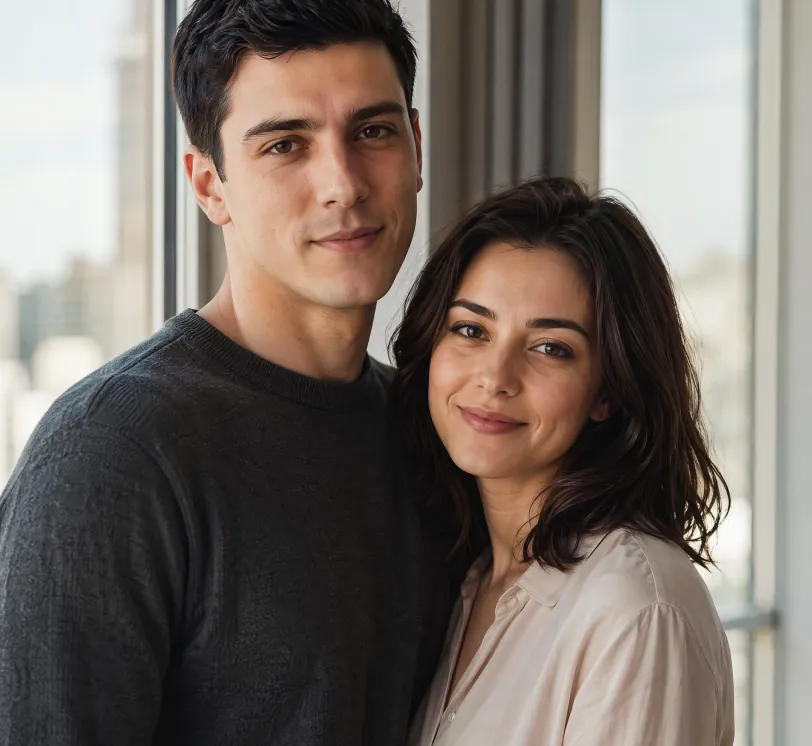
Photorealistic portrait of a young European couple standing naturally together beside a large window with soft natural daylight. The man is 25 years old, short black hair, calm and confident expression, wearing a simple dark grey crewneck sweater. The woman is 24 years old, shoulder-length dark hair, gentle warm smile, wearing a light beige blouse. They stand close, bodies slightly angled toward each other in a relaxed and intimate pose, looking toward the camera. Soft natural window light illuminates both faces, subtle modern city view blurred in the background. Highly detailed skin texture with natural pores, subtle imperfections and realistic skin sheen on both people. Realistic eye reflections and catchlights, individual hair strands visible. Shallow depth of field, soft natural shadows, warm and intimate atmosphere. Professional photography style, shot on Sony A1 with 85mm f/1.4 GM lens, 8K ultra detailed, cinematic color grading, natural lighting
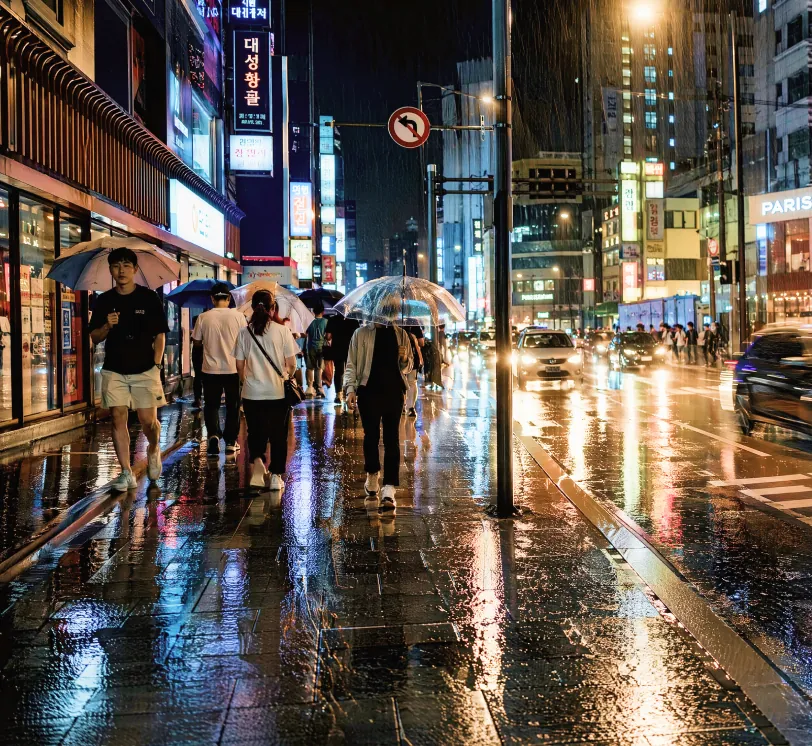
Photorealistic street photography of a rainy night in a modern East Asian city, wet asphalt reflecting colorful neon signs and street lights, people walking with umbrellas, cars with glowing headlights creating light trails, detailed textures on wet pavement and clothing, moody cinematic atmosphere, high contrast, shallow depth of field, shot on Leica Q3 with 28mm lens, f/1.7, ultra detailed, 8K resolution, raw photo style, natural reflections and highlights
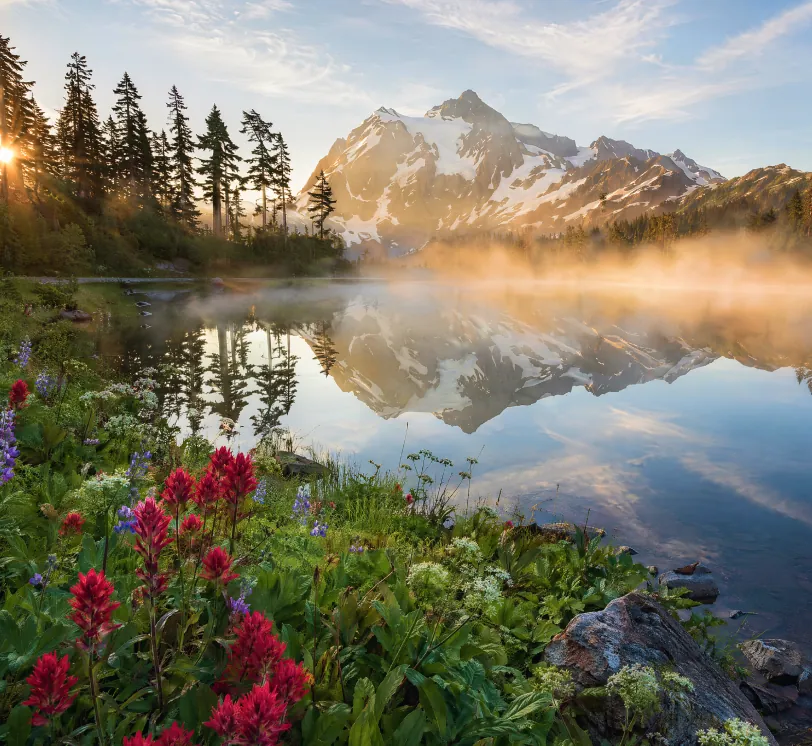
Hyper-realistic landscape photograph of a misty mountain lake at sunrise, snow-capped peaks in the distance, crystal clear water with perfect mirror reflections, pine forest on the left shore, wildflowers and rocks in the foreground, golden sunlight rays piercing through morning mist, atmospheric perspective, highly detailed foliage and water texture, National Geographic photography style, wide angle lens, shot on tripod, ultra sharp focus, natural colors, 8K resolution, serene and majestic atmosphere
จากสเก็ตช์เป็นภาพถ่ายสมจริง
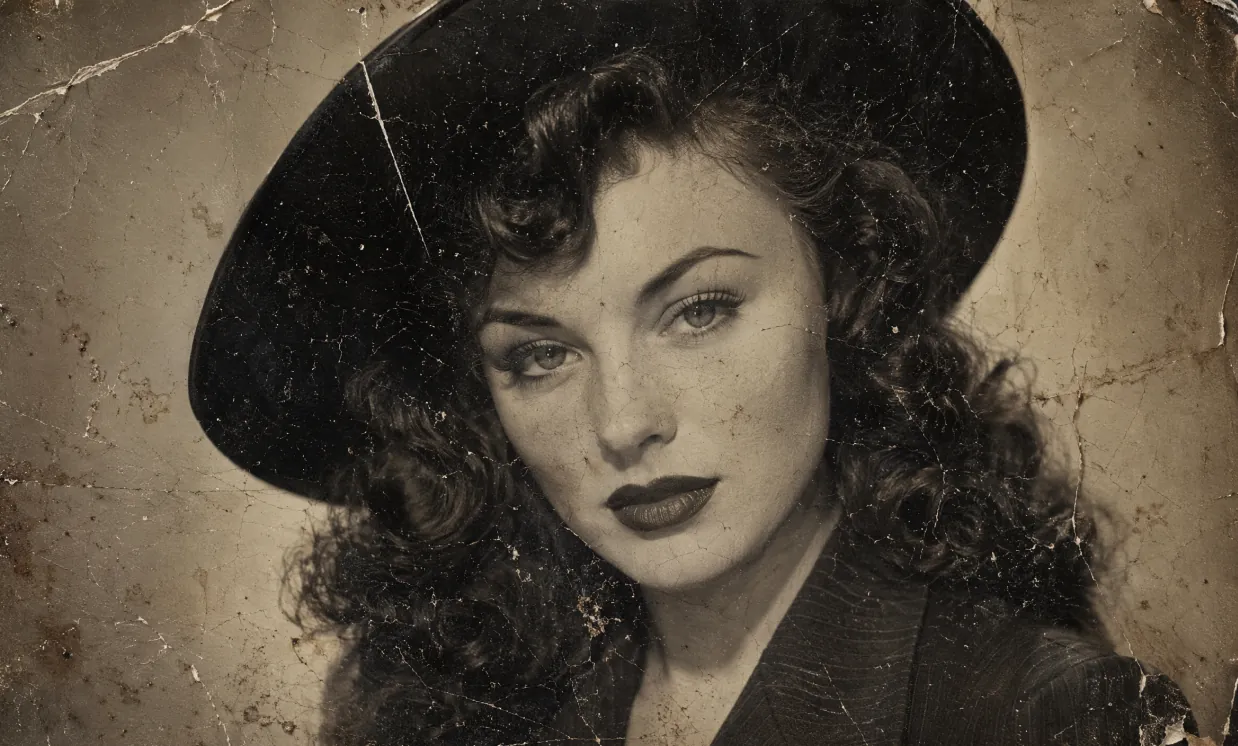
A heavily damaged 1940s vintage black and white portrait photograph in authentic aged tintype / silver gelatin print style, extreme physical deterioration, dense network of fine cracks and craquelure covering the entire surface, long white scratches, creases, dark spots, dust particles, brownish water stains, flaking emulsion, uneven toning and paper texture, worn and fragile old photo appearance. Subject: beautiful young woman with fair skin and subtle freckles, classic 1940s Hollywood glamour makeup — sharply arched eyebrows, defined eyeliner, long lashes, dark matte lipstick. Voluminous dark wavy hair with soft voluminous curls cascading over her shoulders, partially covered by a stylish wide-brimmed dark hat. She wears a dark pinstriped or textured jacket with prominent wide notched lapels and collar. Direct confident gaze toward camera, poised enigmatic expression, head and shoulders close-up composition. Soft diffused studio lighting, gentle facial shadows, high contrast, fine photographic grain, slightly sepia-toned monochrome, nostalgic cinematic atmosphere, rectangular format, highly detailed, photorealistic rendering of a real deteriorated historical photograph
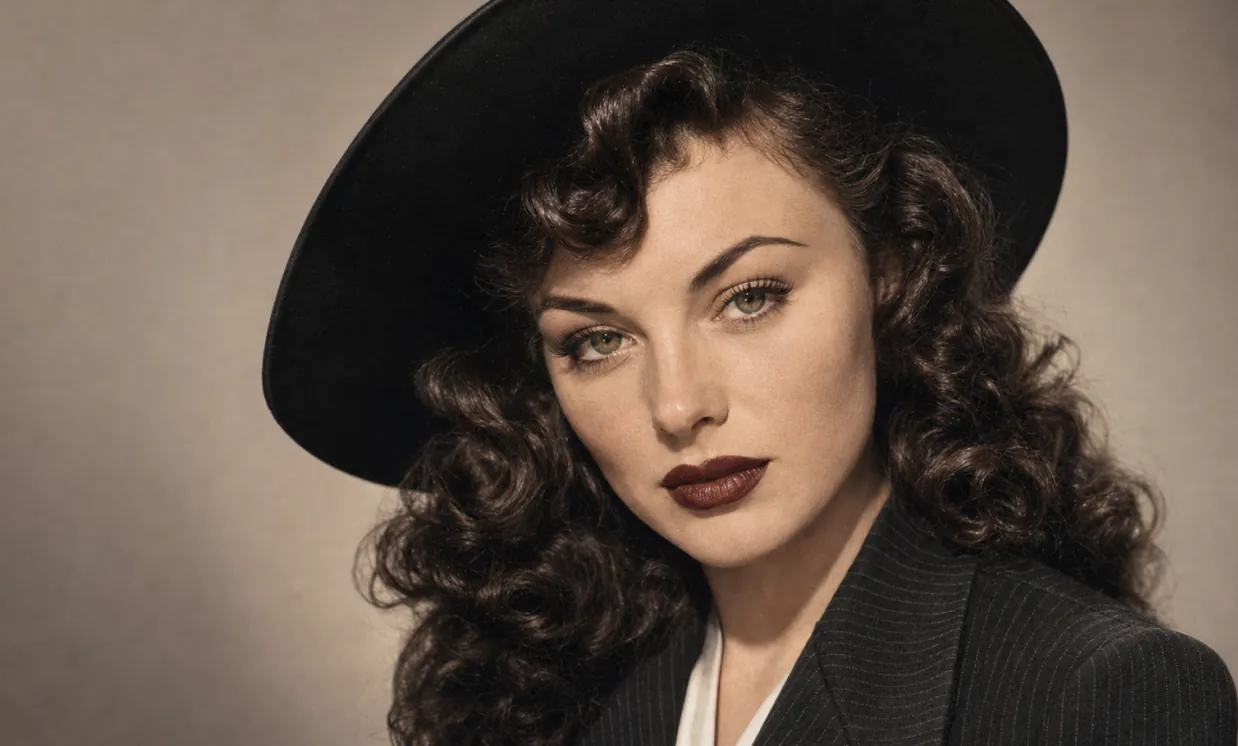
Restore this old photo and color it.
ภาพคอนเซ็ปต์และงานออกแบบภาพ
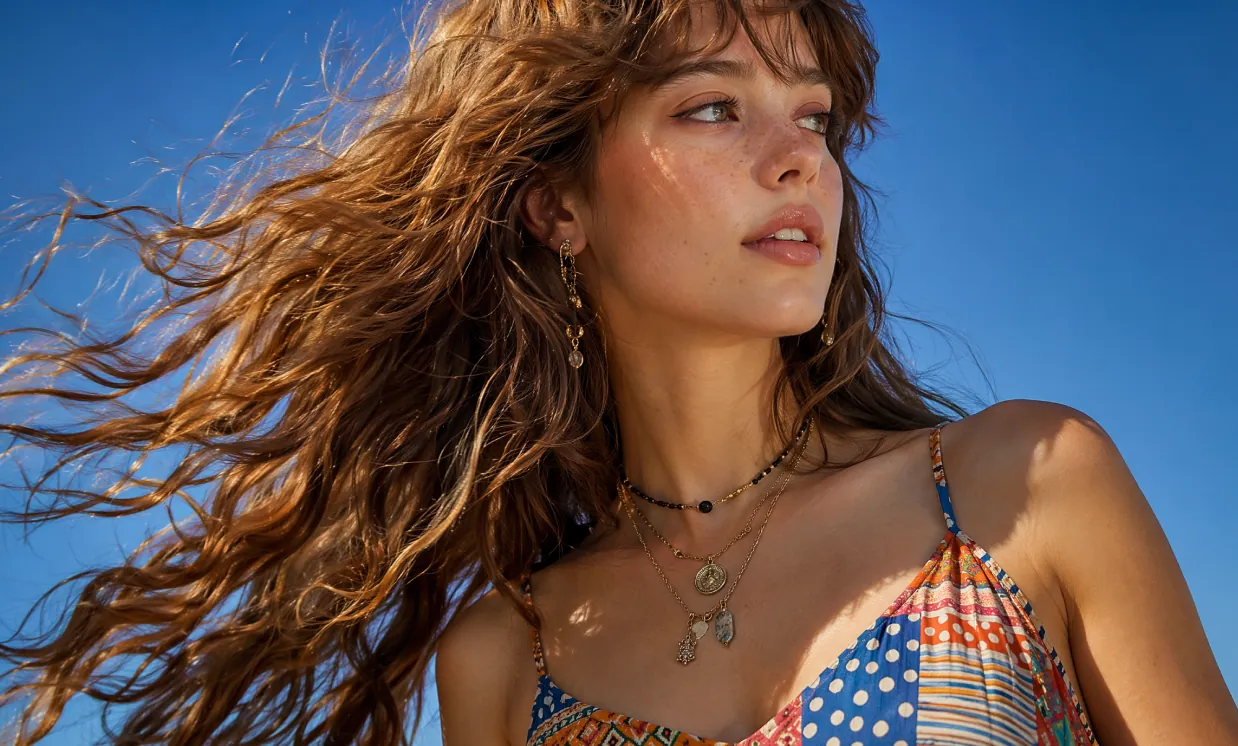
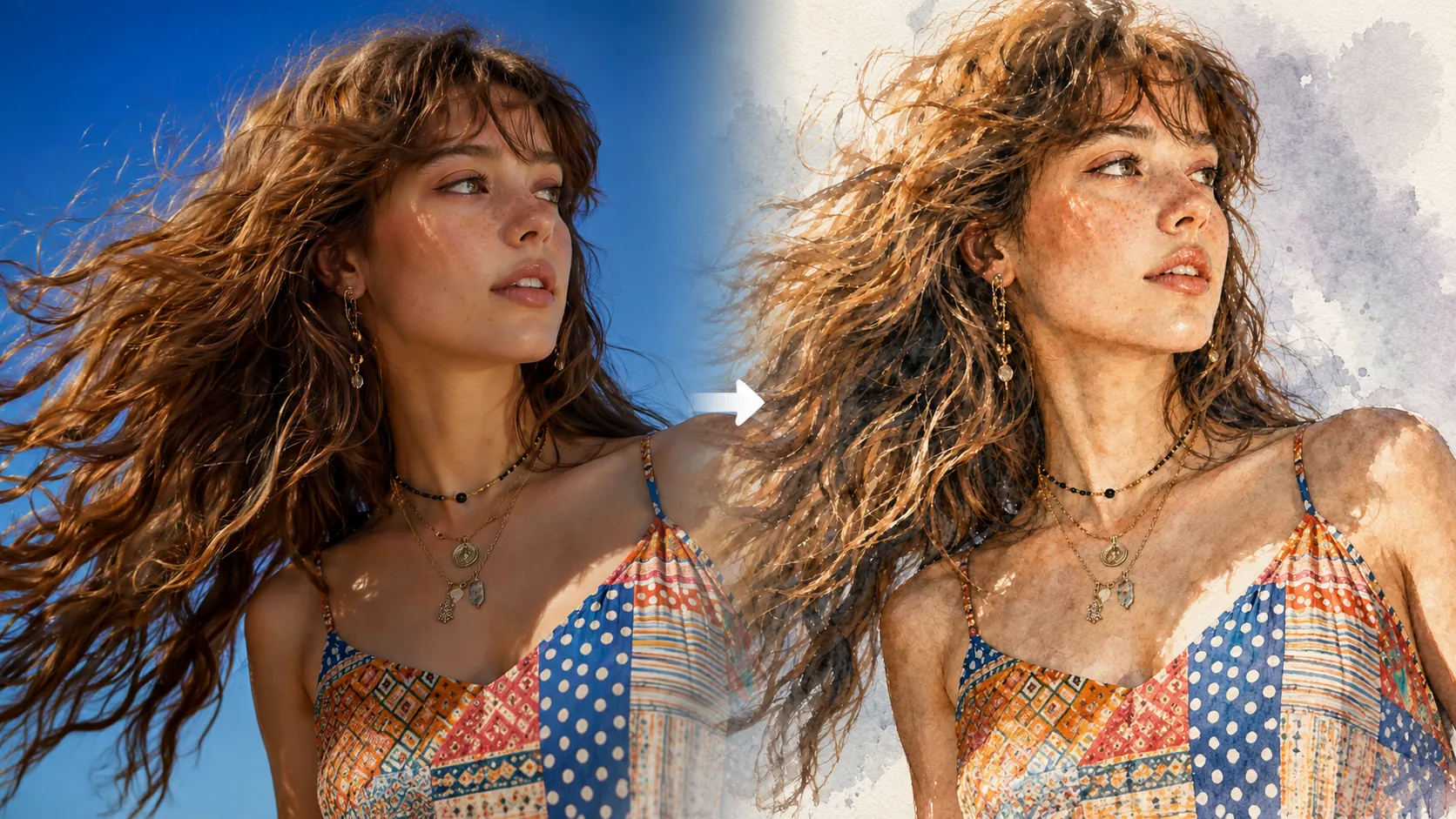
Photorealistic close-up portrait of a beautiful young woman in her early twenties with fair skin dotted with natural freckles across her nose and cheeks, long voluminous wavy light brown hair with soft bangs, dramatically wind-swept and flowing from right to left across the frame with individual strands glowing in sunlight. She tilts her head slightly upward and turns her gaze to her right, serene expression with parted glossy lips and natural makeup. She wears a vibrant multicolored patterned camisole top with thin adjustable straps, featuring a patchwork of polka dots, horizontal stripes, and geometric tribal designs in shades of blue, red, yellow, white and orange. Layered necklaces: one black beaded choker-style and longer gold chains with small metal pendants and charms. Delicate dangling earring with intricate charms in her visible ear. Shot outdoors against a pure clear bright blue sky, bright sunny daylight with strong side lighting creating golden rim highlights on hair and soft illumination on face, subtle shadows defining bone structure. Cinematic fashion photography style, sharp detail on hair texture and fabric patterns, shallow depth of field, professional model photography, filmic color grading with rich blues and warm skin tones, high resolution 8K, ultra detailed, photorealistic, no text, no watermark.
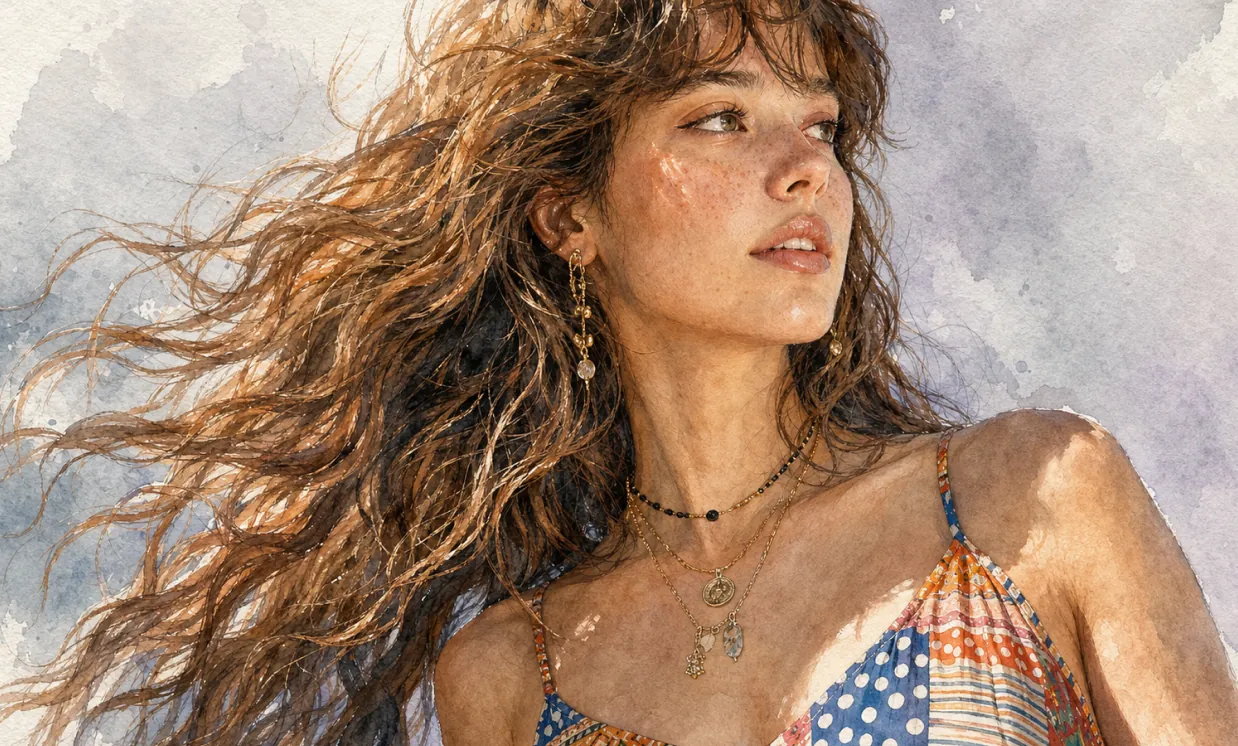
Ultra-detailed watercolor portrait illustration in refined editorial watercolor realism, delicate hand-painted rendering with visible transparent pigment layering, soft organic brush transitions, subtle granulation textures, and premium cold-pressed watercolor paper aesthetics. Highly detailed facial features with natural age lines, realistic skin texture, expressive eyes, and carefully observed anatomy. Fine ink-assisted contour definition blended seamlessly with watercolor washes. Muted elegant color palette featuring warm skin tones, cool gray shadows, soft lavender background accents, and restrained natural saturation. Crisp facial detailing contrasted against loose painterly edges and atmospheric watercolor blooms. Sophisticated portrait composition with clean negative space, museum-quality illustration craftsmanship, gentle tonal gradients, realistic textile rendering, and subtle handcrafted imperfections. Minimalist fine-art portrait style combining contemporary watercolor illustration, traditional botanical painting precision, and high-end magazine portrait aesthetics. Soft ambient lighting, graceful brushwork, understated elegance, timeless artistic character, and premium gallery-worthy watercolor finish.
ข้อได้เปรียบหลักของ โปรแกรมแก้ไขภาพถ่าย AI
มอบประสบการณ์สร้างภาพถ่ายและแก้ไขภาพถ่ายด้วย AI ออนไลน์ที่มีประสิทธิภาพและควบคุมได้สำหรับผู้ใช้ทั่วไปและองค์กร รองรับพรอมต์ข้อความ ภาพอ้างอิงที่อัปโหลด การสร้างหลายสไตล์ การปรับแต่งที่ยืดหยุ่น และการใช้งานที่สะดวก
ความสม่ำเสมอของตัวแบบ
ไม่ว่าจะเปลี่ยนท่าทาง แสง หรือฉาก ลักษณะของตัวแบบหลักยังคงสม่ำเสมอ ทำให้ได้ผลลัพธ์ภาพถ่ายที่ต่อเนื่องและเป็นธรรมชาติ
ต่อยอดงานออกแบบ
ยังคงโครงสร้างและรายละเอียดหลักไว้ พร้อมปรับใช้สไตล์ศิลป์ พื้นผิว หรือทิศทางภาพถ่ายต่าง ๆ ได้อย่างยืดหยุ่น เพื่อสร้างการตีความใหม่อย่างสร้างสรรค์
การสังเคราะห์เชิงสร้างสรรค์
รวมองค์ประกอบภาพหลายอย่างไว้ในพรอมต์เดียวเพื่อสร้างองค์ประกอบภาพสไตล์ภาพถ่ายที่มีเอกลักษณ์และกลมกลืน
กรณีการใช้งานของ โปรแกรมแก้ไขภาพถ่าย AI
โปรแกรมแก้ไขภาพถ่าย AI ใช้งานได้กว้างขวางในงานออกแบบโปสเตอร์ การตลาดแบรนด์ การนำเสนอด้านการศึกษา และการสร้างงานศิลป์ รองรับการควบคุมรายละเอียดภาพและข้อความได้ยืดหยุ่น เพิ่มประสิทธิภาพการสร้างสรรค์และพลังของภาพ พร้อมมอบการสนับสนุนเชิงสร้างสรรค์ที่มีประสิทธิภาพและเป็นมืออาชีพให้กับนักออกแบบ ทีมองค์กร และผู้สอน
ออกแบบต้นแบบภาพถ่ายได้รวดเร็ว
โปรแกรมแก้ไขภาพถ่าย AI รองรับการแก้ไขโปสเตอร์และคอนเทนต์ภาพหลากหลายอย่างละเอียด ปรับฟอนต์ ขนาด และสไตล์ได้ยืดหยุ่น เหมาะกับการโปรโมตกิจกรรมและงานการตลาดแบรนด์
ช่วยงานการศึกษาและการเรียนรู้
ในสายการศึกษา โปรแกรมแก้ไขภาพถ่าย AI สามารถสร้างและแก้ไขภาพเกี่ยวกับการสอน ช่วยสร้างตำราและสื่อการเรียนรู้ ยกระดับการนำเสนอในห้องเรียนและประสิทธิภาพการสอน
การตลาดองค์กรและการโปรโมตแบรนด์
โปรแกรมแก้ไขภาพถ่าย AI ช่วยให้องค์กรสร้างสื่อการตลาดและคอนเทนต์ภาพของแบรนด์ได้อย่างมีประสิทธิภาพ เสริมภาพลักษณ์แบรนด์และเพิ่มความสามารถในการแข่งขันในตลาด
วัฒนธรรมสร้างสรรค์และการสร้างงานศิลป์
โปรแกรมแก้ไขภาพถ่าย AI มอบเครื่องมือสร้างสรรค์หลากหลายสำหรับศิลปินและนักออกแบบ รองรับการเปลี่ยนสไตล์และการแสดงออกที่หลากหลาย ขยายความเป็นไปได้ของการสร้างสรรค์งานศิลป์
วิธีใช้ โปรแกรมแก้ไขภาพถ่าย AI
คู่มือนี้ให้คำแนะนำที่มีประโยชน์เพื่อใช้เครื่องมือ โปรแกรมแก้ไขภาพถ่าย AI ให้ได้เต็มประสิทธิภาพ แม้ไม่มีทักษะ Photoshop
ขั้นตอนที่ 1: เลือกโมเดล AI ที่ต้องการ
เลือกโมเดลที่เหมาะกับงานแก้ไขภาพถ่ายด้วย AI ออนไลน์หรือการสร้างภาพถ่ายของคุณ
ขั้นตอนที่ 2: ใส่ข้อความหรืออัปโหลดรูปภาพ
ใส่พรอมต์ของคุณหรืออัปโหลดภาพอ้างอิงเพื่อกำหนดทิศทางการสร้างภาพถ่าย
ขั้นตอนที่ 3: เลือกอัตราส่วนภาพ
เลือกอัตราส่วนภาพที่เหมาะสมสำหรับภาพถ่ายของคุณ
ขั้นตอนที่ 4: คลิกสร้างและรับภาพถ่ายในไม่กี่วินาที
สร้างภาพถ่าย

