
Meet Nano Banana 2.1, our latest image generation and editing model 🍌 This upgraded version outperforms our previous models across the board, with notable leaps in visual design, mask-based editing, and subject consistency to help you create more natural-looking images.
Nano Banana 2.1 KI-Bildgenerator
Erstelle Bilder aus Text und bearbeite deine Fotos mit Nano Banana 2.1 auf Hey Dream AI. Gestalte Porträts, Produktszenen und Kampagnenmotive mit Referenzbildern und nutze bei Bedarf die Web- und Bildersuche, um deinen Gestaltungsvorgaben mehr Kontext zu geben.
0 / 5000


Einführung in das KI-Bildmodell Nano Banana 2.1
Entdecke, wie Nano Banana 2.1 aus schriftlichen Ideen und Bildreferenzen neue Motive erstellt.
Beginne mit einem Prompt oder lade Referenzbilder hoch, um eine Bearbeitung zu steuern. Wähle die Bildkomposition und Ausgabeauflösung und aktiviere die Web- oder Bildersuche, wenn aktuelle Informationen oder online gefundene Bildreferenzen deiner Idee zugutekommen.
Kernfunktionen des KI-Bildmodells Nano Banana 2.1
Entdecke die Bilderstellung, referenzgestützte Bearbeitung und Plakatgestaltung. Beschreibe dein gewünschtes Ergebnis und verfeinere die gestalterische Richtung mit gezielten Anweisungen und Angaben zu den Details, die erhalten bleiben sollen.
Individuelle Prompts und Plakatgestaltung
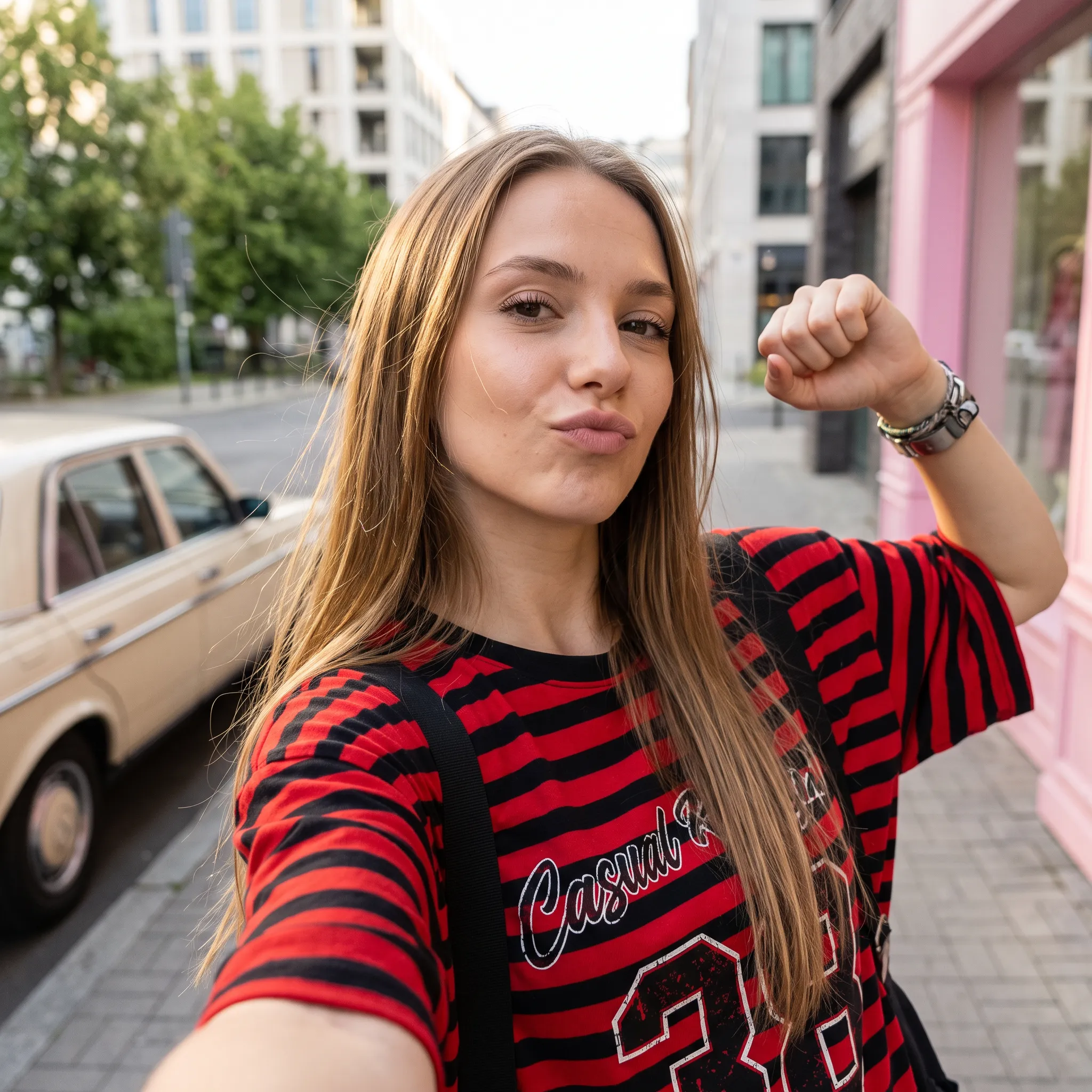
Prompt
A low-angle, close-up photograph capturing a young woman with wavy brown hair outdoors at dusk. She is wearing a grey cropped t-shirt with a blue and white graphic text that reads '{argument name="shirt text" default="DESTINED SET 1958"}' and black denim bottoms. Her head is tilted, and she is looking directly into the camera lens. The dark blue evening sky serves as the background, with silhouetted tree branches visible at the bottom of the frame. Strong flash lighting is directed from the front, illuminating her face and highlighting strands of her hair. The composition has a grainy film photography aesthetic.
Prompt
A cinematic, high-resolution product photography shot of a square glass perfume bottle filled with amber liquid, resting on jagged black volcanic rock. The bottle features a matte black rectangular cap and gold serif text reading "FIRE" above smaller text "eau de parfum". A large, glossy black serpent is coiled tightly around the base of the bottle, its head raised to the left near the cap with a forked tongue flicking out. Wisps of white smoke curl upwards from behind the bottle against a background of glowing orange magma and dark cave walls. The lighting is dramatic and warm, emphasizing the translucency of the perfume and the texture of the snake's scales.
Prompt
Create a square 1:1 illustration. Scene: A traveling herbalist's wooden wagon parked in a wide flower-filled meadow, shelves of glass jars and bundled dried herbs hanging from the sides, a small folding table covered in potions and plants, a canvas shade stretched overhead, and butterflies drifting lazily through the warm open field. The wagon is unattended; no character is present. Style: Fantasy hand-drawn watercolor illustration style. Traditional watercolor rendering with visible pigment splashes, fluid paint diffusion, and softly blended tonal transitions. Constraints: no people, human figures, faces, silhouettes or hands; no readable text, logo, watermark, border or UI.
Referenzbilder bearbeiten und Hintergründe ändern
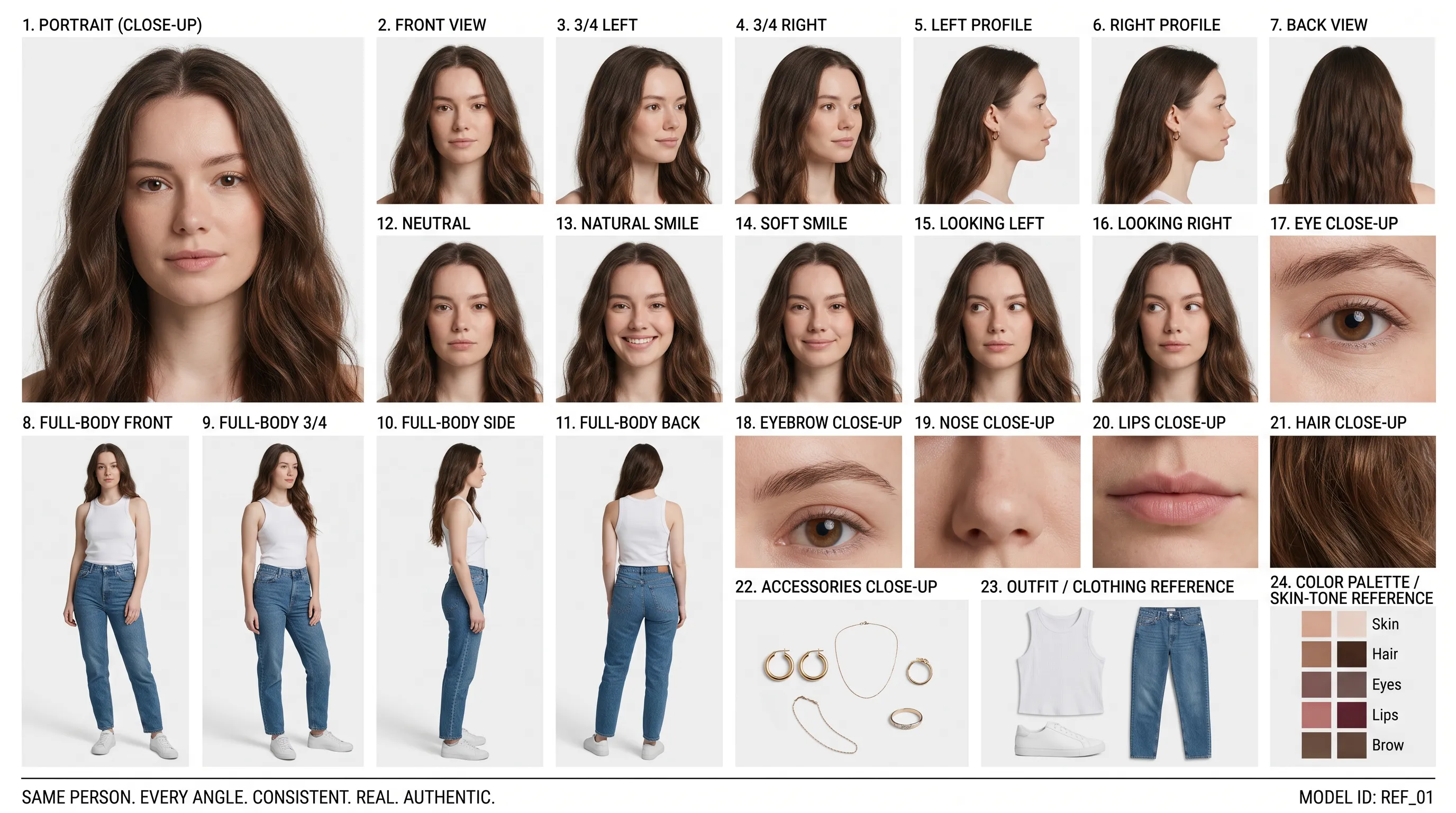
Referenzporträt (Prompt)
Create a clean 16:9 premium studio product photograph for a later image-edit demonstration. Show one freestanding penguin-shaped loose-leaf tea carton centered on a warm off-white seamless background. Its construction is distinctive and easy to preserve: a tapered folding-paper body, two small side flaps suggesting wings, a neat triangular top closure, and a stable flat base. Use matte deep-navy paper with a cream front panel, a small orange beak-shaped geometric accent, and restrained silver foil details. The front label must display the exact words 'POLAR TEA' once, in large clean uppercase sans-serif lettering, with the smaller exact line 'LOOSE LEAF' beneath it. Keep both lines sharp, correctly spelled and fully readable. Constraints: exactly one package; no people; no extra text, brand logos, watermark, border or UI.
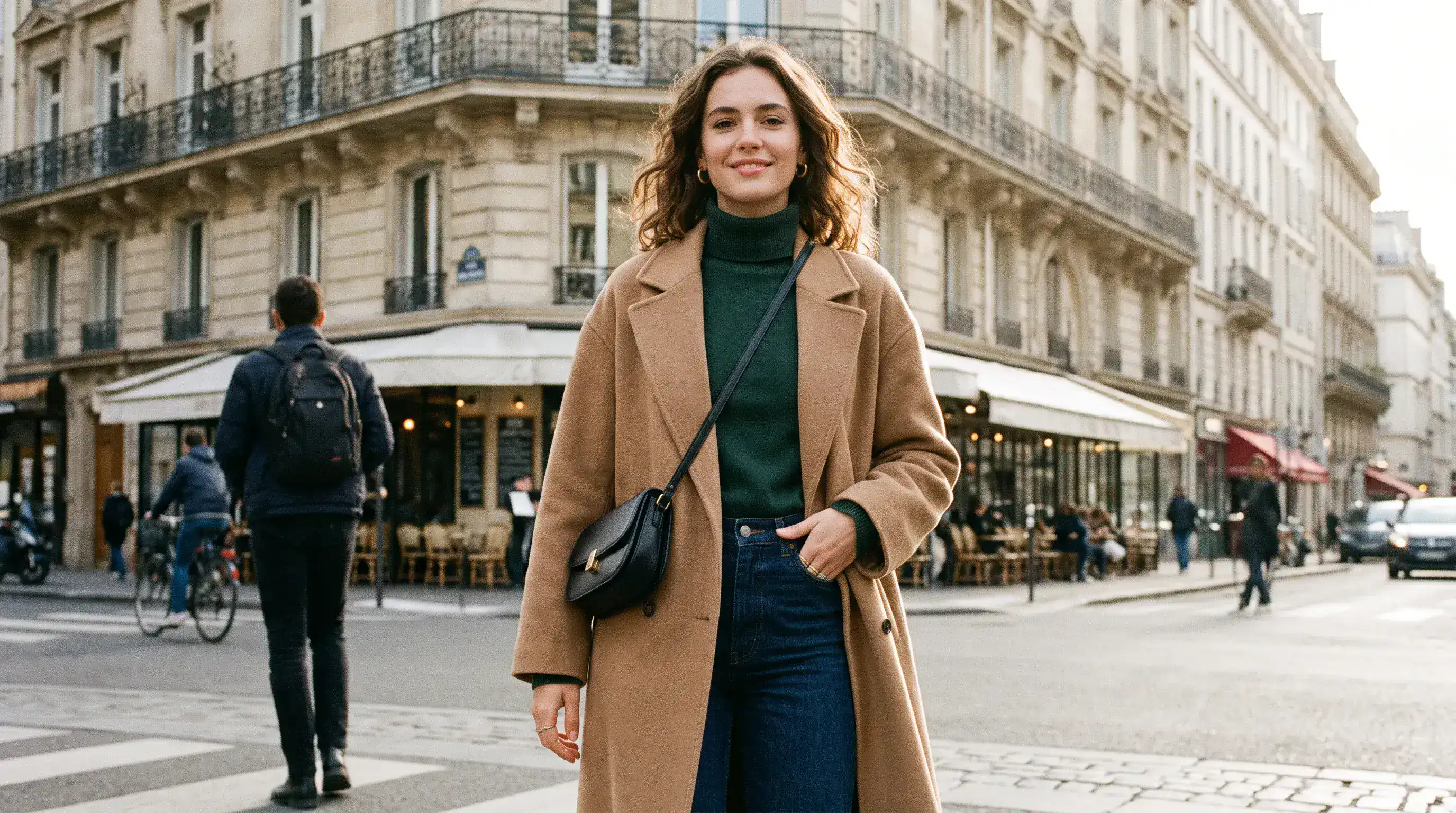
Bearbeiteter Hintergrund (Prompt)
Using the provided package image, create a 16:9 professional industrial-design presentation sheet for the penguin-shaped loose-leaf tea carton. Preserve the package's exact penguin silhouette, tapered folding-paper body, side flaps, triangular top closure, deep-navy and cream color blocking, orange beak accent, silver foil details, and the exact readable label 'POLAR TEA' with 'LOOSE LEAF' beneath it. Place a centered heroic 3D rendering with realistic materials. Surround it with clearly organized technical views: front, side, top, bottom, oblique perspective. Include precise pencil sketches of frame structure and crease lines. Constraints: no people; no redesign of the package; no fake logos, watermark, border or UI.
Präzises Layout und Textplatzierung
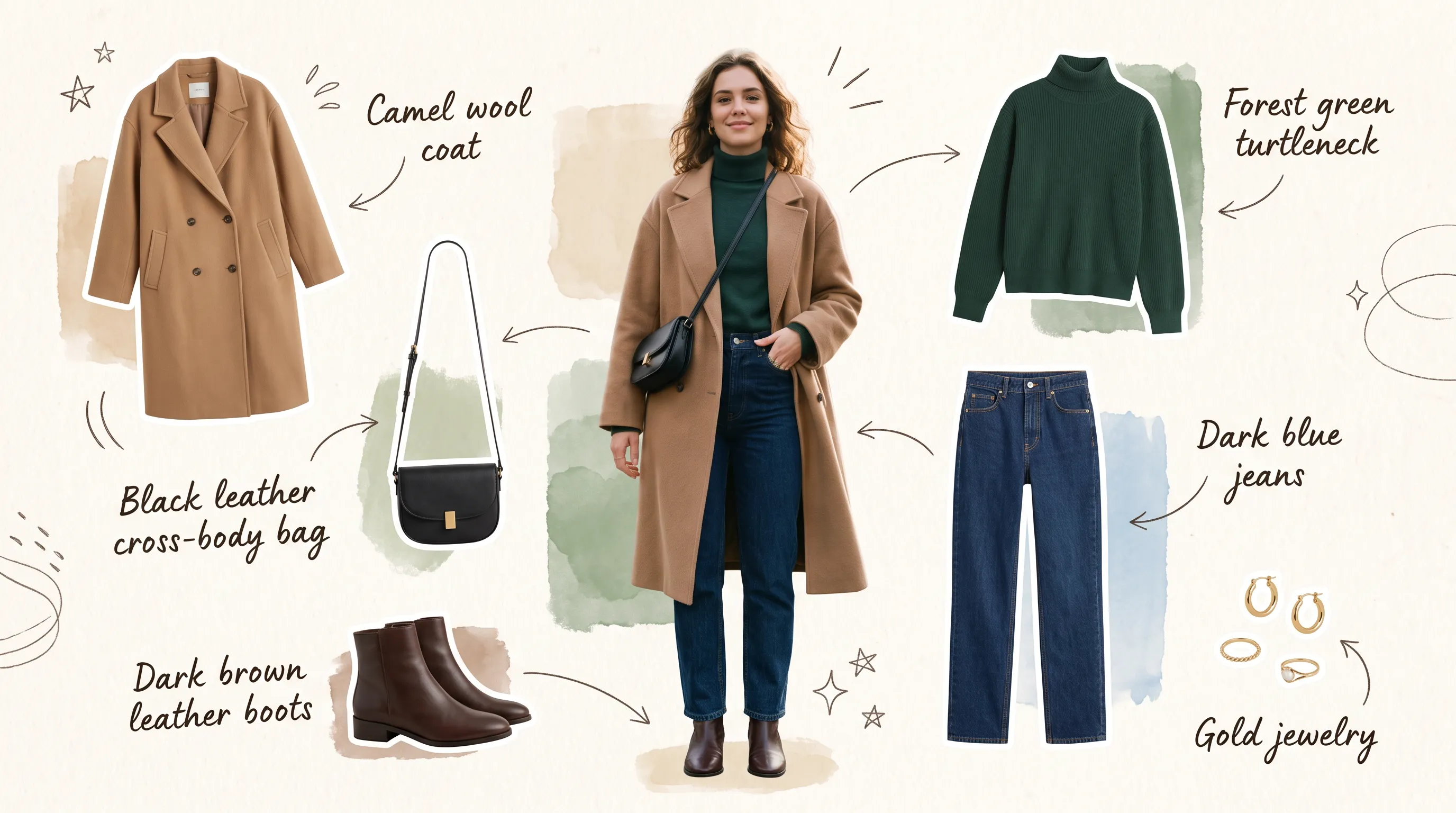
Ursprüngliches Layout (Prompt)
Create a 16:9 design-review image containing one finished vertical tea poster centered on a plain light-gray presentation wall, with generous empty margins on both sides. The poster artwork features a clear glass cup of pale jasmine green tea, fresh jasmine flowers, delicate tea leaves and soft spring-green botanical shapes on a warm ivory background. Render the exact headline 'STEEP INTO SPRING' once at the top in large dark-green uppercase serif lettering. Render the exact smaller line 'JASMINE GREEN TEA' once beneath it in clean uppercase sans-serif lettering. Both lines must be correctly spelled, sharp and fully readable. Constraints: no people, human figures, faces, hands; no extra text, logos, watermark, border or UI outside the poster.
Überarbeiteter Text und Bildkomposition (Prompt)
Transform the provided 16:9 tea-poster image into a realistic metro-station lightbox advertising scene. Preserve the poster artwork, glass cup, jasmine flowers, tea leaves, botanical shapes, colors, layout and typography. Keep the exact headline 'STEEP INTO SPRING' and exact smaller line 'JASMINE GREEN TEA' unchanged, correctly spelled, fully readable and dominant. Show the vertical poster behind glossy glass in one illuminated advertising frame mounted on a clean contemporary subway-platform wall. Constraints: no sharply focused person, identifiable face or identifiable ethnicity; no extra signs; no watermark, border or UI.
Vorteile des Nano Banana 2.1 KI-Bildgenerators
Entwickle deine Idee in überschaubaren Überarbeitungsschritten weiter, mit einer klareren gestalterischen Richtung und weniger Aufwand, um eine vielversprechende Bildkomposition neu aufzubauen.
Bilder aus schriftlichen Vorgaben erstellen
Beschreibe Motiv, Umgebung, Beleuchtung und Layout, um einen visuellen Ausgangspunkt zu schaffen. Entwickle Porträts, Illustrationen oder Kampagnenkonzepte mit einer klaren gestalterischen Richtung.
Bearbeitungen mit Bildreferenzen steuern
Kombiniere bis zu 14 Referenzbilder mit deinen Anweisungen. Erkläre die Rolle jeder Referenz und gib an, welche Merkmale bei der Überarbeitung einer Szene erhalten bleiben sollen.
Mit optionaler Suche Kontext ergänzen
Aktiviere die Websuche für aktuelle Informationen oder die Bildersuche für online gefundene Bildreferenzen. Nutze beide Optionen unabhängig voneinander, wenn sie deine Vorgaben unterstützen.
Das passende Format für dein Projekt wählen
Erstelle quadratische Bilder oder Bilder im Hoch- und Querformat und wähle eine passende Ausgabeauflösung. Berücksichtige beim Gestalten, wo das Bild später eingesetzt werden soll.
Einsatzmöglichkeiten des Nano Banana 2.1 KI-Bildgenerators
Erstelle Bilder für Veröffentlichungen, Marketing und Design. Gehe von der Zielgruppe und dem Einsatzort aus und gestalte jedes Bild danach, was es vermitteln soll.
Bildgestaltung für Blogs und Landingpages
Erstelle Titelbilder für Artikel, großflächige Website-Aufmacher und ergänzende Illustrationen zu deinem Thema. Gestalte die Bildkomposition so, dass Platz für eine Überschrift oder Seiteninhalte bleibt.
Produkt- und Kampagnenmotive für E-Commerce
Entwickle Tischarrangements, saisonale Produktinszenierungen und Einführungskonzepte auf Grundlage eines Referenzfotos. Stimme Requisiten, Oberflächen und Beleuchtung auf das präsentierte Produkt ab.
Social-Media-Marketing und bezahlte Anzeigen
Entwirf Social-Media-Grafiken, Vorschaubilder und Kampagnenmotive in einem einheitlichen Stil. Vergleiche Hintergründe und Blickpunkte, bevor du deine bevorzugte Richtung weiterentwickelst.
Konzept-Storyboards und kreative Prototypen
Verwandle eine schriftlich beschriebene Szene in ein Storyboard-Bild oder ein Moodboard-Konzept. Erkunde Figuren, Umgebungen und Bildausschnitte, bevor du ein fertiges Design oder eine Aufnahme planst.
So nutzt du den Nano Banana 2.1 KI-Bildgenerator
Beginne mit einer Idee oder einem Ausgangsfoto. Erstelle eine erste Version, prüfe sie und verfeinere die Details, die für dein Projekt wichtig sind.
Prompt eingeben und Ziel festlegen
Beschreibe Motiv, Umgebung, Beleuchtung und Bildkomposition. Füge zur Bildbearbeitung ein Referenzfoto hinzu und gib sowohl die gewünschte Änderung als auch die Details an, die du beibehalten möchtest.
Richtung festlegen und generieren
Wähle ein Seitenverhältnis und eine Auflösung und aktiviere bei Bedarf die Web- oder Bildersuche. Prüfe vor dem Generieren die angezeigten Credit-Kosten; Suchoptionen und hochgeladene Referenzbilder beeinflussen den Gesamtbetrag.
Verfeinern, erneut generieren und exportieren
Prüfe das Ergebnis und ändere jeweils ein Detail. Nutze dein bevorzugtes Bild als Referenz für weitere Bearbeitungen und lade anschließend die ausgewählte Version herunter.
Entdecke Kreationen mit Nano Banana 2.1 auf X

Nano Banana 2.1 is here! This upgraded version outperforms our previous models across the board, with notable leaps in: - visual design - mask-based editing - subject consistency - more natural-looking imagery Try it now in @GeminiApp, @GoogleAIStudio, and more.


ChatGPT Image 2.5 vs Nano Banana 2.1 (the difference is clear)


it got worse? Nano Banana 2.1 is here so had to put it up against NB2 for the good old continuity stress test. the strange thing is 2.0 kept my likeness a lot more all the way through. I'm still very different from the original, but you can kinda recognise me? On 2.1 it just

Nano Banana 2.1 is live on ElevenCreative. Google's image generation and editing model brings faster generations, better visual design, and subject consistency. Try it now: elevenlabs.io/creative

