
🔥Happy Horse 1.0今天登顶,具体表现如何?能不能打败Seedance2.0,大家自己看样片判断一下。
Happy Horse 1.0 AI Video Generator
Create cinematic videos from text prompts and images with strong motion consistency by Happy Horse 1.0 AI Video Generator powered by Alibaba. Designed for text-to-video and image-to-video workflows, it delivers high visual fidelity, stable scene logic, and faster AI video production for marketing, storytelling, and social content.
Video Creations
Introduction to Happy Horse 1.0 AI Video Generator
Explore Happy Horse 1.0 AI Video Generator, a fast-rising AI video model known for cinematic quality, smooth motion, and strong prompt alignment.
Happy Horse 1.0 is positioned as a high-performance AI video model for text-to-video and image-to-video creation. As of April 22, 2026, Artificial Analysis lists HappyHorse-1.0 at #1 on both the Text-to-Video (No Audio, ELO 1,366) and Image-to-Video (No Audio, ELO 1,399) leaderboards, while VideoWeb highlights its strengths in motion quality, instruction adherence, and integrated audio-visual generation workflows.
Example of Happy Horse 1.0 AI Video Generator
Explore practical prompt examples to see how Happy Horse 1.0 AI Video Generator transforms detailed ideas into realistic, high-impact AI videos.
Original Image
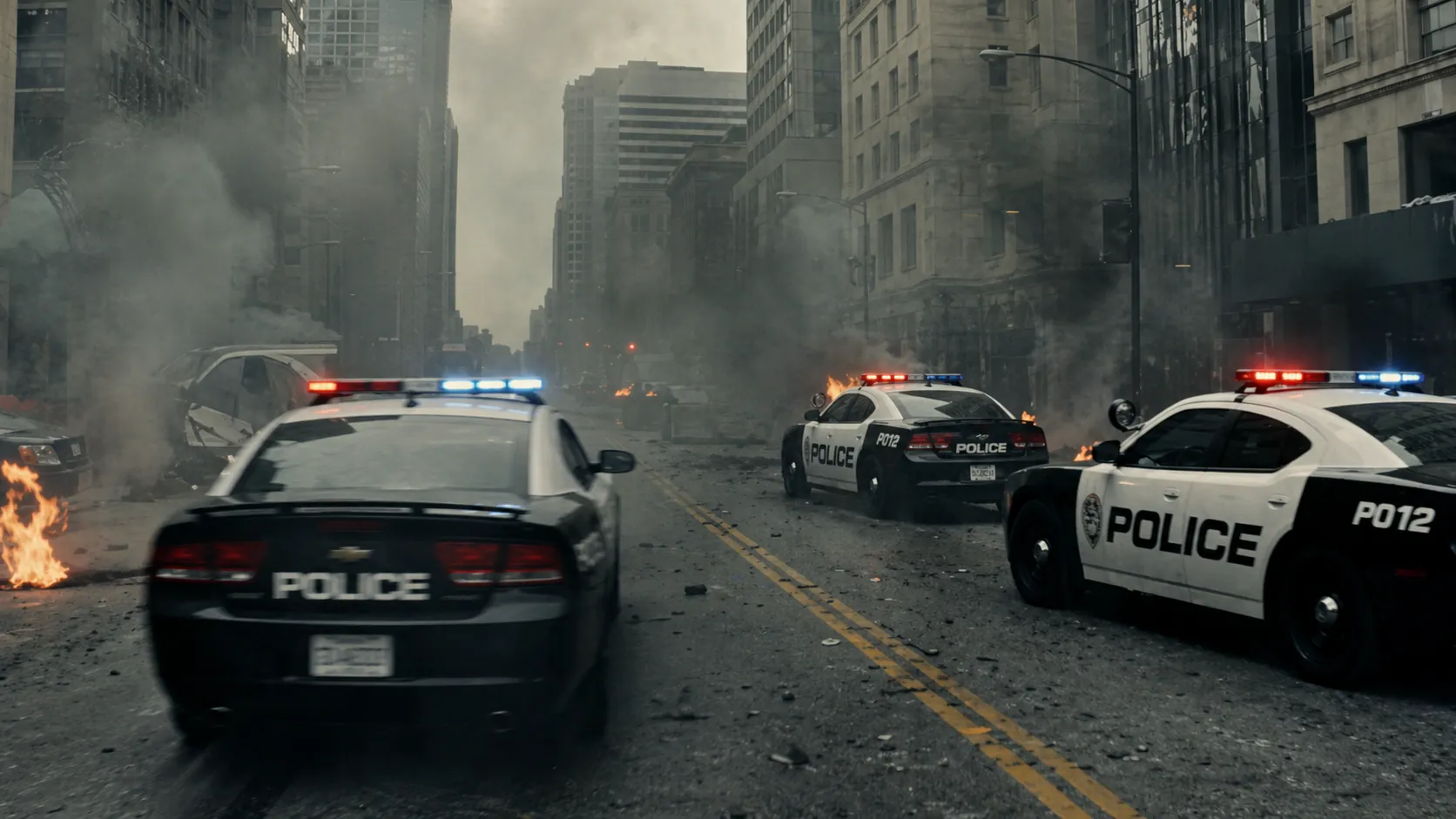
Video
Prompt
Multiple vehicles transform simultaneously into combat mechs in a city battle, opening on a wide shot of chaos, camera weaving between transforming units as parts shift and lock, then transitioning into a fast-paced tracking shot following one mech engaging enemies, explosions chaining across the environment, ending with a massive coordinated attack.
Key Features of Happy Horse 1.0 AI Video Model
Happy Horse 1.0 combines modern AI video generation capabilities for creators who need reliable text-to-video and image-to-video outputs with commercial-ready quality.
Cinematic Text-to-Video Generation
Convert detailed prompts into high-quality video clips with strong scene composition, realistic lighting, and coherent motion paths, making it suitable for ads, storytelling, and branded short videos.
High-Precision Image-to-Video Animation
Upload a reference image to generate smooth animation while preserving subject identity, composition, and visual style, ideal for character-driven clips and product-focused content.
Motion Consistency and Prompt Adherence
Happy Horse 1.0 is widely noted for stable multi-frame motion and accurate interpretation of prompt details, reducing repeated retries and improving production efficiency.
Advantages of Happy Horse 1.0 AI Video Generator
From rapid ideation to production-ready output, Happy Horse 1.0 AI Video Generator offers a competitive balance of quality, control, and speed for modern AI video creation.
Top-Tier Benchmark Momentum
Based on Artificial Analysis leaderboard snapshots (April 2026), HappyHorse-1.0 ranks #1 in both no-audio text-to-video and image-to-video categories, signaling strong user preference in blind comparisons.
Stronger Visual Realism
The model outputs natural lighting, cleaner textures, and better physical continuity across complex scenes, helping generated clips look more believable and professional.
Creator-Friendly Iteration Speed
High instruction adherence means fewer prompt rewrites and faster cycles from concept to final draft, which is valuable for teams producing frequent social and campaign content.
Flexible Use Across Industries
Suitable for film pre-visualization, brand marketing, education, and short-form media, making Happy Horse 1.0 a practical AI video model for diverse production scenarios.
How to Use Happy Horse 1.0 AI Video Generator
Step 1: Enter a Prompt or Upload a Reference Image
Describe your scene in detail for text-to-video, or upload an image for image-to-video generation. Include style, camera movement, lighting, and timing cues for better output.
Step 2: Set Video Parameters and Generate
Choose resolution, duration, and aspect ratio, then start generation. Use concise but specific prompt language to improve motion stability and visual consistency.
Step 3: Review, Refine, and Export
Preview the video, adjust prompt details if needed, regenerate for variations, and export the best result for publishing on social platforms, websites, or ads.
Explore Happy Horse 1.0 AI Video Creations on Twitter

Same prompt. Two models. Seedance 2.0 (Topview) vs Happy Horse 1.0 🐎 Which output wins your vote? Coming soon: Topview will be among the first to bring Happy Horse to creators. Stay tuned 👀

Happy Horse 1.0 kind of came out of nowhere and is apparently outperforming Seedance 2.0, so we put it to the test. We ran comparisons across Seedance 2.0, Kling 3.0, and VEO 3.1 Lite using the same starting image and prompt from existing Happy Horse tests, and it’s looking

ByteDanceのSeedance 2.0が話題になってるのに もう次のが出てくるんですかねー🤔 ATH(Alibaba Token Hub)が発表したHappy Horse 1.0 スコアではSeedance 2.0やVeo 3.1を超えてるんですよねー✨ もはや...神々の戦い🔥を眺めるだけになりそう...


