Tripo 3D H3.1 Model Generator: High-Detail AI 3D Model Generator
Create high-detail 3D assets from prompts, images, or multiview-to-3D inputs with a faster AI workflow. Tripo 3D H3.1 Model Generator focuses on stronger geometry, textured output, PBR materials, quad mesh-oriented usability, and production-friendly 3D results for creators, designers, product teams, and developers. Use it to generate detailed 3D models for product previews, game props, concept design, marketing visuals, and interactive digital experiences.
Overview of Tripo 3D H3.1 Model Generator
Explore High-Detail Geometry, PBR Materials & Multiview-to-3D Generation
Core Features of Tripo 3D H3.1 Model Generator
Tripo 3D H3.1 Model Generator provides advanced 3D generation capabilities across text-to-3D, image-to-3D, multiview-to-3D, PBR material output, and reference-guided asset creation, helping users move from idea to detailed 3D model with less manual work.
Users can describe an object in natural language. The model interprets the prompt and generates a detailed 3D asset with recognizable shape, structure, style, and surface detail.
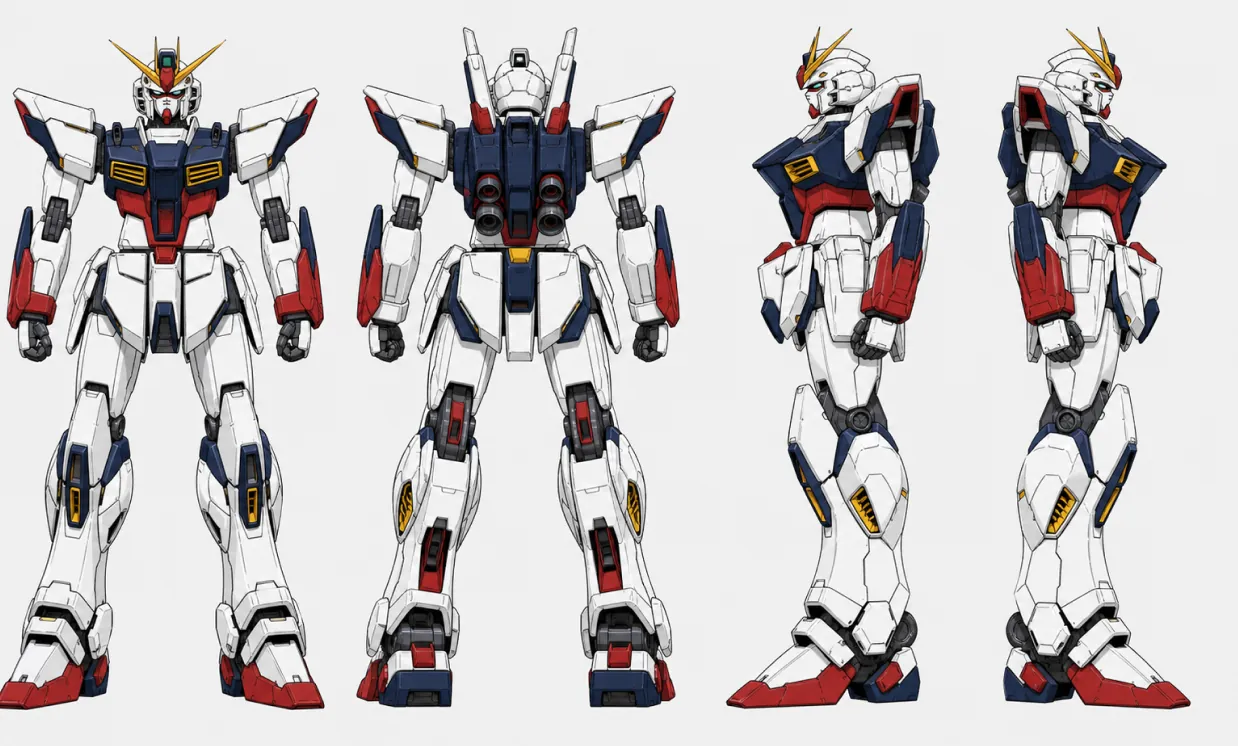
Original
Generated
Reference images or multiview inputs can guide the generation process, helping preserve key proportions, visual features, and object identity across the 3D result.
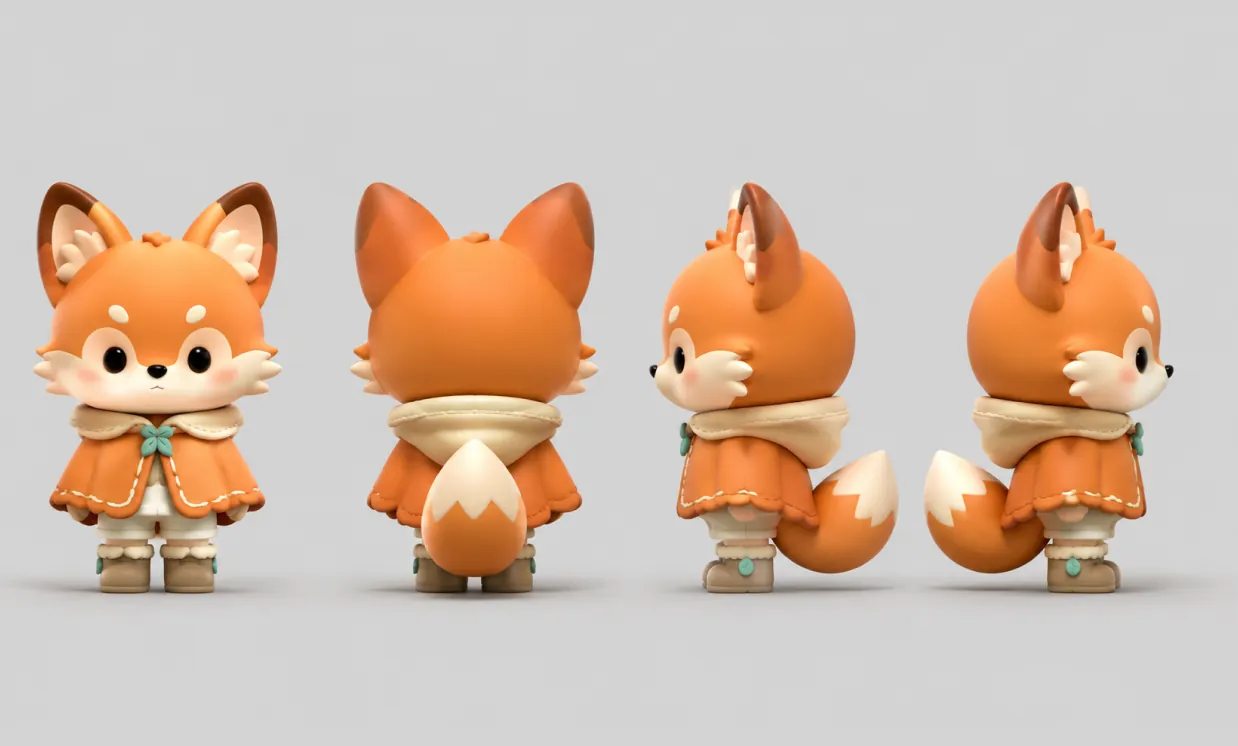
Original
Generated
Generated assets can include high-detail geometry, PBR materials, textured surfaces, and quad mesh-oriented output for previews, editing, and downstream 3D workflows.
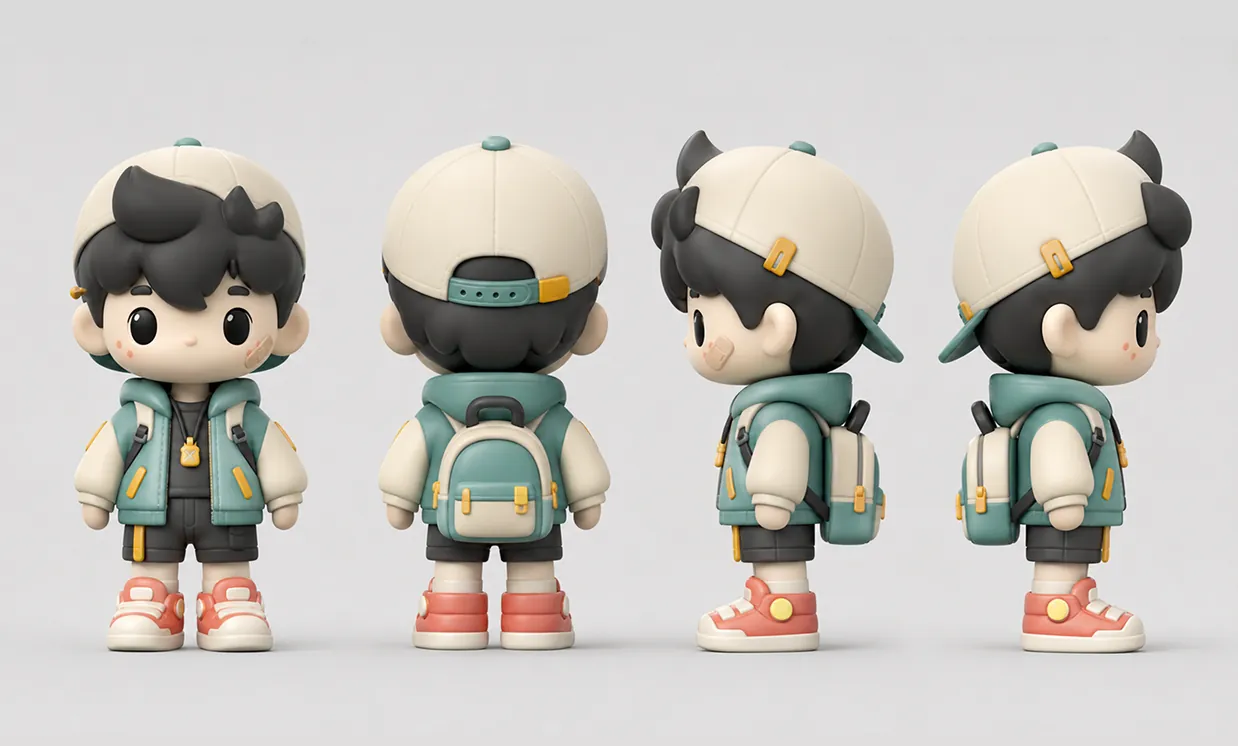
Original
Generated
Core Advantages of Tripo 3D H3.1 Model Generator
The core advantage of Tripo 3D H3.1 Model Generator is its ability to create more detailed, practical 3D assets from simple creative inputs. Users can reduce modeling time while improving the visual quality and workflow usability of generated results.
High-Detail Geometry Generation
Generate models with stronger structural detail, clearer forms, and more usable geometry, including quad mesh-oriented results for visualization, iteration, and asset production.
Text-to-3D, Image-to-3D & Multiview-to-3D Support
Start from a written prompt, upload a reference image, or guide generation with multiview-to-3D inputs when a more complete visual direction is needed.
PBR Materials and Texture-Oriented Output
Create 3D models with textured surfaces, PBR material detail, and more complete visual information for previews, presentation, and creative production.
Efficient Workflow for Production Teams
Accelerate concept validation, product visualization, game asset ideation, marketing content creation, and digital asset production without building every model manually.
Use Cases for Tripo 3D H3.1 Model Generator
Tripo 3D H3.1 Model Generator is suitable for high-detail 3D content creation across product design, game development, e-commerce, virtual assets, marketing visuals, and interactive experiences.
High-Detail Product Preview
Generate 3D product-style models with stronger geometry and material detail for visual exploration, online display, client review, and interactive product presentation.
Game Asset Ideation
Create props, collectibles, stylized objects, and environment assets with practical mesh and texture detail for early game development and virtual world concepts.
Concept Design & Creative Prototyping
Turn rough ideas, reference images, or multiview inputs into 3D concepts that can be reviewed, refined, and developed further.
Marketing & Immersive Visuals
Produce textured 3D assets with PBR material direction for campaign visuals, landing pages, short videos, social content, and immersive brand storytelling.
How to Use Tripo 3D H3.1 Model Generator
The workflow of Tripo 3D H3.1 Model Generator helps users generate detailed 3D assets without complex setup. Provide a prompt, reference image, or multiview-to-3D input, and the system will build a textured 3D model for preview, export, and downstream creative use.
Step 1: Add a Prompt, Image, or Multiview Input
Describe the object you want to create, upload a reference image, or provide multiview input to guide the model's shape, style, and details.
Step 2: AI Generates Detailed 3D Model
The model interprets the input and creates a 3D result with geometry, proportions, texture detail, PBR material direction, and quad mesh-oriented usability.
Step 3: Preview and Download 3D Result
Review the generated model online, make another version if needed, and download the result for presentation, editing, or production use.

