Seedance 2.0 AI Video Generator by ByteDance
Seedance 2.0 is the next-generation AI video model from ByteDance's Seed AI. Built on a breakthrough Dual-branch Diffusion Transformer architecture, it enables parallel generation of visuals and audio from the ground up, supporting true 2K cinematic resolution and multi-shot narrative flow.
What is Seedance 2.0 AI?
Seedance 2.0 is an AI-native multimodal video engine defining a new era of director-level control. It fuses text, image, reference video, and audio instructions for deep semantic understanding.
Examples of Seedance 2.0 AI Video Generator
Explore Seedance 2.0 AI video generator examples showcasing multimodal video generation with native audio.
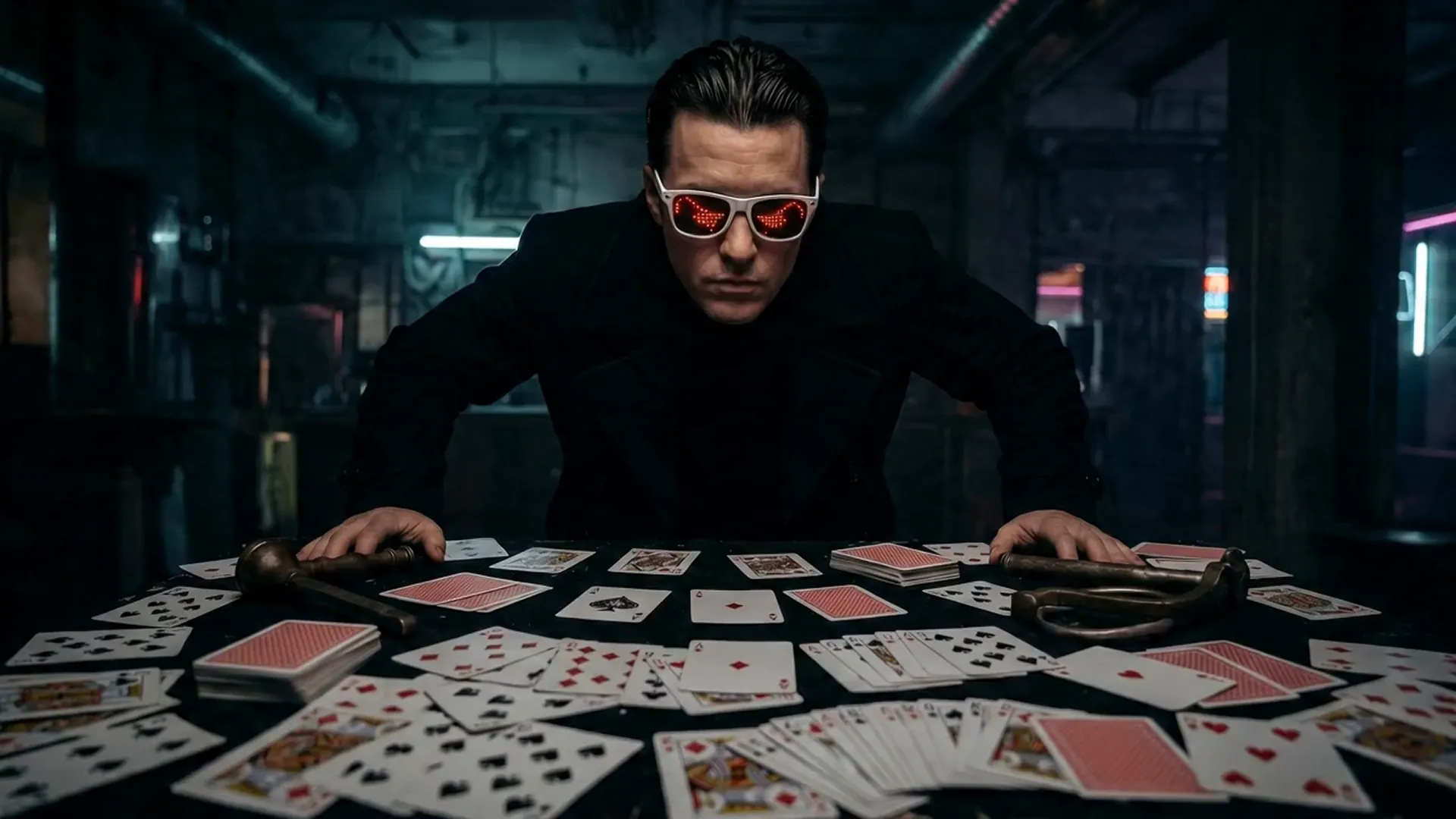
Full live-action cinematic realism, high-contrast chiaroscuro lighting, deep oppressive shadows, photographic texture, real motion blur, subtle film grain. No anime, no cartoon. Cold dominant real human male actor. Dark cyberpunk interior, central table full of scattered standard poker cards with red and black suits. Strong side key light creates dramatic facial shadow split, dark background with faint volumetric beams. 0-2s: Extreme low-angle upward shot, slow push-in. Man slowly sits sideways at table, light slices across face, mouth corner lifts. Deep icy voice with reverb: "Wanna play?" 2-5s: Rapid push to close-up. He flicks one card spinning fast toward camera. Extreme slow motion: card nearly suspends, bright edge halo, hyper-sharp red-black pattern. Snaps back to full speed, card boomerangs into his hand. 5-9s: Fast multi-angle montage with 360° orbiting ascending camera. Man explosively stands, arms wide. All cards spiral upward into massive swirling card storm around him. He stands at center, head tilted down with dominant gaze. 9-15s: Violent slow-mo alternating with full speed. He swings both hands, dozens of cards shoot outward with luminous streaks. Three insert close-ups: card spins, suspends, edge electric arc flash, then accelerates away. Final rapid wide pull to epic freeze frame of man in flying card storm, deep bass impact. Strict: Pure photographic live-action, consistent poker cards only, no text, no symbols, no logos, no watermarks anywhere. Realistic card motion, no distortions, no style shifts.
Core Features of Seedance 2.0 Video Model
Powered by a dual-branch architecture and multimodal reference support, Seedance 2.0 represents a leap from visual composition to audio-visual storytelling.
Native Audio-Visual Co-generation
Seedance 2.0 generates video and audio simultaneously at the source. No more post-production dubbing—lip sync, environmental sounds, and voice-overs are synthesized together.
Multi-Shot Narrative Consistency
With just one prompt, Seedance 2.0 plans and generates multiple, thematically linked shots while preserving character, costume, and environment details throughout.
Quad-modal Control
For the first time, you can give Seedance 2.0 a mix of prompts: video for action, image for style, audio for rhythm, text for story.
Typical Use Cases for Seedance 2.0 Video Generator
Seedance 2.0 powers the full production pipeline—from professional film and commercial content to high-frequency virtual personality and game cinematic prototyping.
Professional Film/Drama Production
Leverage multi-shot consistency to instantly generate cohesive scenes and cut production costs, whether for episodic storytelling or feature-length content.
Global Multilingual Marketing
Automatically create ad materials tuned for global audiences. Native lip sync and emotional nuance mean you can produce once and localize everywhere.
AI Virtual Stars & Short-Form Creation
Breathe life into virtual idols—generate expressive performances, realistic emotional reactions, and support always-on content for non-stop engagement.
Immersive Game Storyboarding
Rapidly prototype dynamic game storyboards and in-engine cutscenes with physical action validation and real-time lighting preview.
How to Use Seedance 2.0 AI Video Generator
Step 1: Upload Reference Assets
Upload up to 12 reference files—images for style, videos for motion, audio for rhythm—or start with a text prompt alone.
Step 2: Intelligent Director Instructions
Describe your scene and reference assets using @ syntax, set target resolution, and choose your preferred camera moves.
Step 3: Preview & Extend Scenes
Generate a polished 2K video for immediate review. Use 'Smart Continue' to extend storylines while maintaining logical continuity.
FAQs about Seedance 2.0 AI Video Generator
More Articles about Seedance 2.0 AI Video Generator
Higgsfield Seedance 2.0 Review: Is It Worth Using for Cinematic AI Video Generation?
Review Higgsfield Seedance 2.0 for cinematic AI video, native audio, motion, consistency, cost per usable clip, and tested HeyDream alternatives before paying.
FIFA Memes with Seedance 2.0: How to Create Football Meme Videos on HeyDream AI
Create FIFA-themed football meme videos with Seedance 2.0 on HeyDream AI using safe prompts, image-to-video edits, prompt testing, and rights checks today.
Create TikTok Video with Seedance 2.0: A Practical AI Workflow
Learn how to create TikTok video with Seedance 2.0 using HeyDream AI, prompts, 9:16 clips, captions, music, and CTA overlays.
Seedance 2.0 Prompt Tips for More Human, Realistic AI Video
Learn how to write better Seedance 2.0 prompts for more realistic, human-looking AI videos with simple tips, workflows, and examples.

