AI video generation is no longer a futuristic experiment—it’s quickly becoming a practical creative tool for marketers, storytellers, and filmmakers. But while many AI video models promise cinematic results, few deliver consistent motion, believable realism, and controllable output at the same time.
That’s exactly where Veo 3.1 stands out.
Available on HeyDream AI, Veo 3.1 is designed for creators who want more than short, chaotic clips. It focuses on visual coherence, cinematic language, and real-world usability—making it one of the most compelling tools for veo 3.1 ai video generation today.
This guide walks you through what Veo 3.1 does best, how to use it step by step, and why it’s worth adding to your creative workflow.
What Is Veo 3.1 on HeyDream AI?
Veo 3.1 is a next-generation AI video model built to translate creative intent into motion with greater accuracy than earlier tools. Instead of relying on random animation or exaggerated effects, it prioritizes camera logic, lighting consistency, and natural scene progression.
On HeyDream AI, Veo 3.1 functions as a full Veo 3.1 AI video generator that supports both text-based and image-based inputs. This makes it flexible enough for quick concept clips while still powerful enough for cinematic experimentation.
Who Should Use Veo 3.1?
Veo 3.1 isn’t just for one type of creator. It works best for people who care about storytelling, pacing, and visual credibility.
- Content creators can generate short cinematic clips for YouTube, Reels, or TikTok
- Marketers can produce product teasers, brand visuals, and campaign videos
- Designers can build mood videos and animated concepts
- Filmmakers can experiment with previs, storyboards, and scene concepts
For all of these use cases, AI video generation with Veo 3.1 offers a balance between speed and creative control.
Core Generation Modes in Veo 3.1
Text-to-Video: From Words to Motion
Text-based generation is one of Veo 3.1’s strongest features. Instead of treating prompts as loose suggestions, the model attempts to interpret scene structure, movement, and atmosphere directly from your description.
Using Veo 3.1 text to video, creators can describe:
- The setting
- The subject’s motion
- Camera movement
- Mood and lighting
This makes it ideal for narrative scenes, cinematic shots, and conceptual storytelling.
Image-to-Video: Bringing Still Images to Life
If you already have a visual reference—AI art, concept art, or a still frame—image-based input often gives you more control over composition and style.
With Veo 3.1 image to video, the model animates existing visuals while preserving their original structure. This is especially useful for brand visuals, character shots, and stylized sequences where consistency matters.
Understanding Veo 3.1 Video Quality
AI video quality isn’t just about resolution. It’s about motion stability, believable lighting, and visual continuity across frames.
In practical terms, Veo 3.1 video quality stands out in three areas:
- Smoother motion transitions
- More coherent scene logic
- Fewer visual artifacts than earlier models
The result is footage that feels intentional rather than accidental—something you can actually use in real projects.
Creative Styles You Can Achieve with Veo 3.1
Cinematic AI Video
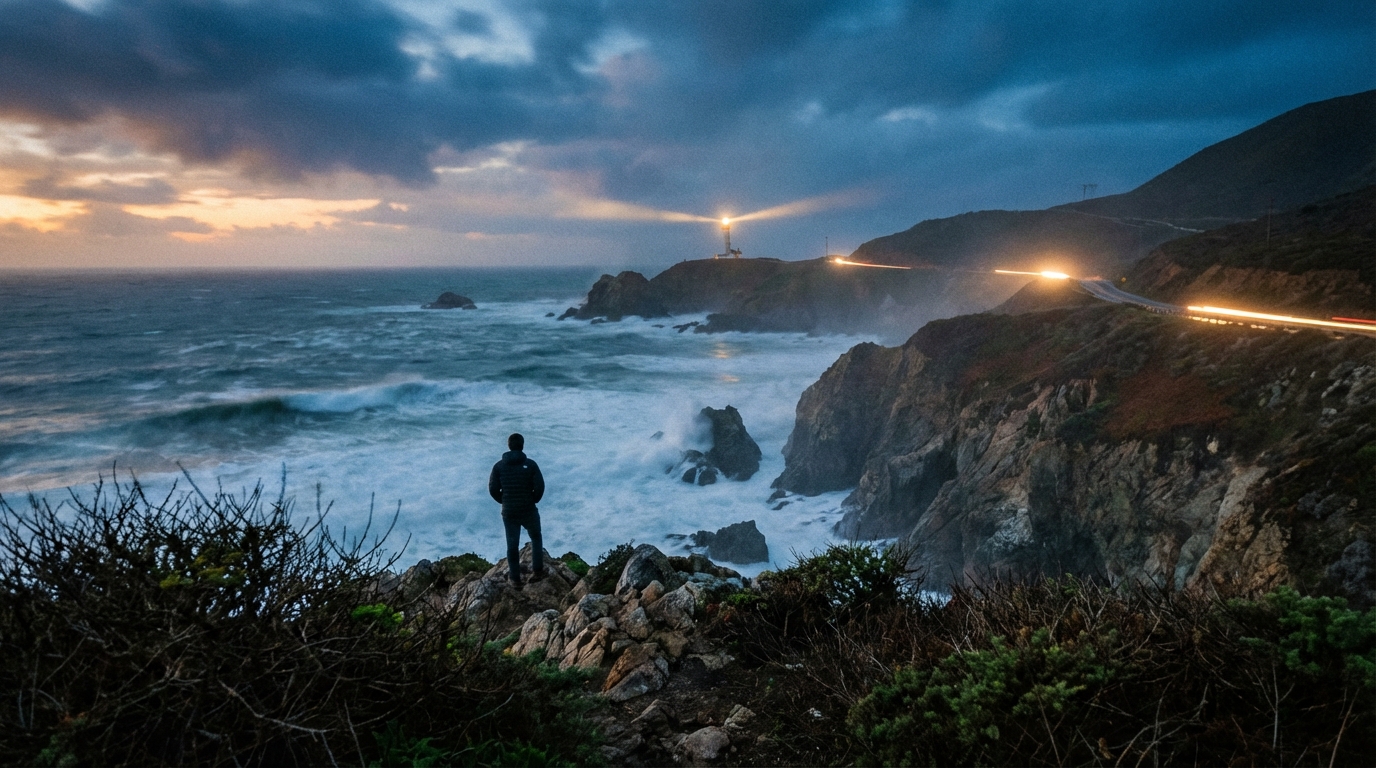
Veo 3.1 responds particularly well to cinematic language. Prompts that reference camera angles, depth of field, lighting direction, or pacing tend to produce more dramatic and film-like results.
This makes Veo 3.1 cinematic AI video ideal for trailers, short films, brand storytelling, and mood pieces.
Realistic AI Video Output
When realism matters—such as in product demos or explainer visuals—Veo 3.1 can generate grounded, natural-looking scenes with believable motion and lighting.
For creators seeking authenticity rather than spectacle, Veo 3.1 realistic AI video is one of its most valuable strengths.
How to Write Effective Prompts for Veo 3.1
Strong prompts are the difference between a usable clip and a forgettable one. Veo 3.1 works best when prompts are structured rather than verbose.
A good prompt usually includes:
- Scene description
- Subject action
- Camera behavior
- Mood or lighting
Learning how to write Veo 3.1 video prompts that focus on motion and intent—rather than static descriptions—dramatically improves output quality.
A Step-by-Step Veo 3.1 AI Video Workflow
A simple but effective Veo 3.1 AI video workflow looks like this:
- Choose text-to-video or image-to-video
- Define scene length and style
- Write a focused prompt
- Generate multiple variations
- Refine motion or camera details
- Select the strongest result
This iterative approach keeps production efficient while maintaining creative control.
Veo 3.1 as a Tool for AI Filmmaking
Beyond marketing and social content, Veo 3.1 opens up new possibilities for low-cost experimentation. Creators can test ideas visually before committing to full productions.
In this sense, Veo 3.1 AI filmmaking isn’t about replacing traditional film—it’s about enhancing the creative process with faster iteration and visual exploration.
Best Practices for Better Results
- Start with simple scenes before adding complexity
- Keep camera and motion instructions consistent
- Change one prompt element at a time
- Save successful prompt structures for reuse
These habits help maintain quality and speed as you scale your output.
Final Recommendation: Why Use Veo 3.1 on HeyDream AI
Veo 3.1 is not just another AI video model—it’s a practical creative tool built for people who care about storytelling, realism, and cinematic intent. Whether you’re producing short content, brand visuals, or experimental film ideas, it offers a strong balance of control and accessibility.
For creators looking to elevate their AI video work beyond novelty clips, Veo 3.1 on HeyDream AI is well worth exploring.