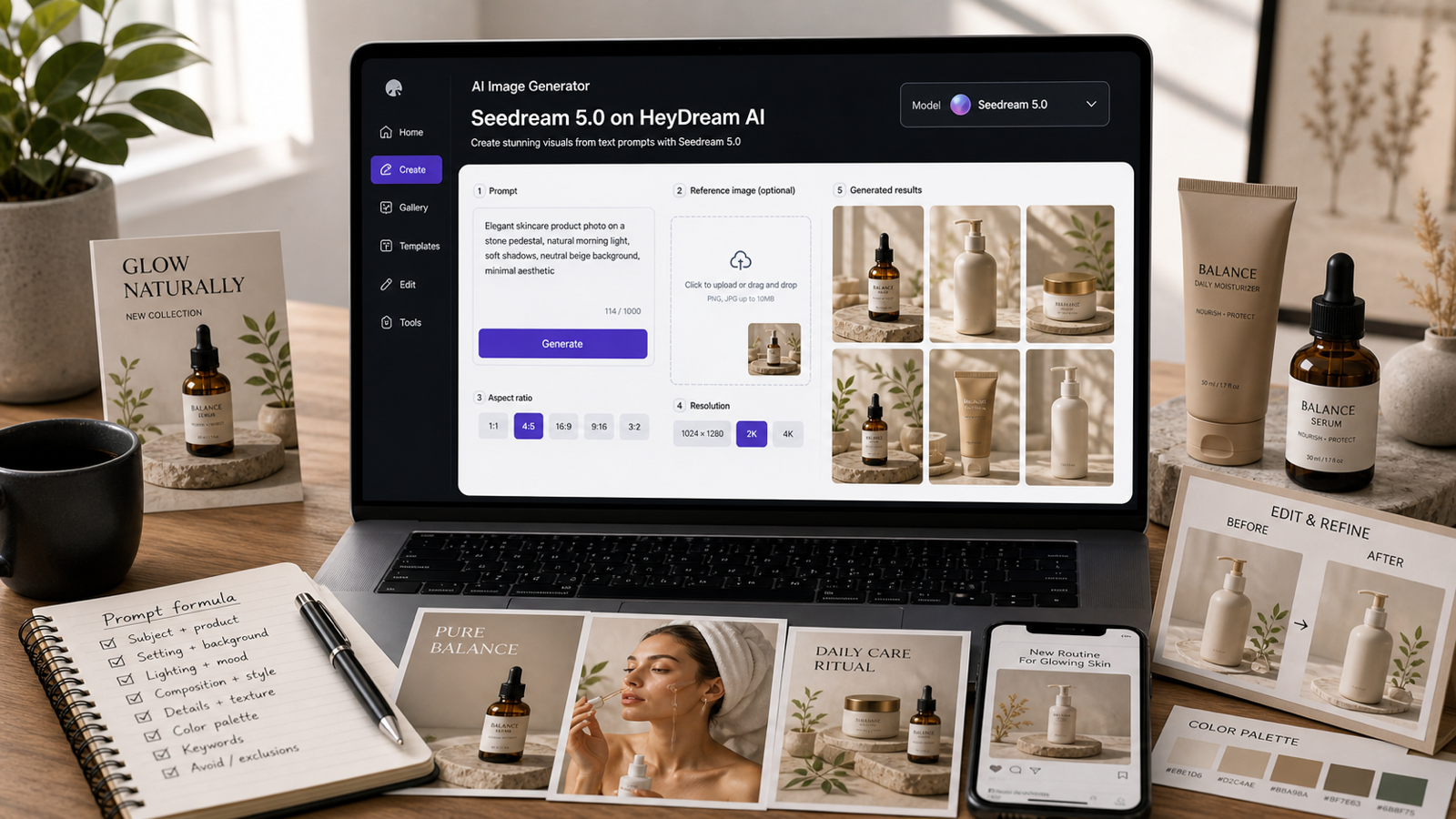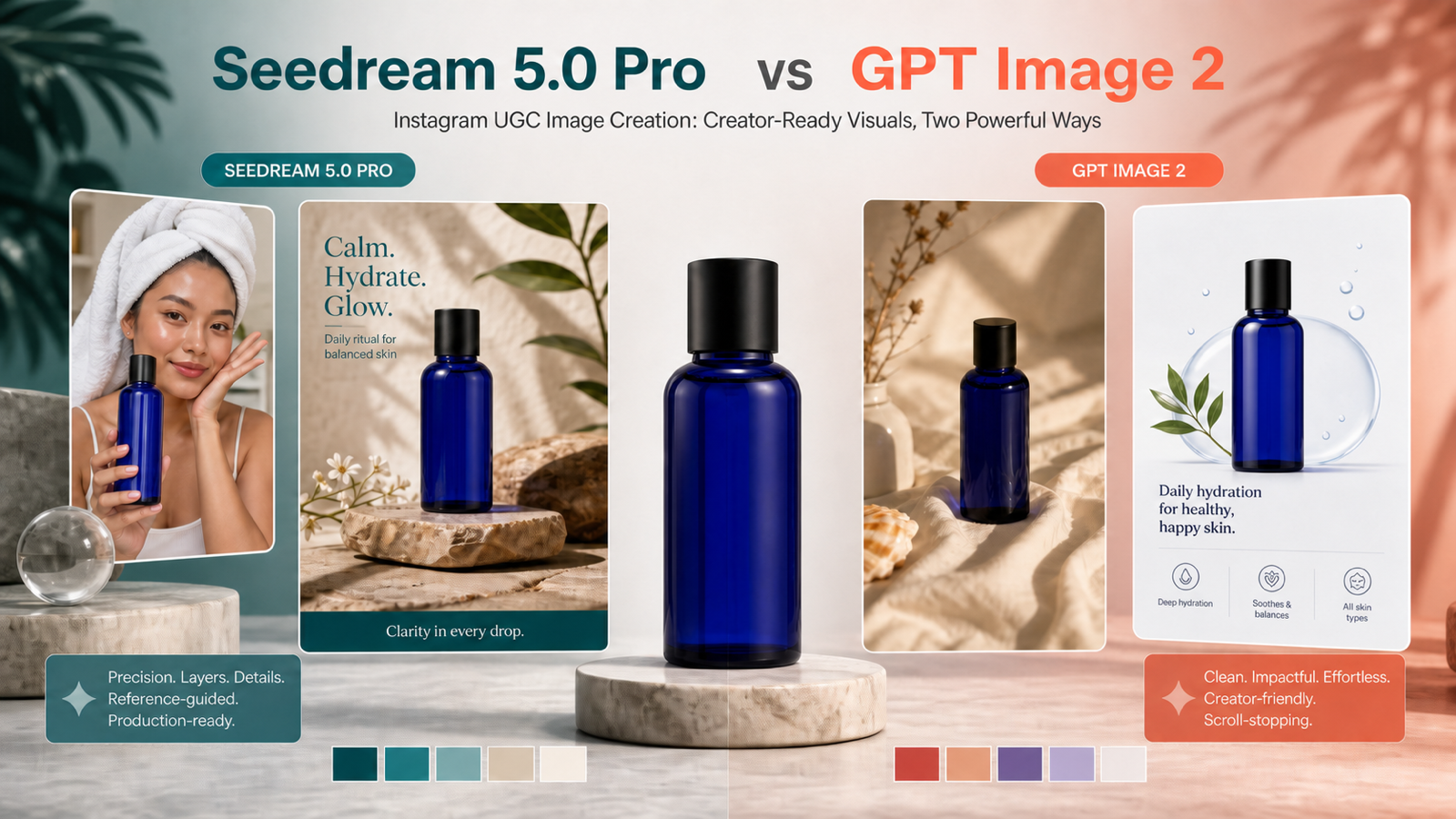
For an Instagram UGC creator, the best AI image model is not simply the one that creates the prettiest first result. It is the one that can hold a product shape, follow a campaign brief, place a visual hook clearly, and generate enough useful variations to test. Seedream 5.0 Pro vs GPT Image 2 is therefore a workflow decision: Seedream 5.0 Pro is a compelling first test for reference-heavy product visuals, posters, multilingual layouts, and controlled edits, while GPT Image 2 remains a powerful general-purpose option for complex instructions, text-heavy graphics, and high-fidelity editing.

Editorial workflow illustration created for this guide; it is not a controlled model benchmark.
This guide explains where Seedream 5.0 Pro on HeyDream can benefit Instagram creators, social teams, ecommerce brands, and UGC agencies. It also compares current pricing carefully, shows practical prompts, and explains when to use GPT Image 2 on HeyDream or another model instead.
Quick Answer: Which Model Is Better for an Instagram UGC Creator?
Choose Seedream 5.0 Pro first when your brief depends on several visual references, product preservation, poster hierarchy, multilingual campaign copy, precise local edits, or a family of related assets. The visible HeyDream workflow currently accepts up to ten JPG, PNG, or WebP references and provides a 2,000-character prompt field, giving a creator room to combine a pack shot, creator reference, palette, lighting direction, and layout inspiration in one brief.
Choose GPT Image 2 first when you want a broad creative model with strong instruction following, high-fidelity image inputs, flexible sizes, and capable text-and-layout generation. OpenAI describes GPT Image 2 as its current state-of-the-art model for fast, high-quality image generation and editing, so it should be treated as a serious alternative rather than a weaker fallback.
The practical decision is:
- Seedream 5.0 Pro: best first test for reference-rich commercial design, product visuals, posters, brand systems, and controlled campaign variations.
- GPT Image 2: best first test for broad complex briefs, rich layouts, strong general editing, visual reasoning, and multiple quality tiers.
- Nano Banana 2: useful as a fast third opinion when speed, many reference inputs, or unusual aspect ratios matter; try the Nano Banana 2 Image Generator.
No model guarantees more Instagram views. Better image control can improve the quality and speed of creative testing, but reach still depends on the hook, offer, audience, caption, sound, posting context, and how the finished content performs in the feed.
Seedream 5.0 Pro vs GPT Image 2: Practical UGC Comparison
The most useful comparison is based on the job an Instagram UGC image must perform. A creator may need a natural product-holding still, a Reel cover, a Story frame, a promotional poster, a carousel slide, an ecommerce pack shot, or a game-item teaser. Those jobs reward different model strengths.
| Comparison area | Seedream 5.0 Pro on HeyDream | GPT Image 2 on HeyDream | Practical Instagram UGC impact |
|---|---|---|---|
| Visible reference capacity | Up to 10 uploaded images | Up to 5 uploaded images | Seedream gives reference-heavy briefs more room for product, creator, palette, lighting, and layout inputs |
| Prompt space | Up to 2,000 characters | Up to 2,000 characters | Both support structured creative briefs instead of short one-line prompts |
| Production focus | Precise editing, reference-guided creation, layer-aware output when available, multilingual design, dense layouts | Strong instruction following, high-fidelity editing, flexible sizes, text and structured layouts | Seedream is especially attractive for controlled brand systems; GPT Image 2 is a strong generalist |
| Visible generation cost checked August 4, 2026 | 90 credits on the model page | 60 credits on the model page | GPT Image 2 is currently cheaper in this browser workflow; always recheck before budgeting |
| Flaq AI 1K API example | $0.0427 per image | $0.0480 at medium quality; $0.0080 at low | Seedream is about 11% below GPT medium, but GPT low is much cheaper |
| Flaq AI 2K API example | $0.0855 per image | $0.0960 at medium quality; $0.0160 at low | The same trade-off applies: compare like-for-like quality goals, not model names alone |
| Best first test | Product campaigns, posters, multi-reference edits, visual systems | Complex general briefs, detailed edits, structured graphics, flexible quality | Run the same brand brief through both before committing a campaign |
The price rows above are snapshots, not permanent promises. They were checked against the visible HeyDream interfaces and the public Flaq AI model pages on August 4, 2026. Credits, discounts, free access, resolution, quality settings, queues, and usage terms may change.
Why Seedream 5.0 Pro Can Benefit Instagram UGC Image Production
Seedream 5.0 Pro is valuable when a UGC image has to look spontaneous while still obeying commercial constraints. A creator-style visual may need natural skin texture and phone-camera energy, yet the bottle, cap, label area, color, and offer hierarchy must remain reviewable. That combination is harder than generating a generic lifestyle photograph.
1. More references can create a tighter visual brief
The ten visible reference slots on HeyDream are a concrete workflow advantage over the five shown on its GPT Image 2 page. A UGC maker can assign each reference a clear role:
- Clean product pack shot.
- Approved creator or character reference.
- Brand color palette.
- Lighting and camera style.
- Composition or negative-space example.
- Material and texture reference.
- Approved typography direction.
- Earlier campaign asset to preserve continuity.
More inputs do not automatically produce a better image. They help when each reference has a purpose and the prompt states what must remain unchanged.
2. Precise editing reduces full-scene restarts
HeyDream positions Seedream 5.0 Pro around interactive editing, prompt-guided adjustments, reference control, and layer-aware output when available. For Instagram teams, the benefit is the possibility of asking for a narrower change: enlarge the product by 12 percent visually, move the headline into the safe area, warm the background, or replace a prop while preserving the creator and pack shape.
Every output still needs human review. Hands, small labels, reflections, product geometry, claims, and fine text can fail in any generative workflow. Precision means stronger control and easier iteration—not guaranteed pixel-perfect results.
3. Posters and dense layouts become a first-class use case
Instagram content is not limited to feed posts. Reel covers, Story frames, carousel slides, launch posters, offer cards, comparison graphics, and Live announcements can all support a campaign. Seedream 5.0 Pro is explicitly positioned for multilingual text rendering, posters, infographics, information-dense layouts, and design-aware composition, which makes it a logical model to test for these formats.
The review question should be practical: can someone understand the visual hierarchy in two seconds on a phone? Check the headline, product, offer, CTA area, contrast, spelling, and safe margins before publishing.
The Real Price Advantage: Compare the Same Quality Goal
Seedream 5.0 Pro does not have a universal price advantage over GPT Image 2. On the HeyDream pages reviewed for this article, Seedream displays 90 credits while GPT Image 2 displays 60. If the browser tool is your entire workflow, GPT Image 2 currently costs fewer displayed credits per generation.
The comparison changes for API production. The Seedream 5.0 Pro API on Flaq AI lists $0.0427 for a 1K image and $0.0855 for 2K. The GPT Image 2 API on Flaq AI lists $0.0480 and $0.0960 for its medium-quality 1K and 2K settings. On those specific tiers, Seedream is roughly 11 percent lower.
However, GPT Image 2 also offers low-quality tiers at $0.0080 for 1K and $0.0160 for 2K on that page. Those are much cheaper than Seedream and can be useful for rough ideation. High-quality GPT settings cost more. The smart budget strategy is therefore staged:
- Use a low-cost mode for rough layout exploration when detail is not yet important.
- Move the strongest concepts into Seedream 5.0 Pro or a higher-quality GPT Image 2 setting.
- Measure the cost of approved assets, not just the cost of one generation.
- Include retries, editing, human review, and downstream design work in the real cost.
If Seedream produces a reviewable product poster in fewer attempts, a slightly higher single-generation cost can still be economical. If GPT low creates sufficient drafts for your ideation phase, it can be the better value.
What “Fewer Creative Restrictions” Should Mean Here
For a responsible UGC workflow, “fewer restrictions” should mean more usable creative controls—not weaker safety. Seedream 5.0 Pro still requires compliant prompts, licensed references, honest claims, and respect for privacy and publicity rights.
The verifiable flexibility on HeyDream is broader reference input: up to ten images versus five on the GPT Image 2 page. Seedream is also positioned around reference-guided creation, local refinement, multilingual design, and layer-aware composition when available. Together, these features can make a commercial brief feel less constrained when the creator needs to preserve several elements at once.
Do not interpret that flexibility as permission to create deceptive endorsements, impersonate real people, copy protected characters, remove disclosure, or bypass Instagram and model-provider policies. A sustainable UGC operation needs both creative range and brand safety.

Fictional product and game concepts with draft copy; not real product claims or measured model outputs.
High-Impact Seedream 5.0 Pro Use Cases for Instagram UGC Images
The model becomes more useful when each output has a defined role in the content funnel.
Creator-style product reveal
Generate a natural portrait in which a fictional or authorized creator holds the product near the face, with realistic grip, believable lighting, and room for a short hook. This can become an Instagram Reel cover, opening still, Story concept, paid-social draft, or visual for a product-to-video workflow.
Review the hand-product interaction carefully. Product scale, fingers, cap position, label orientation, and reflections are common failure points.
Product poster and launch announcement
Create a vertical product hero with a clear headline zone, promotional hierarchy, and consistent product geometry. This works for a new flavor, limited drop, seasonal campaign, Live announcement, or countdown post.
Use generated text as a draft. Recheck every letter and consider replacing final legal, price, ingredient, or offer copy in a design tool.
Ecommerce and social-commerce product image
Generate studio pack shots, lifestyle scenes, comparison layouts, feature callouts, and background variants. Seedream 5.0 Pro is particularly worth testing when the product must remain stable across several environments.
Do not let the model invent product features. Match the source pack, remove unsupported claims, and verify that materials and colors represent the real item.
Game materials and entertainment UGC
For mobile games and entertainment campaigns, the model can help explore item cards, environment props, character accessories, event posters, thumbnails, and lore visuals. A UGC creator could turn one approved item design into a “new drop” teaser, build reaction-style covers, or prototype several visual directions before production.
Treat these as concept assets until an art director checks consistency, originality, readability, and rights. Avoid recognizable franchise characters unless you have permission.
Carousel, thumbnail, and A/B creative families
One master image can lead to multiple testable variants: creator-led, product-led, offer-led, problem-led, aesthetic, or game-lore focused. Keep the product and brand system fixed while changing only one high-level variable. That creates a cleaner test than changing the subject, palette, copy, and composition at the same time.
How to Use the Seedream 5.0 Pro AI Image Generator for UGC
Use a preservation-first workflow. The goal is to move from a creative brief to a coherent asset family without losing the details that make the campaign credible.
- Define one content job. Decide whether the image is an Instagram Reel cover, Story frame, carousel slide, product reveal, launch poster, ecommerce visual, or game teaser.
- Collect only useful references. Prepare a clean pack shot, creator reference with permission, palette, lighting example, layout direction, and any earlier asset that should remain consistent.
- Open Seedream 5.0 Pro on HeyDream. Upload the references and describe what each one controls.
- Write preservation rules first. State the product shape, cap, label zone, colors, creator identity, pose, or environment elements that must not change.
- Describe the Instagram visual hook. Name the focal point, headline zone, emotional cue, phone-safe composition, and the first detail a viewer should notice.
- Generate a master visual. Judge composition and product fidelity before requesting multiple sizes or cosmetic variations.
- Refine one variable at a time. Change the background, headline area, prop, color temperature, or camera crop without reopening the entire brief.
- Create a controlled variant set. Produce three to five versions with one clear difference in each.
- Review at phone size. Inspect text, hands, product shape, faces, shadows, edges, claims, safe zones, and visual hierarchy.
- Finish and disclose responsibly. Add final copy in a design tool when precision matters, keep source approvals, and follow Instagram's current synthetic-media and advertising requirements.

Conceptual reference-to-output workflow; it does not reproduce a real product interface.
Copy-and-Adapt Prompt Formula for Better UGC Images
A strong Seedream 5.0 Pro prompt works like a compact creative brief:
Create a [format] for [audience and platform] featuring [authorized creator, product, or game asset] in [setting]. Preserve [non-negotiable reference details]. Composition: [focal point, camera angle, product placement, negative space, safe area]. Hook: [visual idea visible in the first second]. Style: [creator-shot, commercial, editorial, cinematic, or game-art direction]. Lighting: [direction and quality]. Palette: [colors]. Include the exact draft text “[short copy]” in [position]. Output: [ratio and intended use]. Avoid [distortion, extra objects, unreadable copy, unwanted changes].
Instagram product-reveal prompt
Create a vertical 4:5 Instagram UGC Reel cover for skincare shoppers aged 20–35. Use reference 1 as the exact fictional cobalt bottle and reference 2 as the authorized creator. Preserve the bottle shape, black cap, label area, and the creator's facial identity. Show a natural bathroom-mirror product reveal with soft morning light and believable phone-camera texture. Keep the bottle close to the face without covering it. Leave clean space in the upper third for a six-word hook. Avoid extra fingers, warped packaging, beauty-filter skin, logos, and small text.
Product-poster prompt
Create a premium 4:5 launch poster for a fictional coral hydration drink. Preserve the bottle proportions, cap, coral liquid, and navy label zone from the references. Use a centered product hero, crisp water droplets, energetic side lighting, dark navy background, and coral-teal accents. Add the draft headline “MOVE BRIGHTER” in a large clean type style with an empty offer area below. The hierarchy must be readable on a phone. Avoid invented nutrition claims, tiny copy, duplicate bottles, and distorted labels.
Game-item teaser prompt
Create a 16:9 social teaser for an original fantasy mobile game item. Preserve the teal glass potion silhouette and crystal stopper from the reference. Show the item as a premium collectible on a stone plinth with subtle coral and violet magic. Include a clean item-card zone and negative space for final copy. Make the material detail suitable for a launch thumbnail. Avoid existing franchise symbols, fake statistics, unreadable lore text, and extra props.
When GPT Image 2 or Nano Banana 2 May Be the Better Choice
GPT Image 2 deserves the first test when a brief depends on broad visual knowledge, complex structured graphics, multilingual text, rich layouts, or high-fidelity general editing. OpenAI's official materials emphasize instruction following, flexible image sizes, high-fidelity image inputs, sharper editing, and immediately usable visual layouts. On HeyDream, its visible generation cost is currently lower than Seedream 5.0 Pro.
Use GPT Image 2 on HeyDream when:
- You want a lower displayed credit cost in the current browser workflow.
- You need a general-purpose model for a complex one-shot brief.
- You want low, medium, and high quality options through the API.
- Your workflow already relies on OpenAI image generation and editing.
Try the Nano Banana 2 Image Generator when fast iteration, many references, high-resolution options, or unusual panoramic and vertical ratios matter. Its HeyDream page currently shows up to fourteen uploaded images and positions the model around fast generation, precise text rendering, subject consistency, and flexible ratios. Verify the live controls and commercial terms for your exact project.
The strongest team workflow is often model routing, not model loyalty. Use the least expensive mode that can answer the current creative question, then move the winning direction into the model that best handles final detail.
API Recommendations for Scalable UGC Image Creation
Manual generation is useful for concept discovery. An API becomes more valuable when a team needs repeatable templates, batch campaigns, localization, version tracking, automated QA, or assets generated from a product catalog.
Seedream 5.0 Pro API
The Seedream 5.0 Pro API on Flaq AI exposes text-to-image and related editing workflows, with 1K and 2K price options listed on the model page. It is a practical candidate for systems that generate campaign drafts, product visualizations, editorial social assets, or game concepts using structured prompts and flexible aspect ratios.
GPT Image 2 API
The GPT Image 2 API on Flaq AI provides multiple resolutions and quality tiers. It fits teams that want cheap rough drafts at low quality, higher-detail production at medium or high quality, or a unified OpenAI-based generation and edit workflow.
For either API, build a production layer around the model:
- Store prompt templates and reference provenance.
- Separate draft copy from approved legal and product copy.
- Add automated checks for dimensions, file format, and empty results.
- Route outputs to human review for faces, hands, product geometry, labels, rights, and safety.
- Track accepted-image cost, retries, latency, and model version.
- Keep a fallback model for provider errors or a brief that performs poorly on the primary model.
How Better Images Can Support More Instagram Views Without Promising Virality
A more precise image can improve the inputs to an Instagram campaign. Clearer products, stronger contrast, readable hierarchy, coherent creative families, and faster A/B variations may help a team test more intelligently. That can increase the chance of finding a visual that stops the scroll.
It is still inaccurate to promise that Seedream 5.0 Pro will create more views by itself. Use the generated images inside a measured publishing loop:
- Create three covers with one hook difference.
- Keep the caption, offer, audience, and posting window as consistent as possible.
- Compare view-through behavior, watch time, saves, shares, clicks, and comments—not views alone.
- Read qualitative comments for confusion about the product or claim.
- Turn the winning visual direction into the next controlled variation.
The model creates testable assets. The audience supplies the evidence.
Recommended Reading
- Seedream 5.0 Pro Image Creation: Professional Product Visuals, Posters, and Precise AI Editing — a preservation-first guide to product visuals, multilingual posters, reference-guided edits, prompt formulas, and final review checks.
- Best Free GPT Image 2 Generator? Testing HeyDream for Images, Posters, and AI Editing — a practical look at HeyDream's GPT Image 2 workflow, product mockups, posters, brand kits, editing, prompts, and verification limits.
FAQ
Is Seedream 5.0 Pro better than GPT Image 2 for Instagram UGC images?
Seedream 5.0 Pro is the better first test when you need more visual references, controlled product visuals, poster hierarchy, multilingual layouts, or precise campaign edits. GPT Image 2 can be the better first test for broad complex briefs, high-fidelity general editing, structured graphics, or lower-cost browser generation on the current HeyDream pages.
Is Seedream 5.0 Pro cheaper than GPT Image 2?
Not everywhere. HeyDream's model pages showed 90 credits for Seedream 5.0 Pro and 60 for GPT Image 2 when checked on August 4, 2026. On Flaq AI, Seedream's listed 1K and 2K prices were about 11 percent below GPT Image 2 medium quality, but GPT Image 2 low quality was substantially cheaper. Recheck current prices before budgeting.
Can Seedream 5.0 Pro create product photos and posters?
Yes, those are prominent use cases on its HeyDream page. Use clean references and preservation rules, then inspect product shape, packaging, label areas, text, reflections, shadows, and any commercial claims before publishing.
Can I use Seedream 5.0 Pro for game assets?
It can help create original item concepts, props, event posters, thumbnails, environment directions, and character accessories. Treat outputs as concepts until they pass art direction, originality, rights, and technical-production review.
Can AI-generated images guarantee more Instagram views?
No. Better images can support clearer hooks and faster testing, but views depend on the complete post and audience response. Track retention, engagement, clicks, and comments alongside views.
Which API should a UGC platform use?
Use Seedream 5.0 Pro API when reference-driven production, flexible compositions, and mid-tier cost efficiency fit the workflow. Use GPT Image 2 API when multiple quality tiers, OpenAI integration, or broad general-purpose editing is more important. Many platforms should route between both.
Conclusion
Seedream 5.0 Pro vs GPT Image 2 is not a one-winner comparison. Seedream 5.0 Pro offers a strong production-oriented workflow for Instagram UGC creators who need multiple references, controlled product imagery, posters, precise edits, campaign families, and game or ecommerce concepts. GPT Image 2 remains highly competitive for complex briefs, rich layouts, general editing, and flexible quality tiers.
Start with Seedream 5.0 Pro on HeyDream when the creative has strict visual constraints. Run the same brief through GPT Image 2 when you need a benchmark. Then choose the model that produces the most reviewable assets per dollar—not the model with the loudest headline.
Sources and Pricing Check
Product features and visible controls were reviewed on August 4, 2026 using the linked HeyDream and Flaq AI pages. GPT Image 2 capability context was checked against OpenAI's GPT Image 2 model documentation and Introducing ChatGPT Images 2.0. Seedream positioning was cross-checked with the official BytePlus Seedream 5.0 Pro page. Live pricing, model identity, free quotas, resolution, moderation, commercial rights, privacy, and platform policies should be verified again immediately before publication or production use.