AI Fluffy Animal Dance Generator: Create Dancing Pet Videos
Create playful pet dance videos with HeyDream, bringing animal photos, movement, and music together in one AI video. Start with your own image or one of four animal hints, then describe the dance and setting. Make expressive clips for social posts, character stories, and personal greetings.
Fluffy Animal Dance Templates and Video Examples
Explore a cat paw wave and a playful dog shuffle, with source photos, prompts, and videos showing each dance idea. Choose more animal examples from the hints, then adapt the movement and setting to your own character.
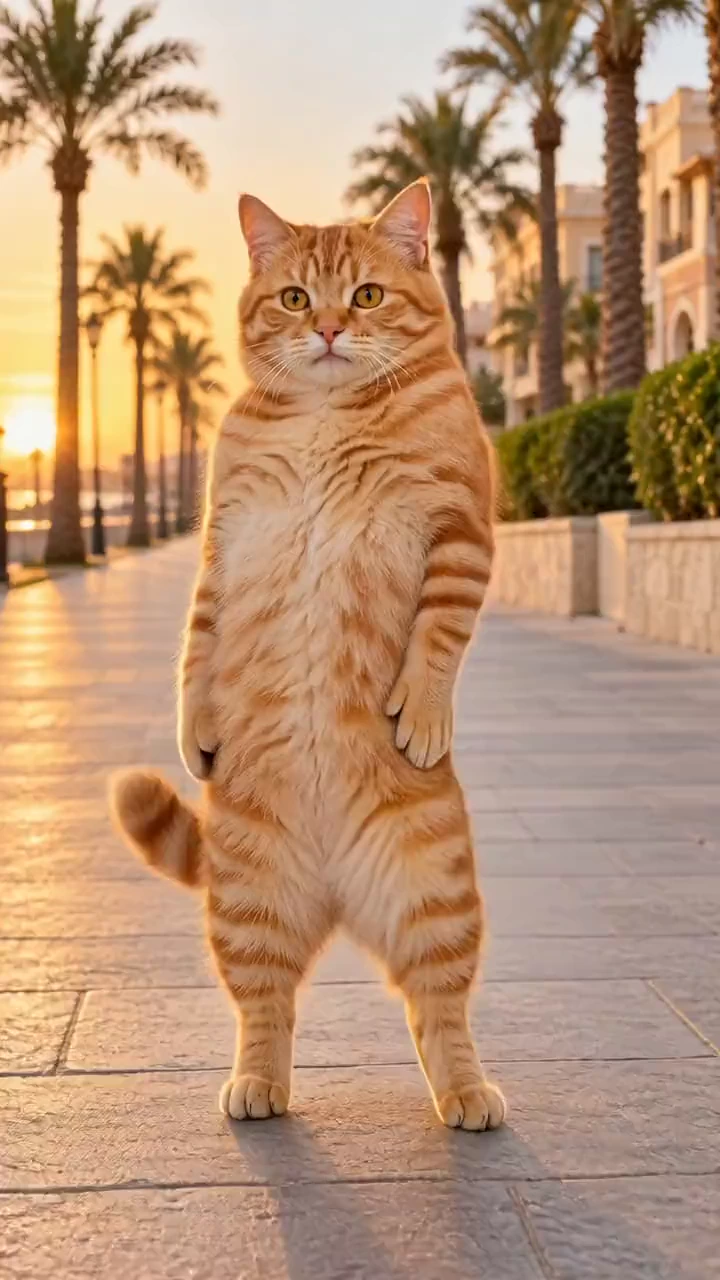
The animal in <<<image_1>>> performs the dance from <<<video_1>>>, following its movement sequence, rhythm and timing. Keep the same animal, fur, face and setting as <<<image_1>>>. Preserve natural animal proportions, paws and realistic fur motion. Vertical 9:16 video. Keep the original audio from <<<video_1>>>.
Create Animal Dance Videos with Expressive Motion and Realistic Fur Dynamics
Bring your animal photo, dance direction, and scene details together in one video. Use the prompt to describe recognizable coat markings, natural weight shifts, and realistic fur dynamics that follow each movement.
Pet Photos and Animal Characters
Upload a clear pet photo or start with an animal example. Use the image to guide the face, coat colors, markings, and body proportions throughout the dance.
Detailed Fur and Natural Body Movement
Describe gentle bounces, grounded steps, and soft fur settling after each movement. Include ear and tail motion to give the animal a more expressive performance.
Editable Animal Dance Prompts
Start with a cat paw wave, dog shuffle, panda bounce, or capybara sway. Edit the prompt to change the dance, energy, background, and musical mood.
Source Photos and Video Previews
Preview each hint alongside its source photo to understand the dance direction. Load the example image and prompt as a starting point for your own animal video.
Make Personalized Pet Dance Videos from Your Animal Photos
Create a dance around your pet or animal character without filming a routine. Begin with an example and focus your changes on the movement, setting, and personality you want to show.
A Prepared Starting Point for Your Dance
Load an example photo and dance prompt together, then replace the image with your own pet. Keep the original direction or adjust it to suit your character.
Creative Control Through Your Prompt
Describe a cozy living room, a garden backdrop, or a studio scene. Adjust the lighting, dance rhythm, and fur details without building an animation by hand.
Full-Body Dances with Visible Character Details
Guide the framing to keep paws, posture, and coat movement visible. Clear gestures and simple steps help make the dance easy to follow in a short clip.
Different Takes for Different Video Ideas
Try a calmer sway or a more playful shuffle, then compare the results. Refine the prompt to find a movement and setting that fit your pet account, greeting, or creative project.
Fluffy Animal Dance Video Ideas for Pet Content and Social Media
Use HeyDream to turn animal photos into pet posts, mascot introductions, personalized greetings, and short character stories. Match the dance and scene to the audience and occasion.
Pet Videos for Reels, TikTok, and Shorts
Turn a pet photo into a short dance for your animal account. Pair a recognizable character with a playful movement for a Reel, TikTok post, or YouTube Short.
Animal Mascots for Brands and Channels
Give an animal mascot a welcoming wave, bounce, or shuffle for a channel introduction, pet-shop post, or promotional video.
Birthday Greetings and Celebration Videos
Create a cheerful pet dance for a birthday message, holiday greeting, or celebration. Customize the scene and musical mood for the person receiving it.
Animal Characters for Short Video Stories
Give a furry character a dance moment in a short story or animation. Generate a wave, bounce, or shuffle, then include the clip in your video edit.
How to Use AI Fluffy Animal Dance Generator
Create an animal dance video in three simple steps, from choosing a pet photo and dance direction to reviewing and downloading the finished clip.
1. Choose an Example or Upload Your Pet Photo
Preview an animal hint and load its photo and prompt. Replace the sample with a clear pet image, leaving the body and paws visible for the requested dance.
2. Customize the Dance and Video Settings
Edit the prompt to describe the steps, background, fur movement, and music. Choose the available video settings, check the displayed credit cost, and select Generate.
3. Preview and Download Your Animal Dance
Follow the task in your history. Review the animal appearance, paw placement, fur movement, and audio, then download the video or refine the prompt for another take.
FAQs about AI Fluffy Animal Dance Generator
More Articles & Tips about AI Animal Dance Video Generation
Your next idea starts here
Turn Your Pet Photos into Fluffy Animal Dance Videos with HeyDream
Turn your ideas into 3D models, images, and videos with HeyDream AI. Explore creative tools, try different models, and bring your next project to life.