Seedance 2.5 AI Video Generator with Native Audio

Create 5-to-30-second AI videos from text or one-to-two images with Seedance 2.5. Choose 480p or 720p output, use flexible aspect ratios for text-to-video, and control whether the generated clip includes native audio.

0 / 5000

Introduction to Seedance 2.5 AI Video Generator

Explore text-to-video, image-to-video, and Reference-to-Video creation with audio support.

Seedance 2.5 turns detailed prompts, one or two source images, or selected reference media into videos. Choose the workflow that fits your concept, then use the available output and audio settings for social content, marketing concepts, ecommerce, and cinematic ideas.

Examples of Seedance 2.5 AI Video Generation

Explore how Seedance 2.5 turns prompts and source images into expressive video clips with directed motion, visual continuity, flexible framing, and audio support.

Original Image
Preview
Video
Prompt

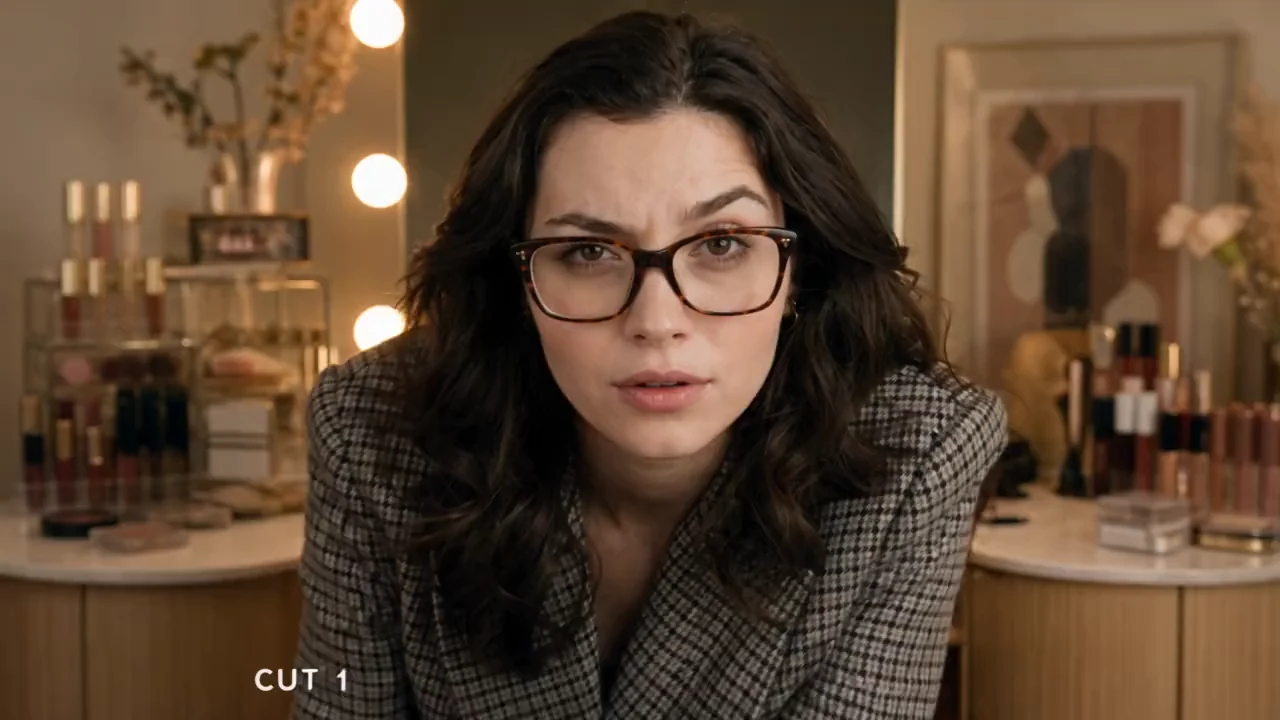
Use the uploaded woman image <<<image_1>>> as a locked character reference. CAMERA: Handheld DV 16mm camcorder aesthetic. She records herself throughout, mostly holding camera, occasional hands-free. Natural hand tremors, crooked framing, slow autofocus, awkward zooms, accidental face crops, brief framing losses. Camcorder never visible. LOOK: Soft tape texture, mild blur, electronic grain, glowing highlights, auto-exposure fluctuations, restrained contrast, natural skin tones. Lighting: warm morning apartment → cooler van daylight → intense colorful backstage/stage. STYLE: Fast energetic day-in-life montage, sharp cuts, accelerated transitions. Reflective VO over footage (no sync dialogue). Pace builds from sleepy morning to high-energy finale. Character: Young beautiful white woman, 20s. Long glossy dark-brown hair, striking features, large eyes, glowing skin, soft pink lips. Slim toned figure. Outfits change: cozy loungewear home, stylish casual in van, glamorous stage look. All fully cover arms/torso. Settings: Stylish apt bedroom morning → luxury van day → busy backstage + concert stage night. Storyboard 15s, 5 cuts: (~3s bedroom, cam on table, soft morning light) Sits up slowly, stretches, fixes messy hair, packs bag. VO: “Some mornings begin before I’m even fully awake.” (~3s van, handheld selfie, window light) By window, sunlight on face, checks phone. VO: “I spend so much time on the road, this place almost feels like home.” (~3s van macro) Close-up fingers choosing song, sunlight flickers on screen/hand. Road noise only. (~3s backstage, fast handheld) Makeup, hair, costume, staff rushing, focused breath. VO: “And then everything suddenly starts moving at once.” (~3s stage, wide to close-up) Lights ignite, steps through curtains, silhouette then confident smile, cut to black. VO: “This moment is why I keep doing it.”
Key Features of Seedance 2.5 AI Video Model

Seedance 2.5 brings prompt direction, image guidance, reference media, and audio support into practical AI video workflows.

Text-to-Video Generation

Turn detailed prompts into video while directing the subject, action, environment, camera movement, composition, lighting, pacing, and visual style.

One-to-Two-Image Guidance

Upload a starting image or add an ending image to guide the opening composition, final composition, motion, and visual transition of the generated clip.

Reference-to-Video Workflow

Use available reference images, video clips, and audio in Reference-to-Video mode to bring extra scene, motion, and sound cues into a prompt-led video concept.

Optional Native Audio

Use the audio setting when you want your Seedance 2.5 result to include audio, or turn it off when you plan to add voiceover, music, or sound design later.

Applications of Seedance 2.5 AI Video Generator

Use Seedance 2.5 for creative and marketing workflows that benefit from prompt direction, image guidance, reference media, and audio support.

Marketing and Product Stories

Create product reveals, branded scenes, promotional concepts, ecommerce videos, and campaign drafts with prompt direction, reference cues, motion, and sound.

Social Media Content

Develop creator stories, campaign teasers, product hooks, and platform-ready concepts from a prompt, source images, or selected reference media.

Cinematic Concepts

Develop expressive shots, visual transitions, mood pieces, trailers, music-video ideas, and previsualization clips from detailed prompts and reference cues.

Image Animation and Storytelling

Animate one source image or guide both ends of a sequence with two images to explore character motion, scene transitions, visual continuity, and story beats.

How to Use Seedance 2.5 AI Video Generator

Create a Seedance 2.5 video from a prompt, one or two source images, or reference media in three practical steps.

Step 1: Choose a Creation Workflow

Write a detailed prompt for text-to-video, upload a starting image or an ending image for image-to-video, or switch to Reference-to-Video when you want to work with reference media.

Step 2: Set Available Video and Audio Options

Choose the available output settings for your selected workflow, then decide whether the result should include audio before generating.

Step 3: Generate and Review

Continue to the Create workspace, start the video task, review the result, and refine the prompt, source images, reference media, or audio setting for another version.

Explore Seedance 2.5 AI Video Creations on Twitter

FAQs about Seedance 2.5 AI Video Generator

More Articles & News about Seedance 2.5 AI

bg-mobile

Start with Seedance 2.5 AI Video Generator

