What happens after 100+ rounds of “just one more change”? How far can you push an image before it starts to drift? Meet Seedream 5.5: precise local edits, consistency across repeated revisions, more natural visuals and native transparent assets. Explore what’s new below. 👇
Seedream 5.5 AI Image Generator for Illustrations and Posters
Create illustrated posters and editorial images with Seedream 5.5 on HeyDream. Generate from text or references, then refine individual details across edits with clearer small text and natural lighting.
0 / 5000
Loading...
Illustrated Posters and Editorial Images with Seedream 5.5
Start from a text brief or references. To continue editing a result, upload that image and describe the next change.
Develop a botanical illustration into an exhibition poster or invitation. Bring the subject, lighting, and lettering together, then revise individual elements using the latest image as a reference.
Seedream 5.5 Examples: Variations, Scene Edits, and Poster Layouts
These examples start from a moonlit botanical garden. Compare three treatments of the same subject, then a reference against a revised setting and a poster whose typography has been moved. Open a prompt to try the same composition.
One Subject, Three Treatments
Prompt
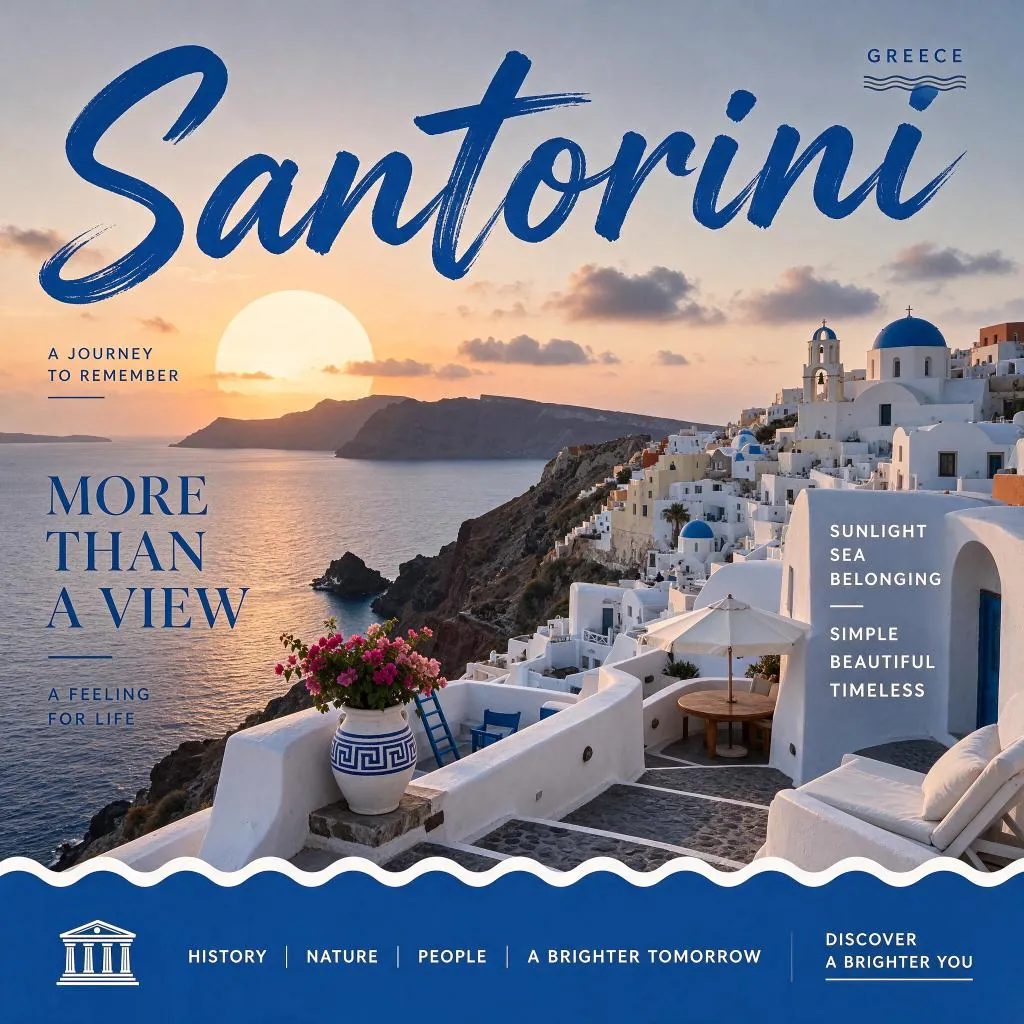
Create a square English travel poster for Santorini, Greece. Show white cliffside buildings, blue domes, a terrace with flowers and the sea at sunset. Place large blue brush lettering "Santorini" across the sky, with editorial serif copy reading "MORE THAN A VIEW" on the left. Add a blue footer with a white wave edge and restrained travel typography. Use warm sunlight and rich Mediterranean blue accents.
Prompt
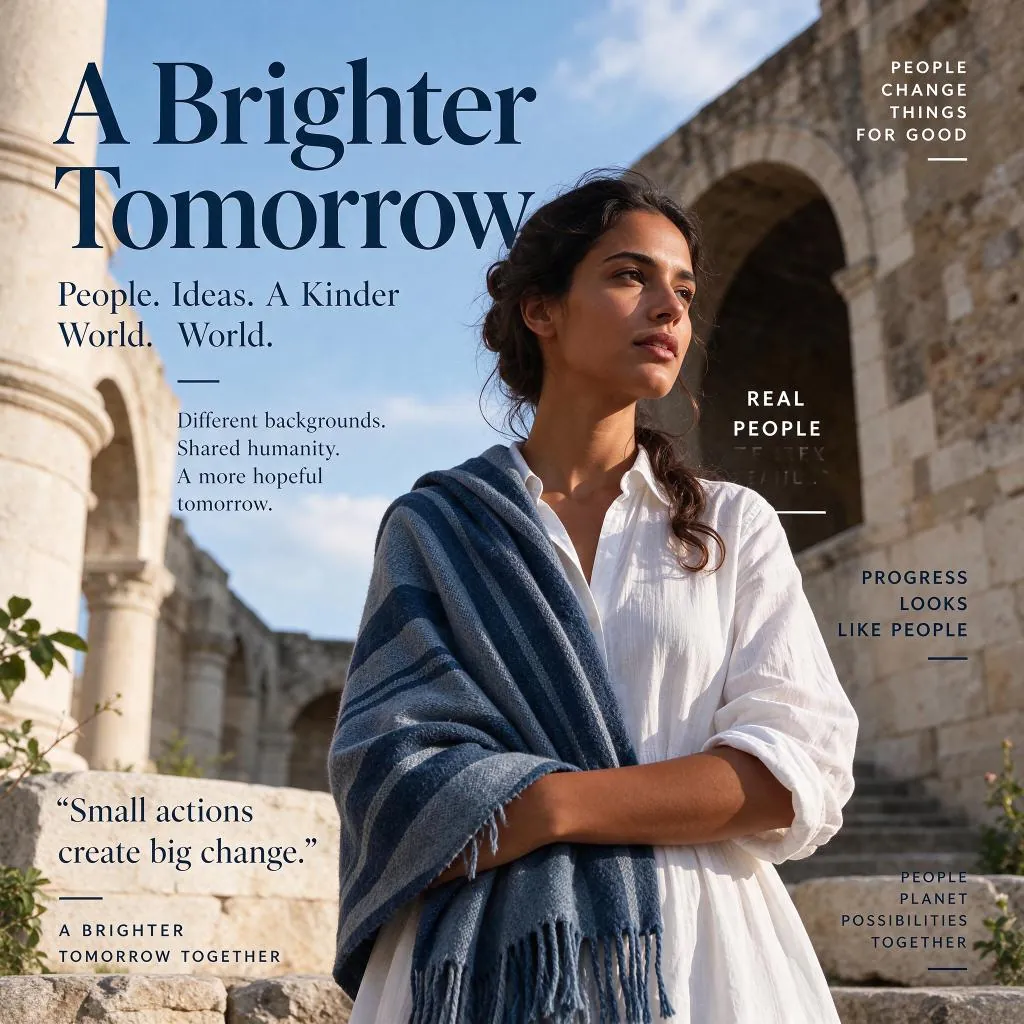
Create a square English editorial portrait poster. A woman in a white shirt and blue woven shawl stands among sunlit stone arches, looking to the right. Use an airy blue-sky background and elegant navy serif typography. Place the headline "A Brighter Tomorrow" at the upper left, with smaller supporting messages about people, shared humanity and positive change around the subject.
Prompt
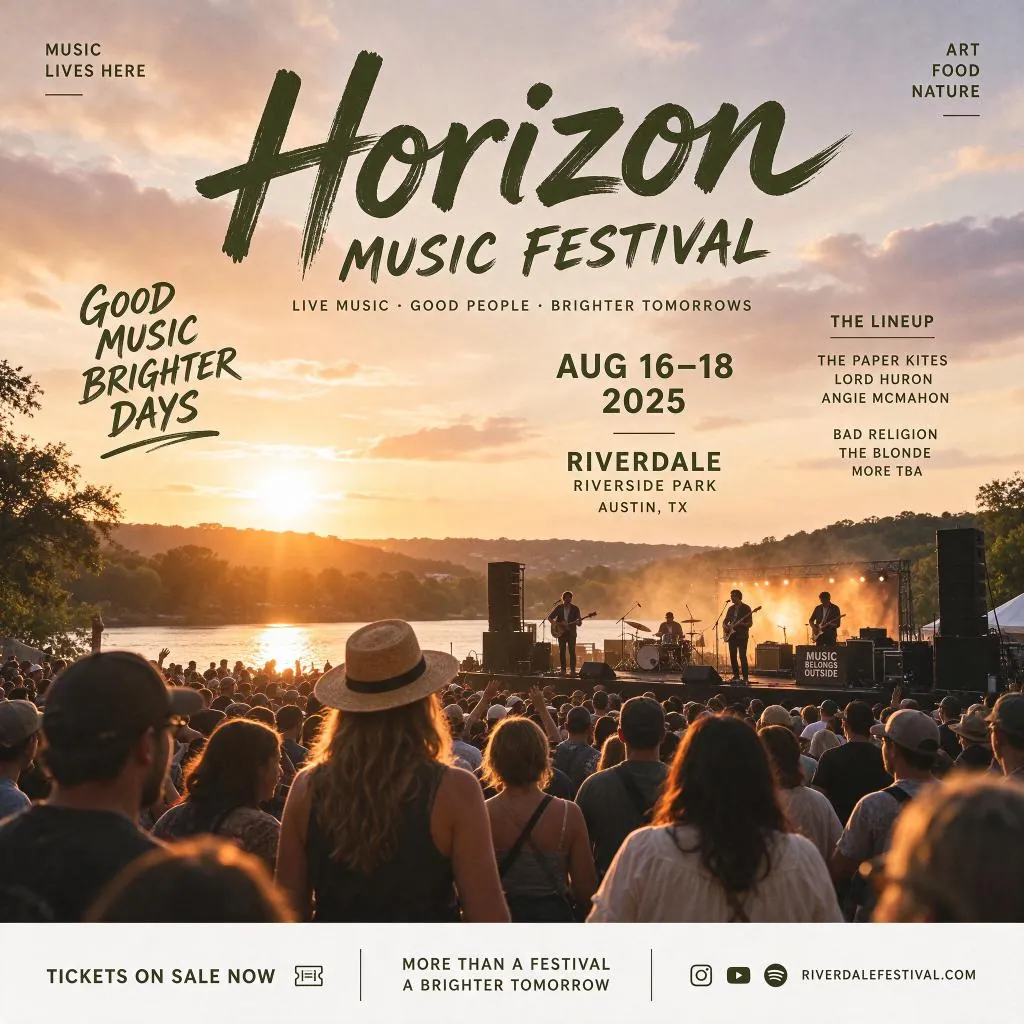
Create a square English poster for "Horizon MUSIC FESTIVAL". Show a crowd watching an outdoor band beside a lake at golden sunset. Use natural warm photography, dark olive brush lettering, clean event details and a cream footer. Include "GOOD MUSIC. BRIGHTER DAYS.", "AUG 16–18 2025", "RIVERDALE RIVERSIDE PARK", "AUSTIN, TX" and "TICKETS ON SALE NOW".
Edit the Setting
Original (Prompt)
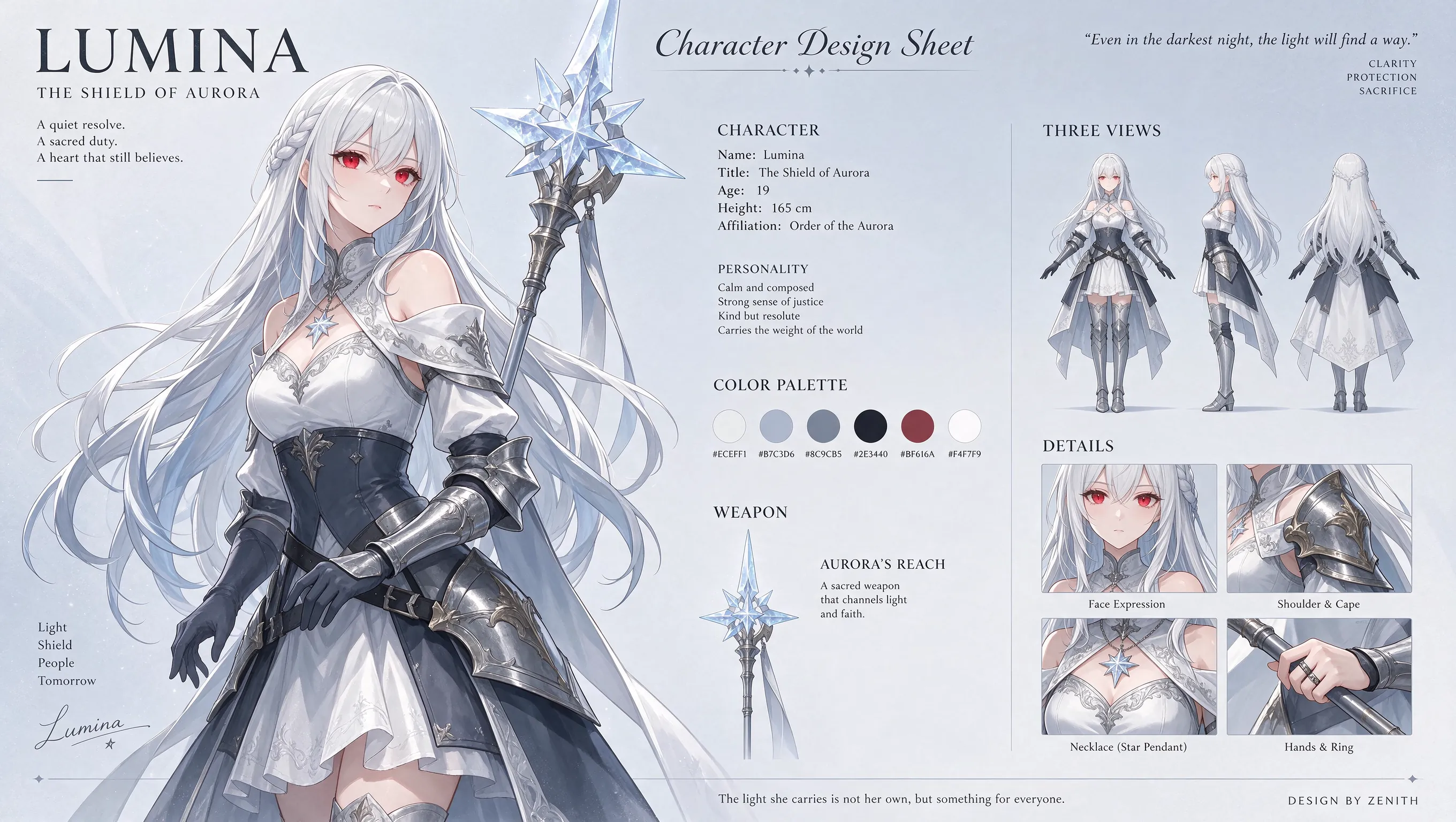
Design an anime character sheet, entirely in English. Present Lumina, "The Shield of Aurora", a silver-haired, red-eyed adult heroine wearing white and dark silver armor and carrying a crystalline star-tipped staff. Include a large character illustration, front/side/back views, a color palette, weapon design and close-up details of her eyes, jewelry, armor and hands. Use a pale silver-blue background and elegant typography in a 16:9 layout.
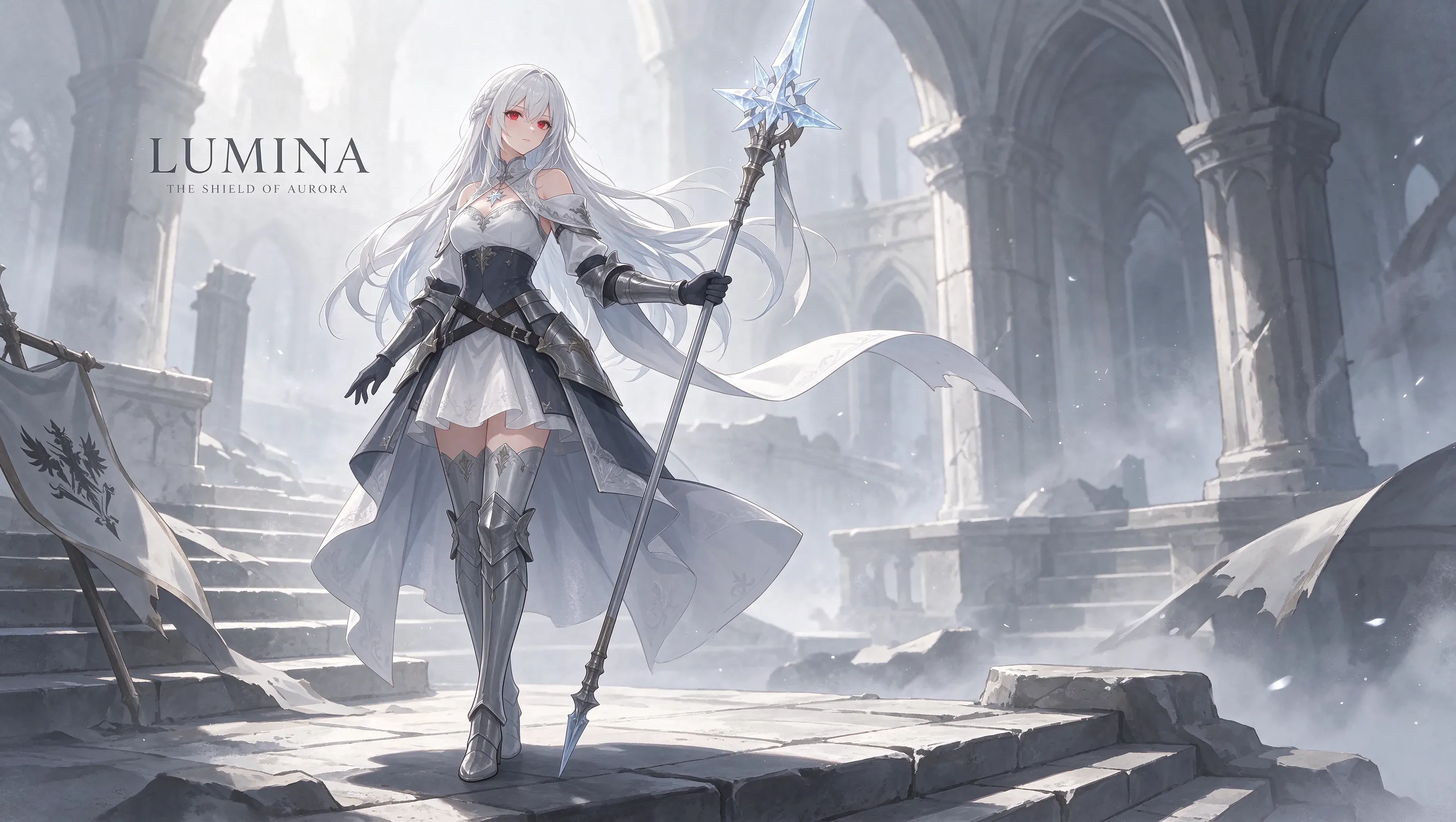
Generated (Prompt)
Based on this anime character, design a finished key illustration, entirely in English.
Revise a Poster Layout
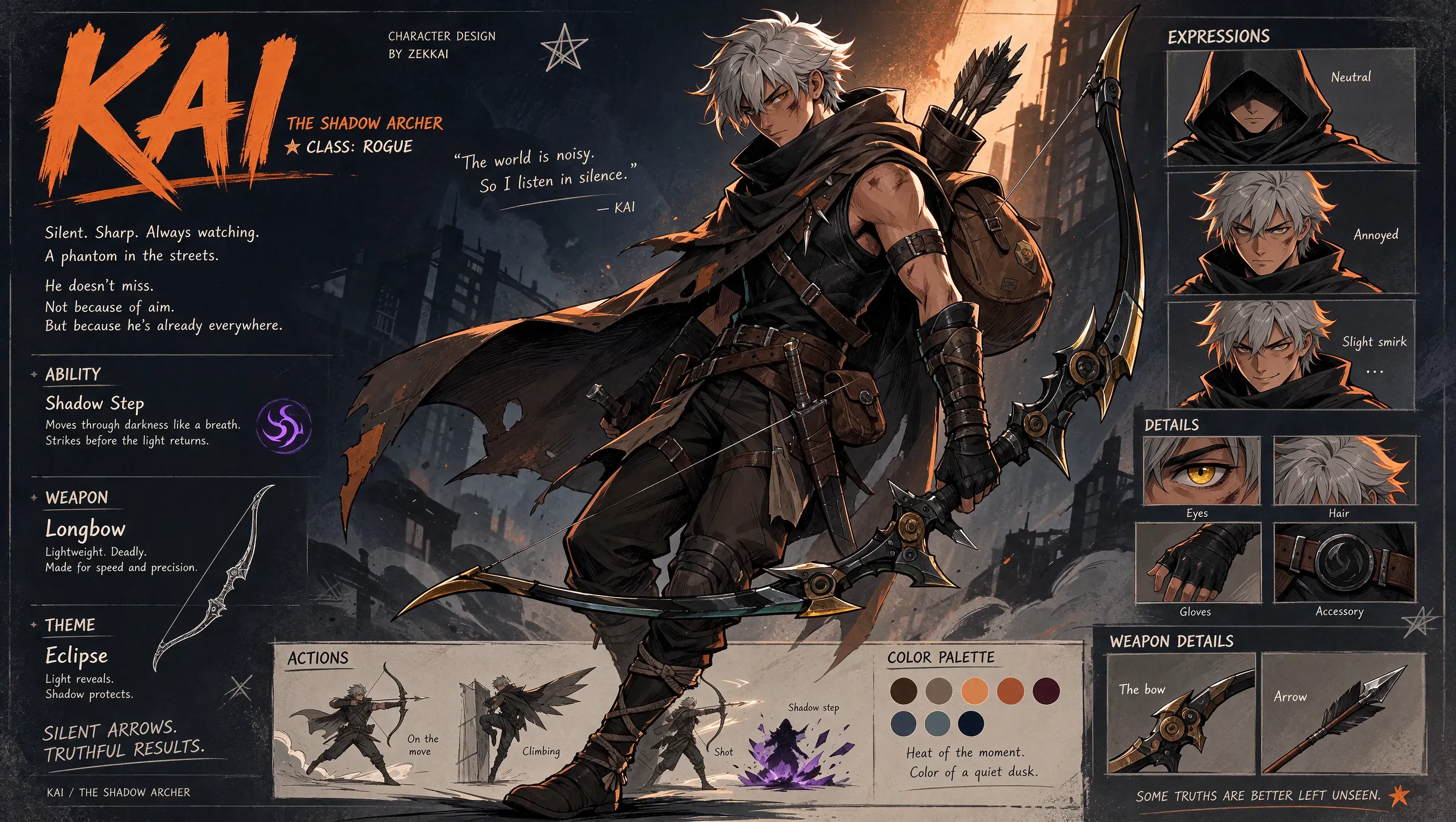
Original (Prompt)
Design a comic character, entirely in English. Create Kai, "The Shadow Archer": a silver-haired adult rogue in a dark cloak and layered leather armor carrying an ornate longbow. Present a large central character, facial expressions, equipment close-ups, action sketches and a color palette. Use charcoal, warm orange rim light and expressive comic linework in a 16:9 character-design sheet.
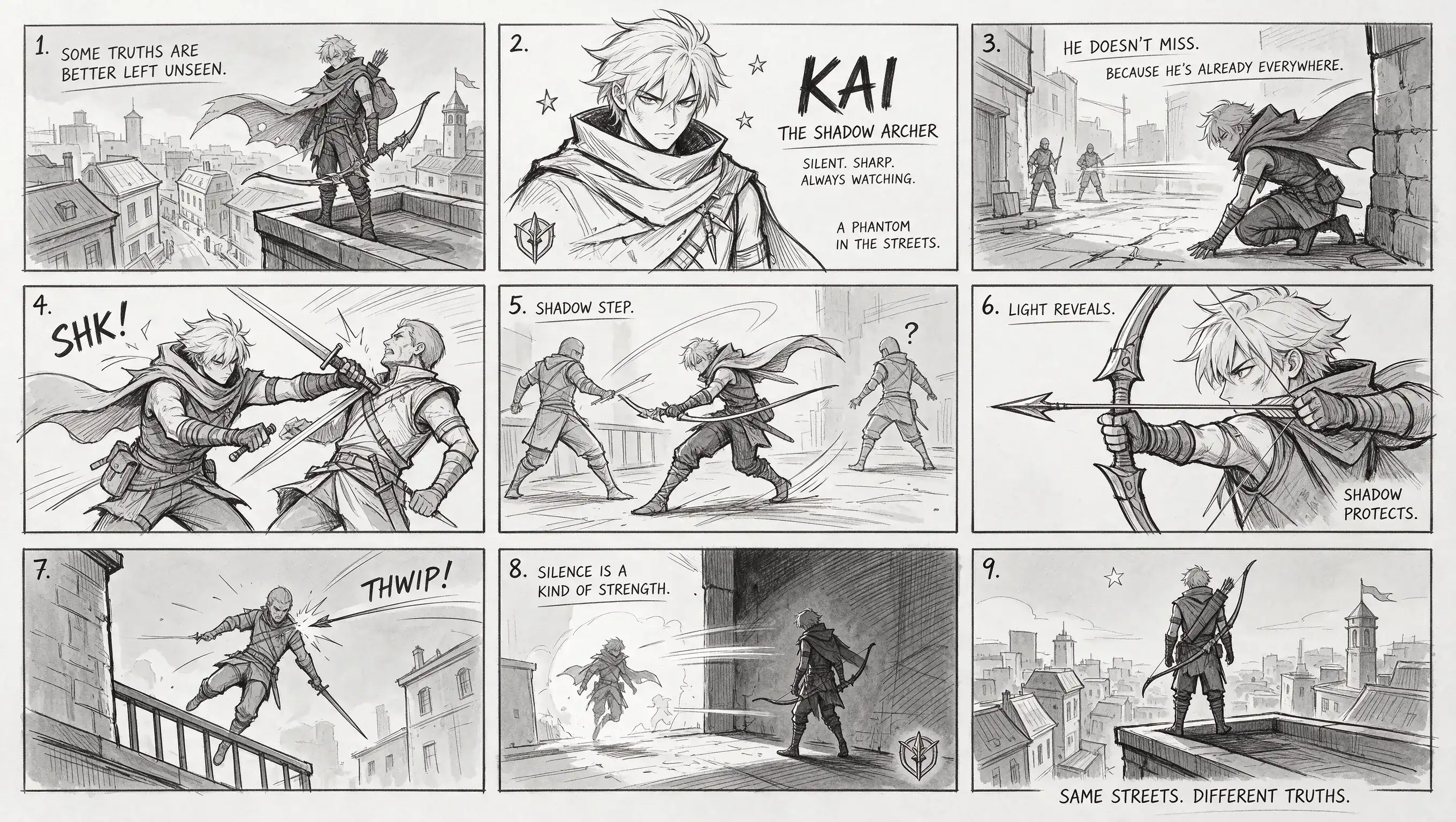
Generated (Prompt)
Based on this comic character, design a nine-panel comic storyboard sketch using line art only. All text must be in English.
Refine Illustrations Without Losing Their Character
Develop a poster through targeted edits, detailed materials, and text that belongs in the composition.
Keep the Composition Through Each Edit
Change a flower, palette, or background while preserving the rest of your illustration. More stable multi-turn editing helps you develop the image without repeatedly rebuilding its details.
Give Light and Materials More Depth
Render the translucency of a petal, the grain of paper, or light falling across a face. More natural textures and shadows bring depth to botanical studies and editorial images.
Make Small Text Part of the Design
Build posters with a headline, event details, and multilingual text in a clear hierarchy. Shape lettering with paper, fabric, or painted textures when the title itself is the main visual.
Combine References into One Visual Direction
Use one reference for a subject and another for its setting or palette. Describe their roles and shared lighting to bring the elements into a coherent illustrated scene.
Illustrations for Posters, Invitations, and Print Series
Take one visual idea into editorial illustrations, event graphics, and a coordinated series.
Botanical Illustration
Explore leaf veins, petal textures, and light passing through foliage. Keep a recognizable botanical motif while changing the setting or crop.
Exhibition Invitation
Compose an invitation with the exhibition title, dates, and venue details. Supply the exact wording for each language version and describe its place in the layout.
Storybook or Poster Spread
Pair an illustrated scene with a title and supporting text. Give the lettering its own material or style, then refine its placement alongside the artwork.
Seasonal Print Series
Reuse a motif and palette across seasonal settings. Edit the flowers or background while asking to retain the composition that connects the series.
How to Use Seedream 5.5
Create an image on HeyDream in three steps.
Enter a Prompt or Upload References
Enter a prompt to generate from text, or upload 1–10 reference images to edit. Describe what to change and what to retain.
Choose Aspect Ratio and Resolution
Choose an aspect ratio for your destination and select 1K, 1.5K, or 2K resolution. The default is 1:1 at 2K.
Generate and Refine
Generate your image. To refine it, upload the result as the next reference and write a new instruction naming the change and the details to keep.
Seedream 5.5 Images from the Community

Okay, Seedream 5.5's consistency is crazy!!! 100 chained edits. Just +1 second on the watch each time. I didn't expect the gap to be this big.😂

24 cents for a dozen images in Seedream 5.5, which keeps edits local. look at this table filling up one edit at a time. restaurant menus with a new dish photo every week, same layout, same lighting

What happens after 100+ rounds of “just one more change”? How far can you push an image before it starts to drift? Meet Seedream 5.5: precise local edits, consistency across repeated revisions, more natural visuals and native transparent assets. Explore what’s new below. 👇

Seedream 5.5 実写のリアリティ検証 vs GPT Image2.6 / Nano Banana 2.1 ・同じプロンプト ・全て1発 ・顔とガラスの夕日の反射を拡大して比較 ■Seedream5.5のつよみ ① 顔のリアルさ しわに不自然さがなく、肌の質感までリアル。 ② 夕日の写り込み

FAQs about Seedream 5.5 AI Image Generator
More about Seedream 5.5 on Hey Dream AI
Your next idea starts here
Create Illustrated Posters with Seedream 5.5
Turn your ideas into 3D models, images, and videos with HeyDream AI. Explore creative tools, try different models, and bring your next project to life.