Halloween AI Pumpkin Head Transformation
Turn your photo into a pumpkin-head Halloween video. Build the reveal around a gesture, a prop, or a mirror surprise, with movement, costume changes, and atmosphere guided by your template and prompt.
Pumpkin Head Reveals in Motion
Explore pumpkin-head reveals built around gestures, props, smoke, bats, and a mirror twist. The featured clips show a rising light-ring costume change and a lantern reveal.
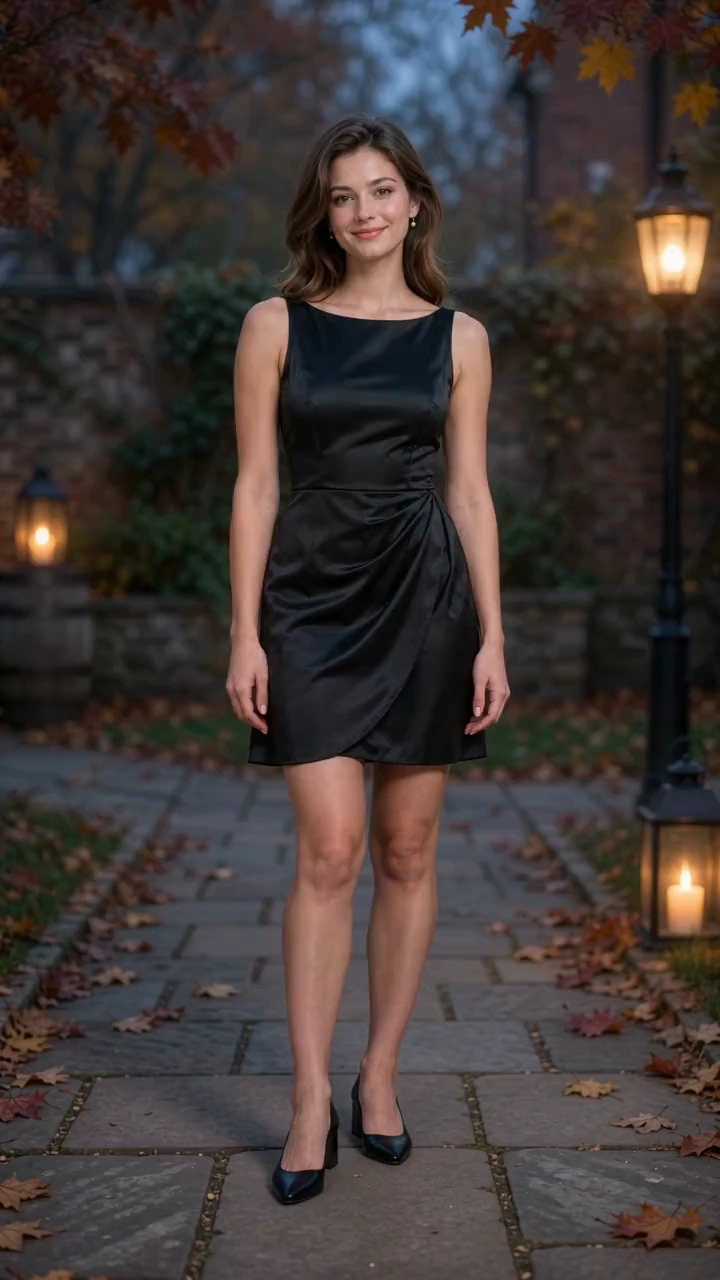
Use Image 1, the first uploaded image, as the exact reference for the only person. Start in the original outfit and shoes. Preserve body proportions, natural anatomy and hands; transform only clothing, footwear and the entire head including hair. Photorealistic 10-second, 9:16 Halloween video in an autumn courtyard at blue hour. One locked full-body shot; complete head, both hands and shoes always visible, generous headroom and floor space, constant scale. 50mm, f/5.6, subtle grain, cool dusk and warm lanterns. 0-3s: Standing naturally, raise the right hand beside the shoulder and snap once. Only afterward, a thin amber ring appears flat around the shoes. 3-7s: The ring rises continuously. Directly behind it, shoes become black ankle boots, then a tailored black-and-burnt-orange paneled party dress forms from hem to waist to shoulders with natural folds. Keep untouched regions unchanged and completed regions stable. The face stays human until the ring reaches the neck. An opaque warm band hides the head change, revealing one solid ribbed pumpkin attached to the same neck, with a short stem, triangular eye openings and a fixed glowing grin. Never show a human face through the rind or change everything in one pop. 7-10s: Light fades above the stem. Lower the right hand, open both hands slightly away from the hips and tilt the head confidently. Skirt settles, boots stay planted, pumpkin glow steady and carved face rigid. Sound: dry snap, rising magical shimmer following the ring, soft fabric movement, warm bell at illumination and light Halloween instrumental music. No dialogue, singing or voice-over. One unbroken shot; no zoom, reframing or approach. Tangible rind and fabric, realistic contact light. No plastic CGI, detached head, extra limbs, flicker, text or watermarks.
Build a Pumpkin-Head Reveal with Motion and Atmosphere
Bring the head change, gestures, costume, and Halloween setting together in a short scene shaped by your photo and prompt.
Glowing Jack-o'-Lantern Heads
Turn your subject into a Halloween character with a ribbed pumpkin head, carved eyes, a stem, and a glowing grin.
Action-Driven Reveals
Use a finger snap, a raised lantern, candle smoke, swirling bats, a candy reaction, or a mirror reveal to give the transformation a clear story.
Halloween Costumes and Scene Changes
Pair the pumpkin head with black-and-orange clothing, boots, a cape, or lantern-lit surroundings. Some scenes keep the original outfit while others create a full Halloween makeover.
Consistent Pumpkin Character Styling
Keep the pumpkin shape, carved grin, costume, and Halloween palette coordinated as the action moves toward the final reveal.
Make the Halloween Reveal Your Own
Create a personal Halloween clip with a clear reveal, a chosen mood, and a scene you can adapt.
A Personal Halloween Character
Use your own photo as the starting point for a pumpkin-headed version of yourself, with body language, clothing, and setting completing the character.
A Reveal with a Clear Story
Give the change a visible trigger and a clear finish, from a snap of the fingers to a pumpkin lantern lowering to reveal the new head.
A Prepared Starting Point
Begin with a template's image and prompt, then focus your changes on the reveal, movement, and mood you want.
Clips for Your Halloween Edit
Download a pumpkin-head reveal for a seasonal post, animated invitation, greeting, or a larger Halloween video.
Pumpkin Head Video Ideas for Halloween
Create seasonal posts, personal greetings, event teasers, and visual storytelling demos from your photos.
Halloween Greetings
Send friends or family a pumpkin-head transformation with a playful gesture, glowing grin, or spooky reveal.
Reels, Stories, and Shorts
Use a lantern reveal, mirror surprise, or bat-swept makeover as a Halloween post or the opening beat of a short video.
Seasonal Brand and Event Posts
Feature a founder, team member, or host in a pumpkin-head clip for an October campaign, party announcement, or Halloween event teaser.
Halloween Storyboards and Effect Demos
Use the reveal, prop interaction, or mirror sequence to illustrate a Halloween storyboard or explain a visual-effects idea in a lesson or presentation.
How to Create Pumpkin Head Videos with AI
Create a Halloween pumpkin-head video from your portrait photo in three simple steps.
1. Choose a Template and Add Your Photo
Select a pumpkin-head template to load its sample image and prompt. Replace the sample with a clear photo that leaves room for the head, hands, and any props used in the scene.
2. Shape the Action and Generate
Edit the prompt for the reveal, movement, outfit, and Halloween setting. Choose the available video settings, check the displayed credit cost, and select Generate.
3. Review and Download
Follow the task in your history. Review the pumpkin-head reveal, body movement, props, and audio, then download the finished video.
FAQs about Pumpkin Head Video AI Generator
Learn More About Pumpkin Head Transformation AI

