Hey Dream AI Reference to Video Generator
Create AI videos with the image, video, or audio references supported by your selected model. Use each reference to direct the subject, action, camera movement, sound, scene, and visual style.
Video Examples with Reference to Video AI Generator
Explore how Reference to Video uses portraits, character designs, product shots, object photos, fashion references, scene images, and style frames to guide dynamic AI videos. Develop talking avatars, product demos, UGC-style ads, social clips, cinematic story moments, brand visuals, animation previews, and reference-guided video concepts from one or multiple compatible references.
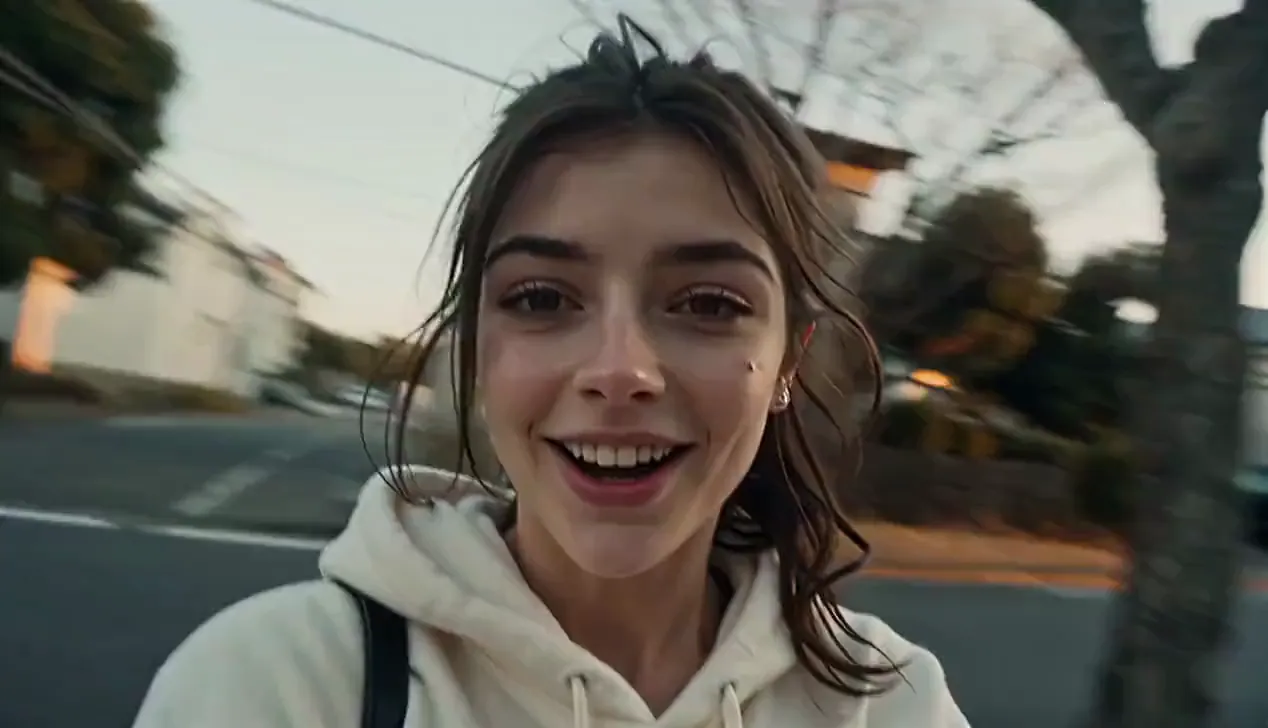
Referencing the female image in <<<image_1>>>, POV MiniDV camcorder vlog filmed entirely by the main character herself. Camcorder never visible. Authentic early-2000s DV tape aesthetic: soft analog blur, subtle tape grain, faint tape hiss, slight colour bleed, blooming highlights, autofocus hunting, exposure breathing, muted contrast, imperfect white balance, realistic skin texture, natural motion blur, handheld shake, crooked framing, delayed focus, accidental head crops, awkward zooms, genuine human camera movement. Documentary, not cinematic.
Core Features of Reference to Video AI Generator
Build a reference-guided video brief with compatible media uploads, asset mentions, model-specific controls, and multiple generation models.
Flexible Reference Media
Add images, video clips, or audio when the selected model supports them. The available upload controls update automatically with your model choice.
Direct Each Asset with @ Mentions
Mention uploaded assets inside the prompt and explain whether each one should guide a character, product, action, camera move, sound, background, or style.
Multiple Reference-to-Video Models
Choose from supported Seedance, Kling, and Vidu reference workflows, then match the model to the input types and output controls your project needs.
Model-Specific Output Controls
Set the available aspect ratio, resolution, duration, and audio options for the selected model before starting the video task.
Advantages of Reference to Video AI Generator
Reference to Video helps creators, marketers, ecommerce teams, designers, storytellers, agencies, and social media producers develop AI videos from existing reference media with less repeated shooting and less manual correction.
Fewer Reshoots and Revisions
Start from existing reference media instead of filming every variation again. Create fresh scenes, product moments, character actions, and talking clips while using the source assets to guide visual identity.
More Consistent Visual Direction
Use references to guide people, avatars, products, props, outfits, backgrounds, and scene details across the generated clip. Results can still vary by model, prompt, source quality, and requested motion.
Simple Creative Workflow
Upload supported reference media, mention assets in the prompt, describe the action and style, choose the available video settings, and start the task from the same page.
Flexible Video Results
Create reference-guided character videos, product scenes, social content, brand clips, UGC-style ads, cinematic concepts, animation previews, and visual experiments.
Use Cases for Reference to Video AI Generator
Reference to Video is useful for AI video workflows that need visual guidance for characters, faces, products, objects, scenes, and styles across social, marketing, storytelling, ecommerce, and creative production.
Consistent Character Videos
Generate talking avatars, influencers, game characters, mascots, brand characters, and story roles while using references to guide facial features, expression style, clothing, identity, and recognizable appearance.
Product and Brand Videos
Turn product photos, packaging, brand props, fashion items, shop visuals, and campaign images into videos while using references to guide product appearance, colors, and visual identity.
Social Media and UGC Ads
Create short videos for TikTok, Instagram Reels, YouTube Shorts, creator posts, product hooks, UGC-style campaigns, and social ads with reference-guided characters and action.
Storyboards and Visual Concepts
Animate character references, concept art, product scenes, mood boards, game assets, and design previews into video ideas before full filming, animation, or production begins.
How to Use Reference to Video AI Generator
Create a reference-guided AI video in three steps.
Step 1: Choose a Reference-to-Video Model
Step 2: Upload References and Mention Them in the Prompt
Step 3: Set the Output Options and Generate
Reference to Video AI Generator FAQ
Reference to Video AI Generator: Tutorials, Tips & Inspiration
Your next idea starts here
Create an AI Video from Your References
Turn your ideas into 3D models, images, and videos with HeyDream AI. Explore creative tools, try different models, and bring your next project to life.