Free Image Describer: Get image description from images
Use our Free Image Describer to get image description from images and turn any photo into clear description in seconds.
Core Features of Free Image Describer
Free Image Describer uses AI to analyze the content of your images and automatically generates accurate textual descriptions. It identifies specific elements in the picture, such as people, objects, scenes, key features, appearances, and main details visible in the uploaded image, turning these findings into structured and reusable descriptions for your reference.
Upload an image to let the AI automatically recognize what’s in the image, such as people, subject matter, scene, style, objects, features, colors, environment, and main visual details. The tool will generate a clear text description based on what is actually present in the photo.
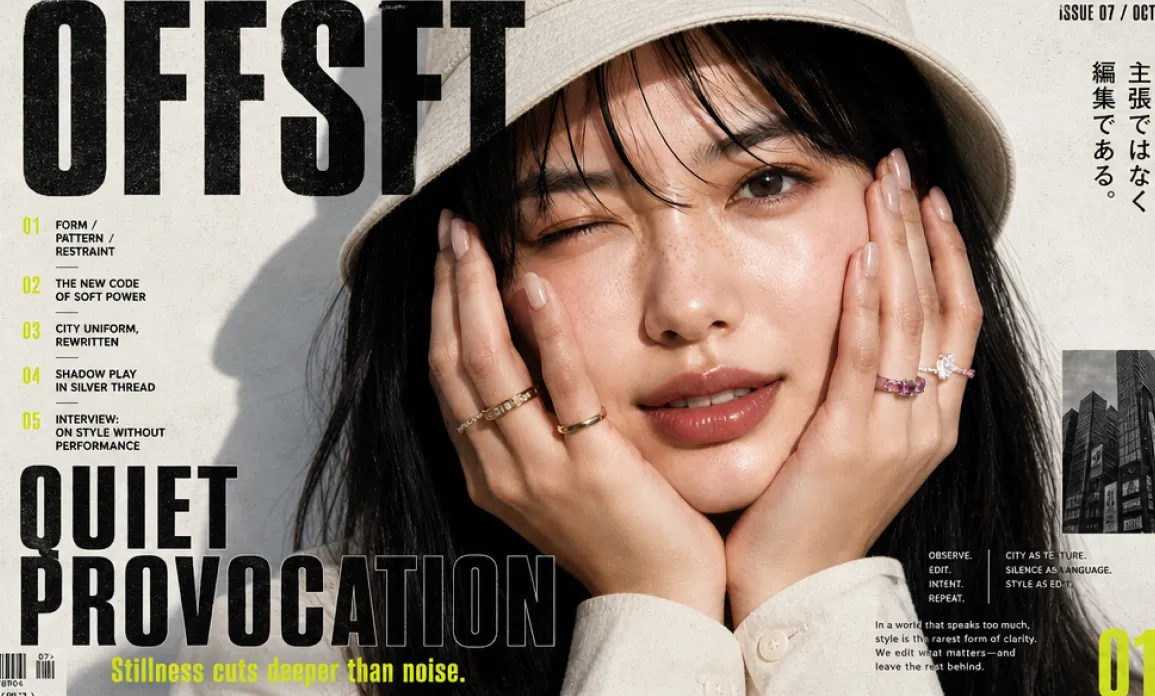
Editorial fashion magazine cover, horizontal 16:9 layout, high-end minimalist streetwear aesthetic. A close-up portrait of an East Asian woman centered-right, natural glossy skin, faint freckles, soft peach lips, one eye gently winking, both hands framing her cheeks, nude manicure, delicate gold and gemstone rings. She wears a cream bucket hat and off-white shirt cuffs, long black hair with wispy bangs. Harsh clean sunlight from upper left casts a crisp hat shadow on a warm off-white textured paper background. Bold oversized black condensed sans-serif masthead text "OFFSET" across the top left, partially behind/overlapping the hat. Large stacked headline at bottom left: "QUIET PROVOCATION", heavy black block type with slight distressed ink texture and subtle outlined duplicate effect. Neon yellow-green accent typography and vertical sidebar on far left with Japanese text. Small editorial index numbers 01-05 in neon yellow-green with tiny black article titles. Top right small text "ISSUE 07 / OCT 2026" and vertical Japanese copy. Bottom right huge neon yellow-green page number "014". Add a small black-and-white city architecture photo inset on the right with a neon yellow-green vertical strip beside it. Include tiny editorial captions, barcode at bottom left, magazine grid layout, Swiss typography, asymmetrical composition, luxury fashion publication, matte paper grain, subtle print noise, black ink texture, sharp photographic realism, clean negative space, restrained palette of black, cream, skin tones, and acid chartreuse. Ultra-detailed, premium editorial design, realistic studio photography, crisp focus, polished magazine cover.
Choose an output type that best fits your needs, whether you want a simple factual image description or a custom question about the image. The generated description will reflect the image's actual content in the chosen style.
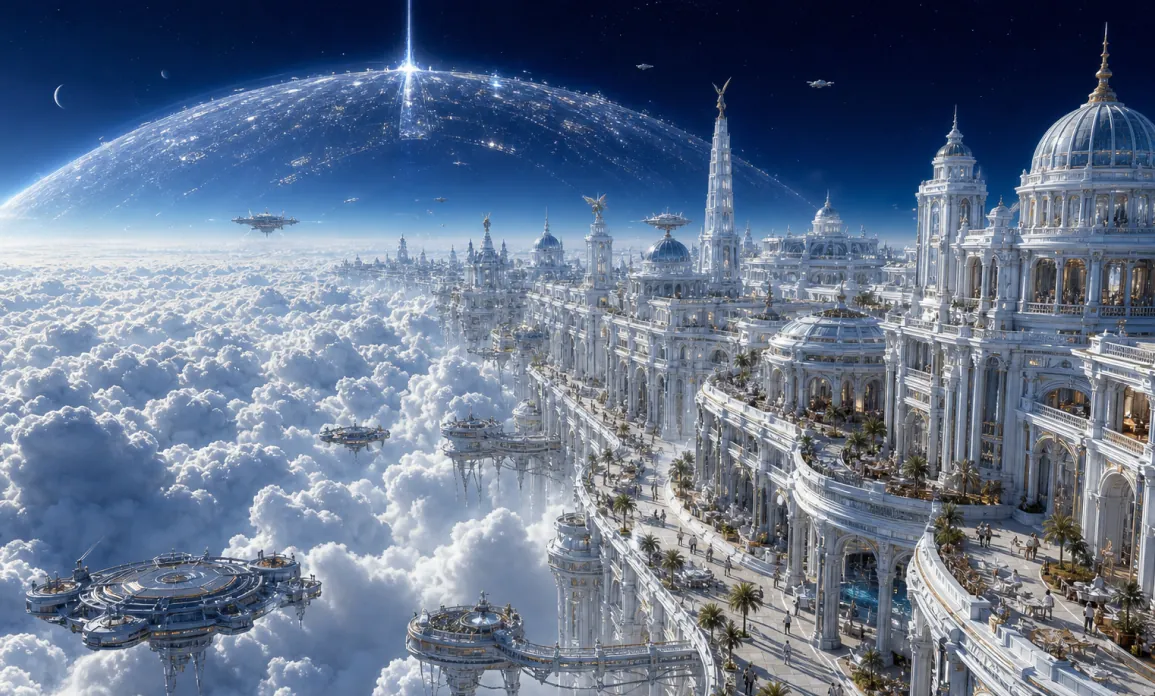
The white neo-classical futuristic palace city on the cloud sea, the building cluster extending diagonally to the right, the huge cloud space on the left, the deep blue space background, the translucent orbital dome, the blue and white energy beams at the top, the tiny crowd and the suspended platform enhancing the sense of scale, the cinematic ultra-wide-angle aerial perspective.
Copy the generated image description, optionally edit any details, or use it directly in your documentation, catalog, accessibility applications, creative projects, or other scenarios where an accurate description of image content is required.
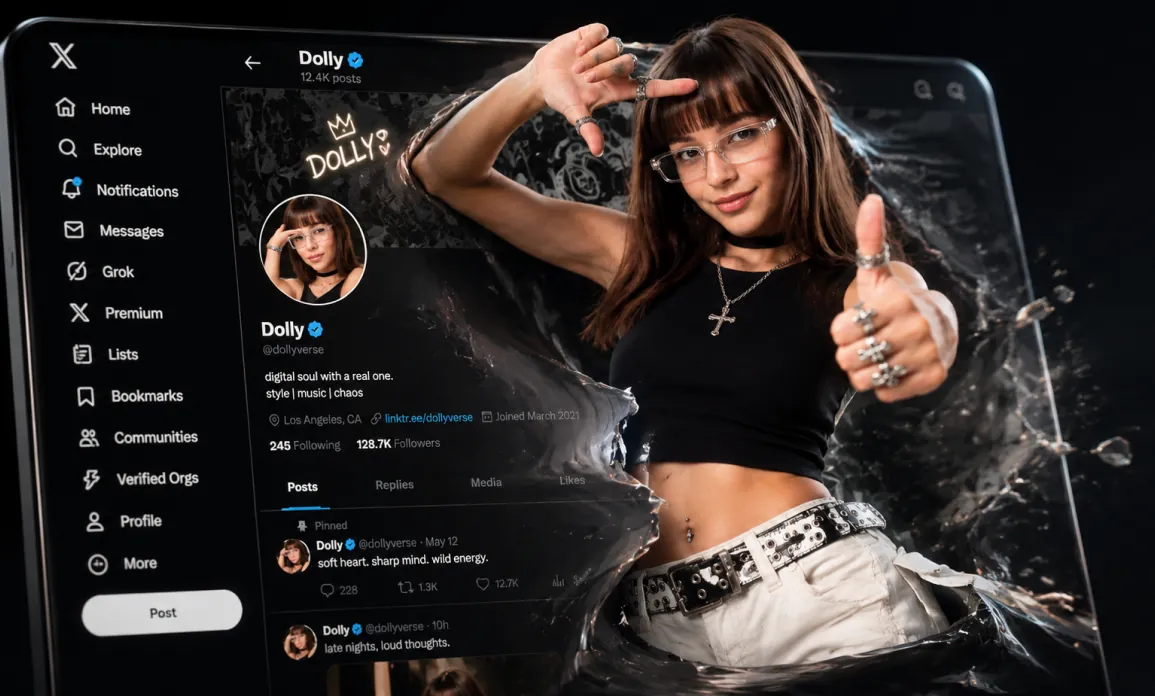
Premium cinematic 3D editorial illustration, a stylized X / Twitter profile interface displayed on a giant glossy smartphone screen in dark mode, tilted in dramatic perspective. A young fashionable female creator bursts out from the profile page through a torn liquid-glass portal, half realistic and half hyper-polished 3D render. She has long brown hair with blunt bangs, clear rectangular glasses, soft confident smile, silver rings, necklace with cross pendant, black cropped sleeveless top, white cargo pants, black studded belt, one hand framing her face and the other giving a thumbs up toward the camera. The X profile belongs to "Dolly" with verified blue badge, dark UI sidebar with icons and labels Home, Explore, Notifications, Messages, Grok, Premium, Lists, Bookmarks, Communities, Verified Orgs, Profile, More, white post button, follower stats and posts visible. Profile header has neon handwritten "DOLLY" with a small crown and heart, avatar matching the character. Exploding translucent black glass shards, glossy liquid splashes, smoke-like distortion and reflective fragments surround her body, as if the digital world is breaking into reality. High contrast black background, rim lighting, soft studio key light, realistic skin texture, detailed fabric, metallic jewelry highlights, shallow depth of field, cinematic anamorphic lens, ultra sharp focus, luxury tech aesthetic, dynamic composition, 16:9 widescreen, photoreal 3D, octane render, unreal engine quality, no watermark, no extra fingers, clean typography.
Core Advantages of Free Image Describer
Free Image Describer provides accurate and detailed descriptions of any uploaded image, identifying main elements such as people, objects, scenery, features, and context. This makes it easier for users to document, catalog, or reference images without needing to write descriptions manually.
Automatic Recognition of Image Content
AI automatically detects and recognizes people, objects, attributes, and other notable features in each uploaded image, turning complex visual information into a precise and usable written description.
Adaptable Output for Different Scenarios
Generate structured image descriptions that can be presented as factual descriptions, captions, marketing copy, object recognition results, or custom answers, depending on your workflow requirements.
Control Description Style and Language
Before generating the description, select your preferred description type or language, so the output matches your documentation needs, accessibility preferences, or creative workflow.
Easy to Copy, Edit, or Integrate
Quickly copy the generated description, modify details if needed, or use it directly for image cataloging, content management, accessibility tagging, creative planning, or as a factual image summary.
Use Cases for Free Image Describer
Free Image Describer at heydream.im supports a wide range of scenarios where accurate description of image content is needed, such as accessibility, image cataloging, creative documentation, e-commerce, content creation, or inspiration gathering.
Describe People, Objects, and Scenes in Reference Images
Upload any image to automatically generate a factual description of who or what appears in it, including their appearance, background scenery, colors, and visual attributes. The tool is ideal for digital asset management or cataloging visual materials.
Creative Documentation for Artists and Designers
Convert artworks, concept designs, mood boards, photos, or screenshots into clear written descriptions indicating key characters, themes, objects, and atmospheres, helping artists or teams document and share visuals efficiently.
Product Images for E-commerce and Marketing
Turn product or object photos into comprehensive descriptions, listing visible product features, materials, styles, and usage scenarios. This supports catalog uploads, SEO, and marketing content planning.
Content Creation and Accessibility Support
Use the generated image descriptions for accessibility alt text, social media image captions, content summaries, or script writing, ensuring all audiences can understand what the image visually contains.
How to Use Free Image Describer on Hey Dream AI
Free Image Describer on heydream.im is easy to use: simply upload an image, select the desired output style and language, and generate a detailed factual description of the image content. You can then copy or adjust this description as needed.
Upload Your Image
Upload the image you want analyzed: JPG or PNG formats are supported. Use photos, product images, digital art, screenshots, or reference visuals.
Choose Output Type and Language
Select the output description style, such as factual, structured, caption, marketing, object recognition, or custom question, and choose your preferred language. The tool tailors the result to your needs.
Generate and Copy the Description
Click Describe Image to let AI analyze the image and produce an accurate, readable description. Copy or edit the generated result for your own purposes.

