
MiniMax-H3 Is Now Publicly Available huggingface.co/MiniMaxAI/Mini…
MiniMax H3 AI Video Generator: Open Source Hailuo 3.0 AI
Create cinematic videos from text prompts and images with strong motion consistency using the MiniMax H3 AI Video Generator (Hailuo 3.0 AI). This open-source video model is similar to Seedance 2.0, offering the same quality at a lower cost.
Loading...
Introduction to MiniMax H3 AI Video Generator
Explore 2K text-to-video and first-and-last-frame image-to-video generation with MiniMax H3.
MiniMax H3 supports a controllable video workflow from text prompts or first-and-last-frame images. Use detailed instructions for subjects, scenes, motion, composition, lighting, and visual style to shape the result.
Examples of MiniMax H3 AI Video Generation
Explore how MiniMax H3 can turn detailed prompts and first-and-last-frame images into 2K video concepts with controlled motion, cinematic composition, product detail, and visual continuity.
Original Image
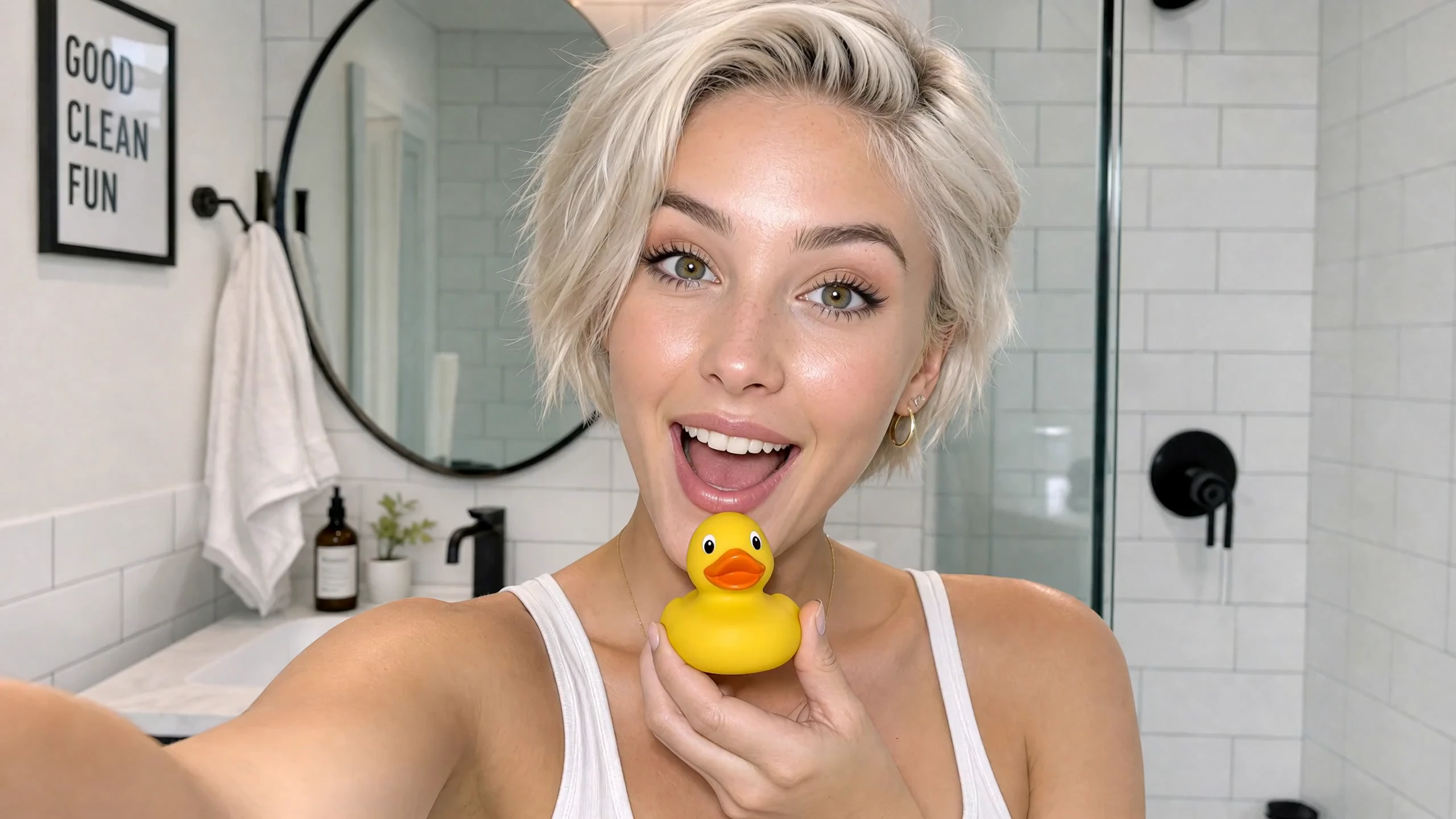
Video
Prompt
Cinematic vertical 9:16 beauty vlog style, 4k resolution, ultra-realistic textures, clean lighting, and smooth camera stabilization. Scene & Timeline Choreography 00:00 - 00:02 Visual: A young woman with short, platinum-blonde hair and a glowing complexion looks directly into the camera with an excited expression inside a bright, modern white-tiled bathroom while holding a small yellow rubber duck under her chin. Voice Over: (Playful, surprised intake of breath or light chuckle) 00:02 - 00:05 Visual: She smiles warmly while looking down at the yellow rubber duck in her hand, then looks back up toward the camera with a playful expression. Voice Over: "Okay, wait..." 00:05 - 00:07 Visual: She brings a bottle of orange skincare serum up close to the camera, showcasing the label clearly while speaking with an enthusiastic expression. Voice Over: "I literally cannot believe how good this is." 00:07 - 00:08 Visual: A close-up shot of her hands dispensing a drop of the translucent, glossy serum onto her fingertip and rubbing it gently against her palm. Voice Over: (Soft ambient bathroom sounds / gentle product texture application) 00:08 - 00:10 Visual: Close-up of her face as she gently pats and applies the serum onto her cheek, highlighting her radiant skin and smooth application. Voice Over: "Look how it just melts in..." 00:10 - 00:13 Visual: Medium shot showing her full outfit—an off-the-shoulder white long-sleeve top, dark brown leather shorts, and white thigh-high stockings—standing by the bathroom counter with plants and a towel, gently touching her glowing cheek. Voice Over: "...my skin already feels insane." 00:13 - 00:15 Visual: She holds up the orange serum bottle again, flashing a wide, radiant smile directly at the camera while speaking excitedly. Voice Over: "Okay, I'm obsessed. I'm not going back!"
Key Features of MiniMax H3 AI Video Model
MiniMax H3 brings open-weight model access to a 2K workflow with text-to-video generation, first-and-last-frame image guidance, and prompt-based control for efficient creative production.
Open-Weight 2K Video Output
Use detailed 2K output for commercial concepts, cinematic scenes, product visuals, branded content, and polished social media clips.
Turn Text Prompts into Video
Describe the subject, action, environment, camera movement, lighting, pacing, and visual style to generate a complete video directly from text.
Control First and Last Frames
Upload both an opening frame and an ending frame to guide image-to-video generation, helping define the starting composition, final composition, and visual transition between them.
Cost-Conscious Creative Testing
Explore more hooks, product scenes, campaign ideas, and visual directions before committing a concept to a higher-cost production workflow.
Applications of MiniMax H3 AI Video Generator
Use MiniMax H3 for commercial and creative video workflows that benefit from 2K detail, cost-conscious iteration, controlled framing, flexible duration, and prompt-driven direction.
Advertising and Ecommerce
Create product reveals, branded scenes, promotional concepts, ecommerce visuals, and campaign-ready video drafts with controlled composition and motion.
Film Titles and Cinematic Concepts
Develop opening-title ideas, cinematic shots, visual transitions, mood pieces, trailers, and previsualization clips from detailed creative briefs.
Animated Posters and Social Content
Transform poster concepts and key visual frames into dynamic short videos for social posts, campaign teasers, vertical content, and creative announcements.
Product and Interface Design
Visualize product interactions, interface motion, launch concepts, and design ideas as polished video drafts for presentations, reviews, and creative testing.
How to Use MiniMax H3 AI Video Generator
Create a 2K MiniMax H3 video from text or first-and-last-frame images in three practical steps.
Step 1: Enter a Prompt or Upload Frames
Write a detailed video prompt for text-to-video, or upload both the first frame and last frame to control the beginning and ending of an image-to-video clip.
Step 2: Choose Duration and Ratio
Select a 5, 10, or 15-second duration. For text-to-video, choose a supported aspect ratio; first-and-last-frame generation follows the uploaded images without a ratio setting.
Step 3: Generate and Review
Continue to the Create workspace, start the generation task, review the 2K result, and refine the prompt or source frames when you want another variation.
Explore MiniMax H3 AI Video Creations on Twitter

MiniMax H3 is native in ComfyUI, day zero with the weights. Model highlights: → Text-to-video, prompt only → Image-to-video → First-and-last-frame - control the opening frame, the closing frame, or both → Reference-to-video - carry a subject, a motion, or a voice

MiniMax's new model, @Hailuo_AI H3, is finally here! Specs: - 15-sec duration - 2560 x 1440 native resolution - Omni model with 12 references (image, video, audio) Here are a few cinematic scenes I tried. Prompts below 👇 #MiniMaxH3

MiniMax H3 actually surprised me. 👀🔥 Just tested my first generation with @Hailuo_AI and the difference is noticeable. The realism feels cleaner, the camera movement is much more natural, and the character consistency held up really well. This is only my first test… I’m

MiniMax H3 Open-Source Model
The MiniMax H3 model repository is available on Hugging Face.
FAQs about MiniMax H3 AI Video Generator
More Articles & News about MiniMax H3 AI
Your next idea starts here
Start with MiniMax H3 AI Video Generator
Turn your ideas into 3D models, images, and videos with HeyDream AI. Explore creative tools, try different models, and bring your next project to life.