Pinterest Pin AI Generator: Generate Image for Pinterest Sharing
Generate high-quality Pinterest images from text or photos with our Pinterest Pin Generator. Easily create visuals for product promotion, mood boards, lifestyle content, or campaigns, and share them directly to Pinterest.
Core Features of Pinterest Pin AI Generator
Pinterest Pin Generator helps creators, e-commerce sellers, bloggers, designers, and marketing teams create Pinterest-ready visuals from text or images, supporting flexible style control, image editing, and convenient Pinterest sharing.
Convert text to Pinterest images. Describe your product, topic, style, background, audience, and campaign goal, then generate a polished Pin visual ready for Pinterest discovery.
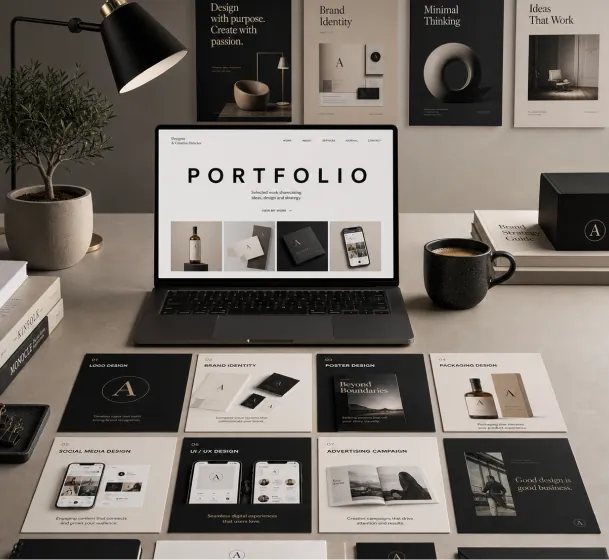
Create a premium graphic design portfolio mockup in a professional creative studio style. Show a clean, elegant workspace presentation featuring multiple graphic design project cards arranged in a refined grid layout, a modern laptop screen displaying a portfolio homepage, and several printed posters laid out neatly on the desk and mounted on the wall.Use a polished creative-director aesthetic with soft shadows, subtle depth, realistic materials, and a high-end studio atmosphere. Include sleek typography placeholders, branding samples, editorial-style poster designs, business cards, stationery, notebook, pen, coffee cup, desk lamp, and small plant for a realistic studio setup.The design should have a clean grid layout, balanced spacing, soft realistic shadows, premium lighting, and neutral luxury tones such as black, white, warm beige, gray, champagne, and cream. Make the laptop screen show a minimal portfolio interface with project thumbnails, navigation menu, and bold hero text.Add multiple portfolio project cards such as logo design, brand identity, poster design, packaging design, social media design, UI/UX design, and advertising campaign mockups. Arrange everything professionally with a modern minimalist style, sharp details, clean typography, elegant composition, and a premium creative agency presentation look.Style: high-end graphic design portfolio, modern creative studio, luxury branding mockup, clean desk setup, realistic shadows, editorial layout, minimalist premium design, professional presentation, 4K, ultra-detailed.
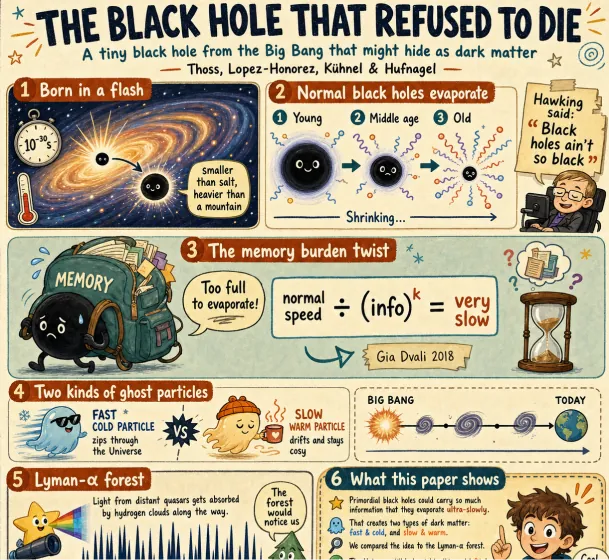
Create a fun, friendly magazine-style educational infographic poster for teenagers.Topic: Primordial black holes, Hawking evaporation, and memory-burden dark matter.Style: Playful hand-drawn diagrams, cute cartoon characters, clean bold typography. Warm and approachable.Canvas: Portrait orientation, warm cream paper texture, thin muted gray border.Headline: "THE BLACK HOLE THAT REFUSED TO DIE"Subtitle: "A tiny black hole from the Big Bang that might hide as dark matter"Credit: Thoss, Lopez-Honorez, Kuhnel & HufnagelLayout sections:Top left: "Born in a flash" - Early universe swirl, tiny PBH (smaller than salt but heavier than mountain), 10^-30s clock, thermometer.Top right: "Normal black holes evaporate" - 3 shrinking stages with particle squiggles, Hawking quote sticker: "Black holes ain't so black".Center: "The memory burden twist" - Sad cartoon black hole with big "MEMORY" backpack, speech bubble "Too full to evaporate!", simple equation: normal speed / (info)^k = very slow. Gia Dvali 2018.Lower middle: "Two kinds of ghost particles" - Fast cold particle vs slow warm particle, Big Bang to Today timeline.Bottom left: "Lyman-alpha forest" - Spiky absorption forest graphic, note "The forest would notice us".Bottom right: Rounded box "What this paper shows" - final summary.Colors: warm beige, dark navy, rust orange, dusty teal, soft brown, gray.Flat vector style with sketchy outlines, soft shadows, rounded friendly shapes.Dense but clear single-page poster with easy top-to-bottom flow. Make advanced physics feel fun for curious teens.
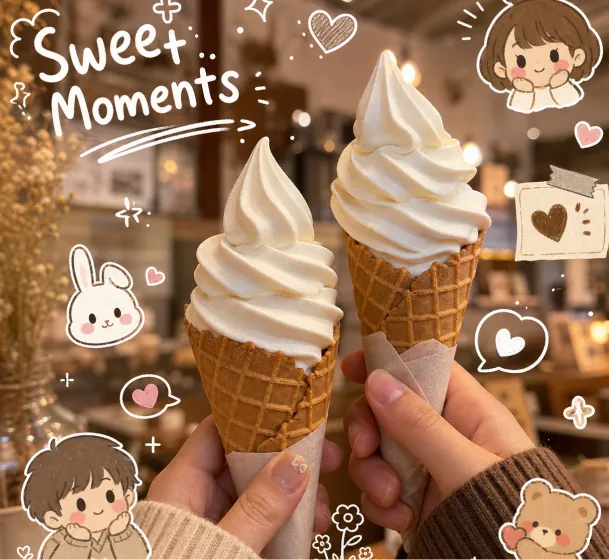
Close-up aesthetic photo of two hands holding vanilla soft serve ice cream cones, cozy warm cafe lighting, creamy texture, dreamy beige and brown color palette, shallow depth of field, soft bokeh background, kawaii doodle stickers and white hand-drawn illustrations around the image, cute cartoon kids and bunny characters, handwritten typography saying "Sweet Moments", playful sparkles and hearts, cozy lifestyle photography, cinematic warm tones, Instagram story aesthetic, soft glow, realistic food photography, adorable scrapbook journal style, ultra detailed, high quality
Use image-to-image Pinterest creation to transform product photos, lifestyle references, mood boards, or brand assets into clean Pin visuals with stronger composition and style.
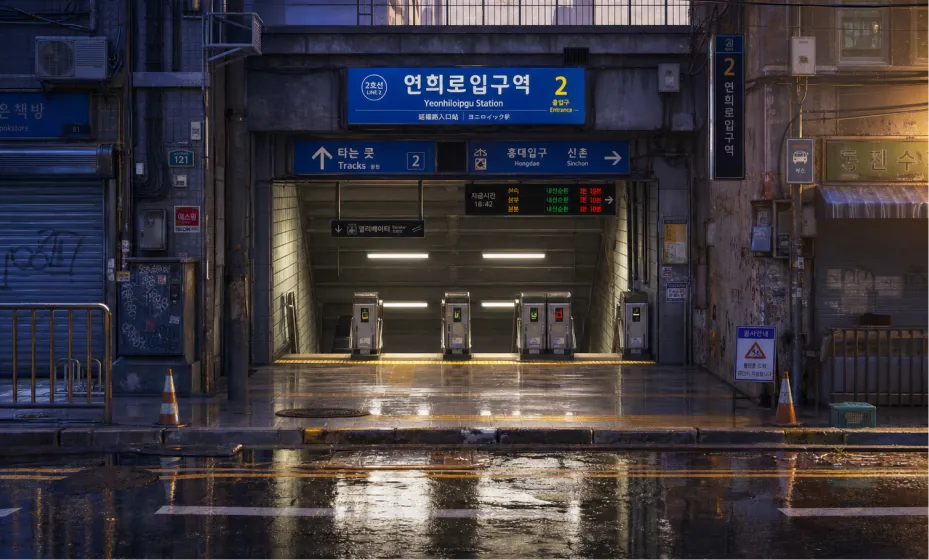
Create a highly detailed cinematic 3D environment concept art image of a quiet Seoul subway station entrance after rain, inspired by urban Korean transit architecture, without using any input image as reference. Scene/backdrop: A street-level entrance to a Korean subway station, viewed straight on from across the wet road. The station descends underground in the center with visible ticket gates and glowing card readers. Surrounding it are dense urban details: Korean-style transit signs, overhead direction boards, small electronic displays, wall-mounted air conditioning units, exposed black cables, metal railings, shuttered storefronts, utility boxes, posters, graffiti, traffic cones, drainage channels, cracked curbs, puddles, and damp tiled pavement. Subject: The subway entrance is the main subject, centered and slightly recessed, with large blue station signage above it. The sign should feel Korean and transit-authentic, with Hangul-like characters and smaller English-style station text, but no need for perfectly readable real-world text. Style/medium: Premium stylized 3D render, anime-background-meets-cinematic-concept-art, realistic materials, painterly color grading, high production value, clean composition, not photorealistic photography. Composition/framing: Ultra-wide 16:9 landscape frame, symmetrical frontal composition, eye-level camera, station entrance centered, road and reflective puddles in the foreground, building facades framing left and right, dense signage across the top third, strong depth into the dark stairwell. Lighting/mood: Golden low-angle sunlight from the right side, cool blue-purple shadows on the left, soft atmospheric haze, rainy-day freshness, calm empty city mood, gentle glow from fluorescent station lights and small signal LEDs. Color palette: Warm amber sunlight, saturated blue transit signs, cool violet-blue shadows, muted concrete gray, small accents of red and green LED lights, glossy reflections on wet asphalt. Materials/textures: Wet asphalt with mirror-like puddle reflections, damp concrete, old painted metal, scratched plastic signs, grime, water stains, rust, ceramic tile, glass, fluorescent tubes, weathered posters. Constraints: 16:9 aspect ratio, no people, no cars, no animals, no watermark, no visible brand logos, no fantasy creatures, no futuristic vehicles, no excessive cyberpunk neon. Keep the scene grounded, believable, and richly detailed.
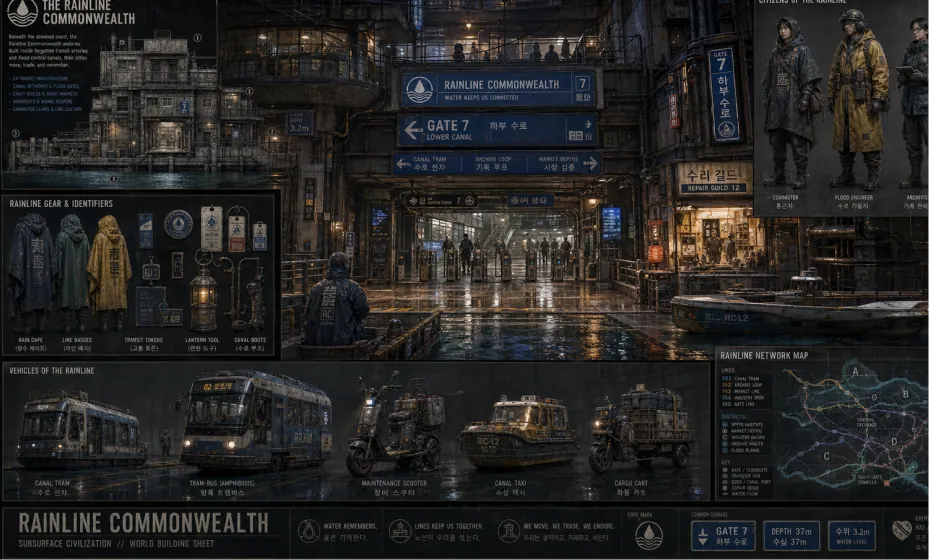
Create a complete visual world-building model for a civilization with the style of reference image, including multiple images of buildings, characters, clothing, vehicles and maps, using a unified design language and featuring a cinematic-like realism with extremely rich details.
Edit images for Pin visuals by refining backgrounds, colors, scenes, composition, and visual direction through prompts, then prepare the result for Pinterest sharing.
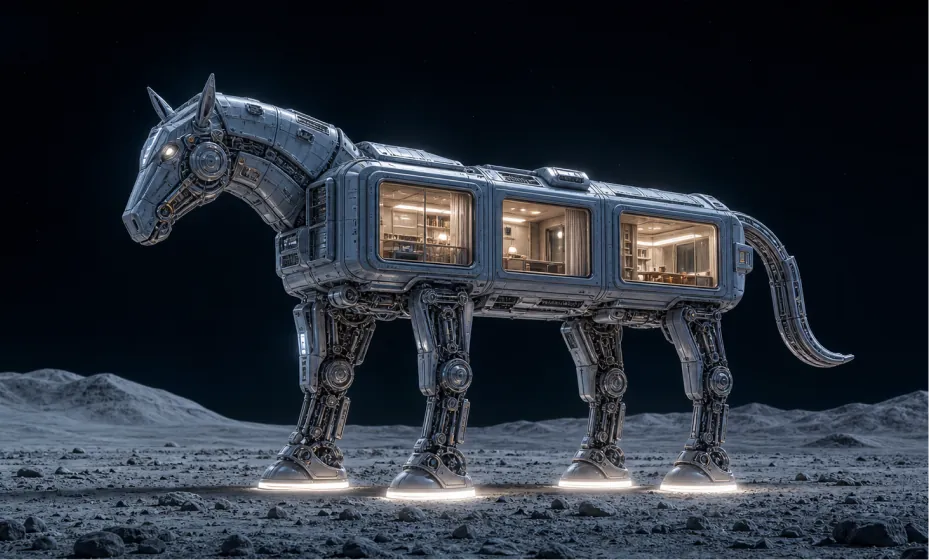
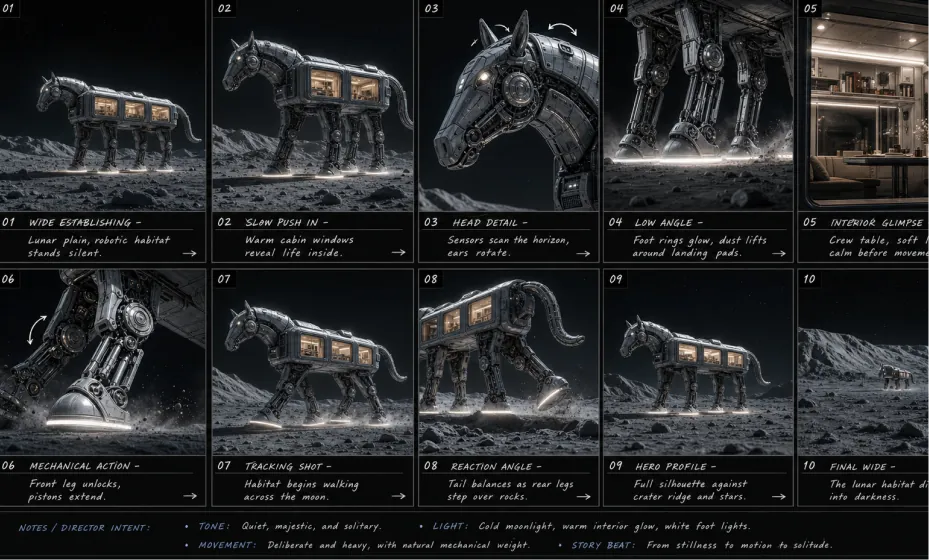
Use case: stylized-concept. Asset type: cinematic 16:9 sci-fi concept art. Primary request: Create a wide 16:9 text-to-image scene of a futuristic animal-shaped lunar habitat, resembling a mechanical horse or elegant robotic pack animal standing on the moon. Do not use any input image as a visual reference; generate from this text prompt only. Scene/backdrop: A quiet lunar surface at night, pale dusty ground with scattered rocks and soft rolling crater hills in the distance, deep black outer space above, minimal stars, vast empty atmosphere. Subject: A large quadruped robotic habitat shaped like a sleek horse-like creature. Its body is a modular architectural living pod, with rounded rectangular cabin sections, thick sci-fi paneling, recessed seams, visible bolts, vents, hatches, and industrial spacecraft details. The head is mechanical and sculptural, with a subtle horse profile, angular armor plates, small sensor lights, circular side components, and horn-like antenna fins. The tail is a curved segmented mechanical appendage. Architecture/interior: Several large rectangular windows are built into the body, glowing warmly from within. Through the windows, show refined miniature interiors: cream-white walls, soft ceiling lights, shelves, tables, curtains, and a calm luxury cabin feeling, like a tiny futuristic moon hotel inside the robot. Legs/mechanics: Four tall articulated robotic legs with exposed pistons, hydraulic joints, cables, circular knee mechanisms, polished metal struts, and heavy rounded landing feet. Each foot has a bright thin white ring light at the base, casting soft illumination onto the lunar dust. Style/medium: Ultra-detailed cinematic 3D render, high-end sci-fi concept design, architectural visualization mixed with futuristic vehicle design, photorealistic materials, premium industrial design, no cartoon look. Composition/framing: Wide landscape composition, 16:9 aspect ratio. The full robotic habitat is visible in side view, facing left, centered slightly lower in the frame. Keep generous dark negative space above for a monumental lonely feeling. Low camera angle at human eye level, 35mm cinematic lens, sharp silhouette, full body visible, no cropping. Lighting/mood: Cold blue moonlight on the metallic exterior, warm golden-white interior window glow, white glow from the foot rings, subtle rim lighting around the robot, quiet mysterious atmosphere, elegant and lonely, high contrast night scene. Color palette: Deep black sky, blue-gray lunar ground, cool silver-blue metal, warm cream and amber cabin interiors, clean white light accents. Materials/textures: Brushed metal, matte ceramic spacecraft panels, glass windows, rubberized seals, polished mechanical joints, dusty lunar regolith, fine surface scratches, realistic panel seams, soft reflections. Constraints: 16:9 landscape. Text-to-image only, no image reference. No people, no logos, no readable text, no watermark, no extra vehicles, no Earth in the sky, no fantasy castle elements, no exaggerated cartoon proportions. Keep the design elegant, believable, and architectural.
Based on the reference image, create a professional English storyboard with 10 annotated frames, suitable for rehearsals, director's guidance, and action or scene planning, in a 16:9 ratio.
Core Advantages of Pinterest Pin AI Generator
Pinterest Pin Generator provides an efficient and controllable AI image generation and editing experience for Pinterest creators, brands, and marketing teams, helping users produce attractive Pin visuals faster while keeping subjects clear and campaign goals focused.
Pinterest-Ready Visual Creation
Generate clean, attractive images suitable for Pinterest discovery, product showcases, mood boards, shopping inspiration, tutorials, and campaign visuals while keeping the main subject visually clear.
Text-to-Image and Image-to-Image Creation
Start from a prompt or upload an image, then use AI to create Pinterest Pin visuals with flexible control over style, background, product placement, color, and composition.
Flexible Image Editing for Pins
Refine generated or uploaded images by adjusting scenes, backgrounds, visual mood, and design direction, making it easier to create multiple Pin variations for testing.
Convenient Pinterest Sharing Workflow
After generating an image, continue to Pinterest so the visual can be saved, shared, or published with less manual switching between creative tools and social platforms.
Use Cases for Pinterest Pin AI Generator
Pinterest Pin Generator on heydream.im supports product promotion, social content planning, brand marketing, inspiration boards, campaign visuals, and creative design exploration for modern Pinterest workflows.
Product Pin Creation
Create polished product Pins for e-commerce stores, seasonal campaigns, shopping inspiration, product launches, gift guides, and Pinterest boards.
Social Media Content Planning
Generate consistent image ideas for tutorials, recipes, lifestyle posts, travel guides, fashion boards, home decor inspiration, and visual storytelling across Pinterest and social channels.
Brand Marketing and Promotion
Produce promotional graphics, campaign visuals, branded Pin images, and shareable Pinterest content for product marketing, creator campaigns, and audience growth.
Creative Inspiration and Design
Explore different styles, backgrounds, layouts, and visual directions, then use generated results as Pinterest-ready images for mood boards, inspiration collections, or design planning.
How to Use Pinterest Pin Generator on Heydream
Pinterest Pin Generator on heydream.im requires no design experience. Choose your AI model, enter a prompt or upload an image, select the right image settings, and generate a Pinterest-ready visual in seconds.
Step 1: Choose Your Preferred AI Model
Select the AI image model that best fits your Pinterest image creation goal, visual style, and detail requirements.
Step 2: Enter Text or Upload an Image
Enter your Pinterest prompt, product idea, blog topic, or campaign concept. You can also upload a product photo, brand asset, or reference image for image-to-image creation.
Step 3: Select Image Aspect Ratio
Choose an image aspect ratio that fits your Pinterest visual needs. Pinterest commonly favors vertical 2:3-style Pin images, while square formats can also be useful for some creative tests when available.
Step 4: Generate and Share on Pinterest
Click generate, review your Pin visual, download the image, and continue to Pinterest to save, share, or publish the result.

