1. Intro: Why TikTok-Style AI Videos Are So Useful Right Now
Short-form video works best when the idea is immediate. You do not have much time to explain the concept, set the mood, or build momentum. The viewer either gets it in the first second or keeps scrolling. That is why an effective TikTok AI video generator can be so useful for creators, marketers, and small brands. It helps you test short ideas quickly without needing a full production setup every time.
HeyDream’s tool is especially useful when you already know the type of clip you want to make: a UGC-style promo, a talking-head app ad, a fashion reveal, a café aesthetic shot, or a meme-ready reaction clip. Instead of building everything from scratch in an editing app, you can start with a simple prompt, shape the output for short-form viewing, and then refine it into something that feels more platform-native.
If you are exploring an AI TikTok video generator for the first time, the biggest mindset shift is this: do not think like a filmmaker first. Think like a TikTok creator. Start with the hook, the subject, and the one visual action that makes the clip understandable right away.
2. Steps: How to Generate a TikTok Video with HeyDream AI
1. Choose the kind of TikTok you want to make first. Start by deciding the content angle: a product pitch, an aesthetic mood clip, a mini vlog, a beauty short, a fashion transition, or a creator-style selfie promo. The clearer the idea is, the easier it becomes to write a prompt that gives you a usable result.
2. Open the TikTok video generator and set the format. In most cases, vertical framing should be your default. Keep the clip short when you are testing hook-based content, because shorter outputs are usually easier to judge and refine.
3. Write a prompt with five clear parts. Include the subject, action, setting, camera feel, and vibe. For example, “woman talking to camera” is too broad. But “young beauty creator speaking naturally to the front camera in a bright bedroom, casual hand gestures, energetic TikTok tone, realistic smartphone framing” gives the model a much stronger direction.
4. Add image guidance if you want more control. If you already have a product image, reference frame, or first shot in mind, use it to guide the result. This is especially useful when you want stronger consistency, clearer branding, or a more predictable visual style.
5. Generate several versions instead of stopping at one. Treat this like content testing. Make multiple variations, compare the first second of each one, and look for the version that catches attention the fastest.
6. Keep the strongest result and refine it. If the motion feels awkward, simplify the action. If the framing feels weak, make the subject more visible. A good AI video generator is not just about producing a clip. It is about helping you find the version with the strongest mobile-first hook.
3. Tips: How to Write Better TikTok Prompts
A strong TikTok prompt usually follows a simple pattern: who is in the video + what they are doing + where they are + how the camera feels + what emotion the clip should give.
That last part matters a lot. TikTok videos are not only visual. They are emotional shorthand. A clip can feel trustworthy, funny, relaxing, aspirational, dramatic, or intimate within seconds. If you do not define that mood, the result often becomes generic.
It also helps to keep the action simple. One subject doing one readable thing is often more effective than trying to force five moments into a 5-second clip. A person holding up a serum and speaking directly to camera is clear. A person dancing, pointing, turning, opening a box, and changing outfits in one short generation often becomes messy.
If you are searching for an AI TikTok video generator free option to experiment with before committing heavily, it also makes sense to use those trial-style generations wisely. Start with highly focused prompts so you can learn faster from each output.
4. Best TikTok Video Ideas to Make First
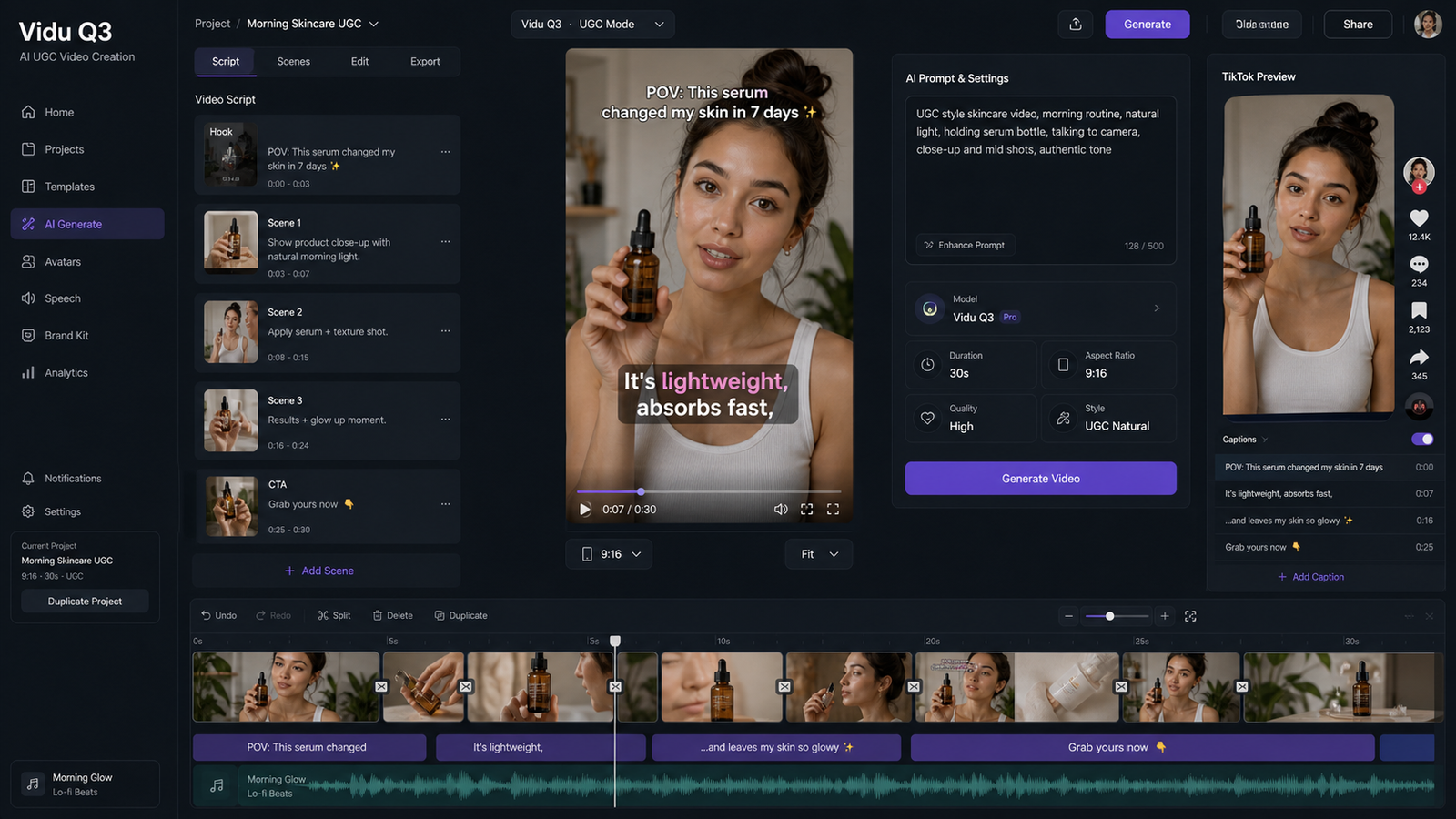
The easiest formats to generate are the ones that already have a clear structure on TikTok. UGC-style ads are a strong starting point because they rely on familiar behavior: a creator faces the camera, holds a product, speaks naturally, and keeps the message short. That format is easy to understand and easy to prompt.
Beauty, skincare, and fashion clips also work well because they are visually direct. A mirror reveal, a close product hold, a quick outfit turn, or a clean GRWM-style framing can be described simply and still look compelling.
Lifestyle and café clips are another good category. A drink being poured, a desk setup, a soft city walk, or a cozy room scene can all perform well because the visual idea is immediate. Even if the clip is short, the mood lands quickly.
A more conversational TikTok AI video generator workflow also works well for app promos, creator explainers, and short demos. These clips tend to feel stronger when the subject’s motion is realistic and the framing resembles a real phone recording instead of a polished commercial.
5. Common Mistakes That Make AI TikTok Videos Feel Off
The most common mistake is vagueness. When the prompt is too broad, the result often looks like generic short-form content instead of something designed for a real niche or purpose.
The second mistake is overcomplication. Many creators ask for too many actions, too many style references, or too many visual beats in one tiny clip. TikTok content is usually stronger when the idea is immediate and readable.
Another issue is forgetting the screen size. What looks acceptable on a large monitor can feel unclear on a phone. The subject needs to be visible, the movement needs to be easy to read, and the opening second needs to communicate the idea almost instantly.
Finally, creators sometimes ask for “viral TikTok energy” without defining what actually happens in the scene. A better AI TikTok video generator workflow is always built around behavior, not buzzwords.
6. Final Workflow: A Better System for Repeatable Results
The most practical system is simple: choose one content goal, write one clean prompt, generate several variants, compare the first second of each, and refine the best one. Once you find a prompt structure that works, save it.
That is how this stops being random experimentation and becomes a real content workflow. You are not just making one-off clips. You are building reusable short-form templates for your niche.
Over time, your prompts will get sharper, your generations will get more consistent, and your AI TikTok video generator process will feel much closer to creative direction than trial and error.
Prompt Examples You Can Use Right Away
UGC skincare promo “Vertical selfie-style TikTok video of a young beauty creator in a bright bedroom, holding a skincare serum near the camera, speaking naturally with subtle hand gestures, soft daylight, realistic skin texture, believable influencer tone, clean background, short-form UGC ad style.”
Fashion mirror reveal “Stylish creator filming a mirror outfit reveal in a modern apartment, slight turn toward the mirror, confident smile, natural body movement, vertical smartphone framing, soft indoor lighting, trendy TikTok fashion video feel, realistic clothing motion.”
Talking-head app promo “Creator speaking directly to the camera in a home office, excited but natural expression, subtle hand movement, vertical phone-video look, polished but not overproduced, realistic human motion, short-form app recommendation content.”
Café aesthetic clip “Close-up vertical TikTok video of an iced latte being poured and stirred in a cozy café, warm natural light, creamy texture, soft handheld movement, relaxing lifestyle content, clean composition, quick visual hook in the opening second.”
Travel vibe short “Young traveler walking through a sunny street market, glancing at camera with a smile, casual natural movement, vibrant but realistic colors, vertical travel TikTok style, handheld phone feel, fast and engaging first-second motion.”
Recommendation: More HeyDream AI Tools to Explore
- Text to Video
- Image to Video
- AI Product to Video
- AI Image Generator
- Image to Prompt
- HiDream AI Image Generator
Related Article
- How to Use HeyDream AI’s Text-to-Video Generator: Model Comparison, Prompting Tips, and Workflows
- Veo 3.1 Video Generation Guide: How to Create Cinematic Clips on HeyDream AI
- How to Turn Images Into Better AI Prompts with HeyDream AI
- Seedance 2.0 vs 1.0: What’s Better for AI Video
People Also Read
- How to Use DreamMachine AI’s AI Video Generator: A Practical Guide for Text and Image Workflows
- VideoWeb AI Video Generator 2026: One Hub, Every AI Video Workflow
- SeaImagine AI Text-to-Video Guide: How to Choose Models and Create Better Clips
- How to Make Viral TikTok Dance Shorts with AI Dance Video Generator
- Vidu Q3 on Flux AI: A Practical Guide to Better AI Videos (Fast + Cinematic)