Higgsfield Seedance 2.0 is worth investigating if you want prompt-led cinematic video, multimodal references, synchronized audio, and multi-shot storytelling in one workflow. It is not possible to judge its real value from curated demonstrations alone. The useful question is whether the platform can produce repeatable, publishable clips at an acceptable cost after retries.
This review separates verified Seedance 2.0 capabilities from platform claims, explains what to test before paying, and recommends Seedance 2.0 on HeyDream AI as a practical alternative for controlled comparison. It also covers Seedance 2.0 Mini for lower-cost short-form iteration.

What This Higgsfield Seedance 2.0 Review Can Establish
The fairest verdict is conditional: Seedance 2.0 has a strong technical proposition, but the value of using it through any third-party platform depends on the exact model variant, exposed controls, credit cost, queue reliability, and downloadable output.
ByteDance officially describes Seedance 2.0 as a unified multimodal audio-video model that accepts text, image, audio, and video inputs. Its official launch material also discusses reference-driven generation, multi-shot output, synchronized sound, motion stability, and video editing. Those are claims about the underlying ByteDance model, not proof that every control is exposed identically through Higgsfield AI, HeyDream AI, or another host.
This article therefore uses three evidence levels:
- Verified model context: capabilities documented by ByteDance or BytePlus.
- Verified platform interface: controls and credit figures visible on a live third-party page when checked.
- Editorial testing guidance: repeatable tests a creator should run before choosing a platform.
It does not treat platform-selected samples as independent benchmarks. It also does not repeat “2K,” “cinema quality,” “frame-level control,” or “production ready” as settled conclusions without inspecting the actual exported file.
The practical takeaway is simple: the model family looks relevant for serious creative testing, but “worth using” depends on how many generations it takes to obtain one usable clip.

What Seedance 2.0 Offers Through Higgsfield AI and HeyDream AI
Higgsfield AI is a hosting and creative workflow layer; it did not create the underlying Seedance 2.0 model technology. When evaluating Higgsfield Seedance 2.0, confirm the exact variant in the generation screen and judge the platform on access, controls, speed, cost, and output handling.
For an accessible comparison, the dedicated HeyDream Seedance 2.0 AI video generator currently shows:
- Built-in audio.
- A start-frame input.
- A 2,000-character prompt field.
- Prompt enhancement.
- A public/private-style control labeled “Public.”
- A displayed generation cost of 400 credits when checked on July 30, 2026.
HeyDream’s page also describes multimodal references and multi-shot generation. However, some page copy makes ambitious claims about resolution and production use. Treat those as platform descriptions until the selected settings and downloaded file confirm them.
There is another detail worth checking carefully: HeyDream’s broader AI Video Generator, Image-to-Video Generator, and Text-to-Video Generator currently default to Seedance 2.0 Fast in the visible model selector. That is not automatically the same workflow as the dedicated full-model page. Seedance 2.0, Seedance 2.0 Fast, and Seedance 2.0 Mini should be recorded separately in every test log.
Before generating, note the platform, exact model label, date, duration, aspect ratio, resolution, reference inputs, enhancement setting, audio setting, visibility setting, and displayed credit charge. That single habit prevents most misleading comparisons.

How to Run a Fair Seedance 2.0 Test Before Paying
A fair test keeps the creative brief constant and changes only the platform or model variant. If the source image, prompt, duration, ratio, resolution, enhancement, or reference assets differ, the result may still be interesting, but it is no longer a controlled comparison.
Use this minimum test matrix:
| Test | What to keep constant | What to inspect |
|---|---|---|
| Text to video | Prompt, duration, ratio, resolution | Prompt adherence, scene logic, motion, audio |
| Image to video | Source image and motion prompt | Identity, background, pose, camera movement |
| Start/end frames | Same two images | Transition logic, subject continuity, final-frame accuracy |
| Human movement | Same full-body action | Balance, feet, hands, fabric, hair, momentum |
| Product ad | Same packshot and label | Geometry, color, logo placement, reflections |
| Dialogue | Same script and language | Voice order, clarity, lip sync, expressions |
| Multi-shot story | Same three-shot brief | Character, costume, props, weather, geography |
| Physics | Same liquid or contact scene | Weight, splashes, collisions, object permanence |
| Vertical social | Same 9:16 brief | Framing, hook timing, product visibility |
Generate at least three attempts per test. Label each output as usable, usable with editing, or rejected. A model that produces one beautiful sample after six failures may be less valuable than a less dramatic model that produces three editable clips from four attempts.
Also record queue time separately from generation time. A fast model behind an unreliable queue can still slow campaign delivery. Export the files and inspect them outside the preview player for compression, frame rate, audio quality, watermarks, and metadata.
This process produces evidence a marketing team or agency can defend, rather than a reaction to a highlight reel.

Cinematic Motion, Camera Control, and Physical Realism
Seedance 2.0 is most compelling when a prompt describes a short visual sequence instead of a mood alone. Camera direction, subject action, environmental motion, and the final visual beat should be explicit enough to evaluate.
The official Seedance 2.0 launch announcement emphasizes complex interactions, prompt-driven camera planning, physical plausibility, and multimodal reference control. The same source also acknowledges remaining room for improvement in detail stability, hyper-realism, dynamic vitality, multi-subject consistency, text rendering, complex edits, and occasional audio distortion. That balance is more useful than treating an internal benchmark as a universal ranking.
Run three types of motion tests:
- Human motion: one spin, landing, reach, or object handoff. Inspect feet, joints, balance, hand contact, hair, and fabric.
- Camera direction: combine a close-up, pullback, tracking move, and elevated reveal. Check whether the subject design survives the camera change.
- Physical realism: use liquid, ice, cloth, snow, smoke, or a hand-object interaction. Look for believable weight, refraction, collisions, and persistence.
Complex prompts should be judged shot by shot. A clip can have attractive lighting while failing its required action. It can also follow the camera instruction while losing the product or character. Score prompt obedience, motion, and visual appeal separately.
For cinematic AI video generation, the strongest output is not merely beautiful. It is coherent enough to edit, predictable enough to repeat, and physically credible at normal playback speed.

Character, Product, and Image-to-Video Consistency
Image-to-video is usually the most revealing Seedance 2.0 test because the source frame gives you concrete details to audit. A good result should animate the image without casually redesigning the face, clothing, product, typography, or background.
Use a clean source image with one clear subject, visible edges, adequate resolution, and a pose compatible with the requested motion. For a portrait, request small actions first: a blink, breath, glance, and head turn. For a product, begin with a slow orbit, push-in, or hand pickup before testing fast transitions.
Inspect:
- Facial identity across every frame, not only the opening.
- Hairline, eye shape, teeth, ears, and accessories.
- Garment seams, buttons, patterns, and silhouette.
- Product geometry, cap, label area, colors, and material.
- Hands at the moment they touch the product.
- Background lines, windows, furniture, and reflections.
- The final frame, where identity drift often becomes more visible.
Logo preservation deserves special caution. Even when a prompt says to preserve a logo, generated video may distort letters or spacing. Use an unbranded test product first, then test authorized brand assets separately. For a real campaign, plan to composite critical packaging text in post rather than assuming generative frames will remain exact.
HeyDream’s dedicated Seedance 2.0 page provides a start-frame workflow, while its broader image-to-video page exposes a model selector. Confirm whether the selected option is full Seedance 2.0, Fast, or Mini before comparing output.
Treat generated clips as visual drafts until identity, product accuracy, rights, and brand details pass human review.

Native Audio, Dialogue, Lip Sync, and Multi-Shot Continuity
Native audio can remove a separate sound-design step, but it also creates more ways for a generation to fail. Dialogue may be intelligible while the speaking order is wrong; lips may move while timing drifts; ambience may sound convincing while overwhelming the voice.
Test audio in layers:
- Dialogue: two short lines spoken by different fictional adults.
- Lip synchronization: inspect consonants, pauses, mouth closure, and turn-taking.
- Ambience: café room tone, rain, traffic, wind, or crowd presence.
- Effects: glass contact, footsteps, a suitcase vibration, or a product pickup.
- Music: rhythm alignment and whether it masks dialogue.
Keep the script short and specify who speaks first. Ask for restrained expressions and a stable camera before testing elaborate shot changes. If the platform exposes language or voice controls, record them; if it does not, treat voice identity and accent as generation variables.
For multi-shot continuity, use a three-shot scene with one person, one prop, one location, and one weather condition. Check the character’s face and coat, the prop design, screen direction, geography, time of day, and audio bed across cuts. Promotional examples may demonstrate what is possible, but they do not reveal retry frequency or rejected outputs.
ByteDance describes synchronized audio-video generation and multimodal reference input as core Seedance 2.0 capabilities. Whether a third-party host exposes all reference types, languages, audio controls, and export options must be verified in that host’s live interface.
Native audio is valuable when it reduces editing work without multiplying retries. That is the standard to test.

Seedance 2.0 vs Seedance 2.0 Mini on HeyDream AI
The full model and Mini should serve different stages of a creator workflow. Use the full Seedance 2.0 option for quality-first, multimodal, audio-led, and cinematic tests; consider Mini for short social clips, ad hooks, product demonstrations, UGC concepts, and frequent prompt iteration.
When checked on July 30, 2026, HeyDream’s Seedance 2.0 Mini page displayed built-in audio, a start-frame input, prompt enhancement, and a 300-credit generation charge. The page described 480p and 720p short-form workflows. Its full-model page displayed 400 credits. These are live platform values and descriptions, not permanent specifications.
| Decision area | Seedance 2.0 full workflow | Seedance 2.0 Mini workflow |
|---|---|---|
| Best starting use | Cinematic scenes and controlled audiovisual tests | Fast short-form concept testing |
| Prompt complexity | Multi-shot, reference-heavy, audio-led | One hook, one action, one visual goal |
| Typical creative goal | Stronger final candidate or hero sequence | More variations and faster learning |
| References | Test when several modalities matter | Test lighter reference guidance |
| Resolution | Verify selected live output | Page currently describes 480p/720p |
| Current displayed HeyDream cost | 400 credits | 300 credits |
| Main metric | Usable quality per final clip | Learning and variation per credit |
Do not assume Mini is simply the same output at a lower resolution, and do not confuse it with Seedance 2.0 Fast. Record the exact model label. Then run the same product hook or portrait animation through both models.
A practical sequence is to test five openings in Mini, select the strongest camera move and hook, then rerun that direction in the full model with richer audio and continuity requirements.

How to Calculate the Real Cost per Usable Video
Cost per generation is only the first number. Cost per usable clip captures the retries, failed motions, continuity fixes, queue delays, and editing work that determine production value.
Use this formula:
Cost per usable clip = total credits consumed in the test / number of clips approved for the intended use
If a team spends 2,000 credits and approves two clips, the effective cost is 1,000 credits per usable clip, regardless of the advertised generation price. Keep monetary conversion separate because subscription tiers and credit packages can change.
Track these fields:
- Platform and exact model variant.
- Credits charged per attempt.
- Queue time and generation time.
- Number of retries.
- Usable without edits, usable with edits, or rejected.
- Editing minutes required.
- Export resolution, format, watermark, and audio status.
- Reason for rejection.
Common rejection reasons include identity drift, malformed hands, incorrect product geometry, broken dialogue order, unstable text, weak final framing, audio distortion, and continuity errors between shots.
Before paying, verify live pricing, free credits, queue priority, generation limits, watermarks, downloads, privacy, commercial-use terms, ownership provisions, and refund rules. Do not infer those rights from the model’s technical capabilities.
The cheapest workflow is the one that reaches an approved clip with the fewest expensive retries, not necessarily the one with the lowest displayed generation charge.

Seedance 2.0 Prompts for Repeatable Review Tests
The strongest review prompts specify one subject, a sequence of actions, camera direction, lighting, continuity requirements, audio, and the final visual beat. Reuse the same prompt and assets across platforms, then change one variable at a time.
Reusable review prompt formula
Create a [duration] [aspect ratio] video featuring [subject] in [setting].
The subject performs [specific sequence of actions].
Use [shot types] with [camera movement], [lighting], [visual style], and [pacing].
Preserve [identity, clothing, product, or reference details].
Include [dialogue, ambience, music, or sound effects].
End with [final visual beat].
Avoid [specific errors].
1. Cinematic multi-shot sequence
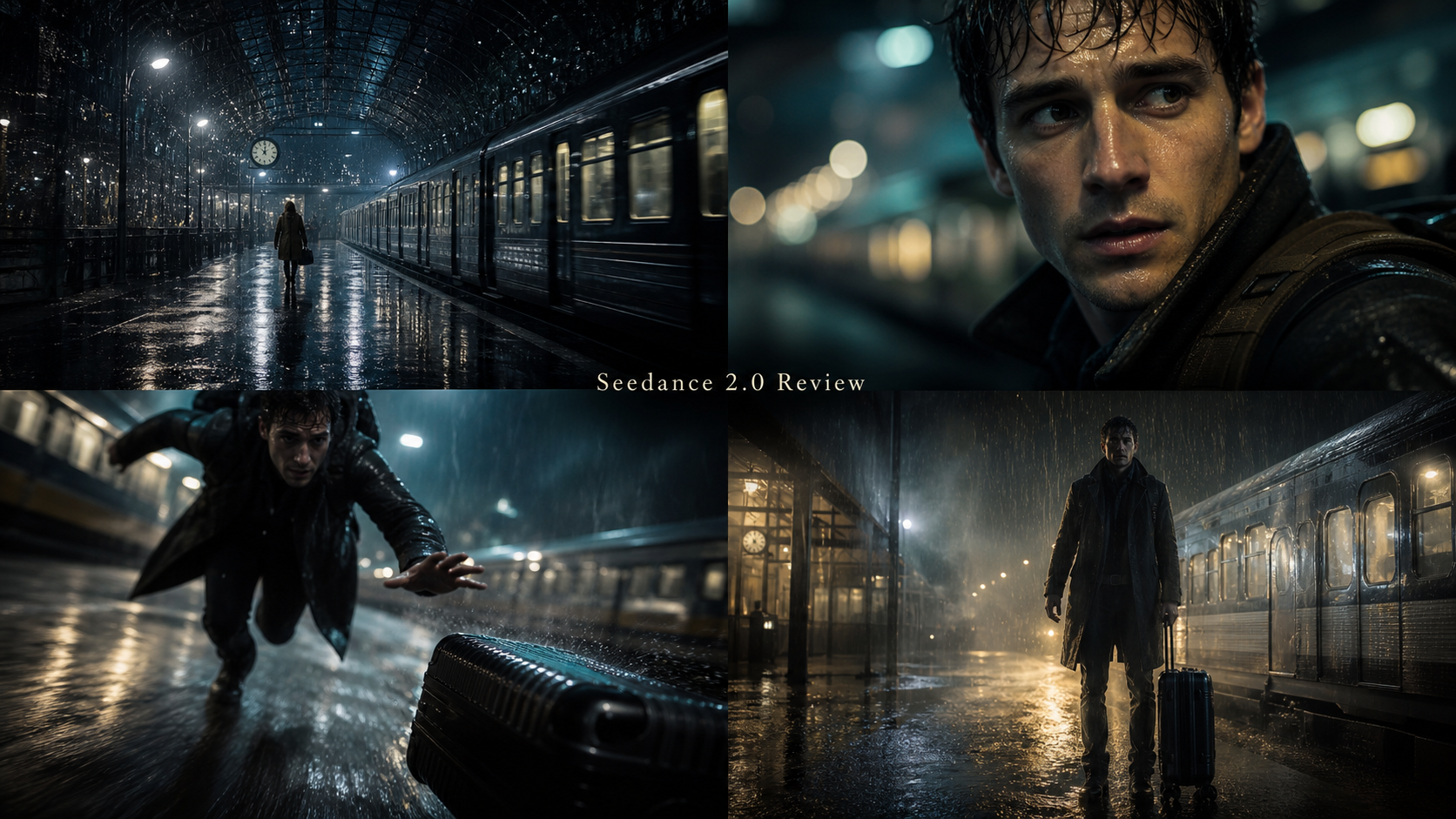
Create a three-shot cinematic sequence inside a rain-covered railway station at night. First, show a traveler entering the station. Second, track behind him as he approaches an abandoned suitcase. Third, cut to a close-up as the suitcase begins to vibrate. Preserve the same face, coat, suitcase, weather, and lighting across all shots.
2. Dialogue and lip synchronization
Create an eight-second cafe conversation between two fictional adults. The first person says, "You were not supposed to find me." The second replies, "Then you should have hidden better." Use natural English voices, accurate speaking order, restrained expressions, synchronized lips, and quiet cafe ambience.
3. Image-to-video portrait
Animate the uploaded portrait. The subject looks toward a window, blinks naturally, takes a slow breath, and turns back toward the camera. Preserve the exact face, hairstyle, clothing, body proportions, background, and photographic style.
4. Product advertisement
Create a vertical advertisement for the uploaded perfume bottle. Begin with a macro shot of condensation on the glass, orbit slowly around the bottle, and finish with a centered hero frame. Preserve the exact bottle shape, cap, label, logo placement, and colors.
5. Human motion
Create a full-body shot of a dancer performing one controlled spin and stopping naturally. Use realistic balance, foot placement, fabric movement, hair motion, and body momentum. Keep the face, outfit, limbs, and background consistent.
6. Camera-direction test
Begin with an extreme close-up of a motorcycle headlight. Pull backward into a low tracking shot as the motorcycle accelerates along a coastal road, then rise smoothly into a wide aerial view. Preserve the motorcycle design and rider throughout.
7. Physical realism
Create a slow-motion commercial shot of sparkling water pouring into a clear glass filled with ice and lemon. Show realistic liquid flow, bubbles, splashes, refraction, condensation, ice movement, and synchronized pouring sounds.
8. UGC-style clip
Create a 9:16 smartphone-style video of a fictional creator demonstrating [product name] in a bright apartment. Use natural gestures, casual handheld framing, believable facial movement, conversational pacing, and a clear final product close-up.
9. Fantasy action
Create a cinematic scene of a knight running through a snowy forest while an original white dragon descends behind him. Use smooth tracking shots, realistic snow displacement, stable armor details, coherent creature anatomy, environmental sound, and dramatic but physically believable movement.
10. Mini-model iteration test
Create five short variations of a product-ad opening. In every variation, preserve the exact uploaded product. Change only the first camera move, background lighting, and opening visual hook. Use a vertical social-media composition.
Use fictional people, original characters, authorized products, and licensed reference assets. Avoid celebrities, copyrighted characters, protected footage, unlicensed music, and deceptive synthetic media.

Final Verdict: Is Higgsfield Seedance 2.0 Worth Using?
Higgsfield Seedance 2.0 may be worth using for creators who value cinematic camera language, multimodal direction, and audio-video generation, provided the live workflow exposes the controls they need and the effective cost per approved clip is competitive. It is less convincing as a purchase decision when the evidence consists only of selected demonstrations and broad quality claims.
For a practical alternative, start with the dedicated Seedance 2.0 AI video generator on HeyDream and run the same controlled prompts you intend to use elsewhere. Choose Seedance 2.0 Mini for high-volume short-form exploration, then move promising concepts to the full model. Use HeyDream’s AI Video Generator to compare other models, but confirm the selector because it may default to Seedance 2.0 Fast.
Final publishing checklist
- Record the exact model variant and platform.
- Verify live duration, resolution, aspect ratio, references, audio, and language options.
- Compare exported files, not only preview players.
- Review identity, hands, products, logos, text, and multi-shot continuity frame by frame.
- Listen for dialogue order, lip sync, ambience balance, effects, and audio distortion.
- Calculate credits per usable clip and editing time per approved output.
- Confirm watermarks, privacy, ownership, commercial-use terms, and refund rules.
- Use only authorized faces, products, footage, music, and reference assets.
- Disclose synthetic media where the publishing context requires it.
FAQ
Is Seedance 2.0 made by Higgsfield AI?
No. ByteDance’s Seed team developed Seedance 2.0. Higgsfield AI can provide access or a workflow layer, but it should not be credited with the underlying model technology.
What is the best Higgsfield AI alternative for Seedance 2.0?
HeyDream AI is a practical alternative to test because it has dedicated pages for the full model and Mini, plus text-to-video and image-to-video workflows. The best platform still depends on live controls, cost, queue behavior, export quality, and terms.
Is Seedance 2.0 Mini the same as Seedance 2.0 Fast?
No. Treat Seedance 2.0, Seedance 2.0 Fast, and Seedance 2.0 Mini as distinct labels. Confirm which variant the platform has selected before generating or comparing results.
Does Seedance 2.0 guarantee consistent characters and products?
No generative video workflow should be treated as a guarantee. Test faces, clothing, product geometry, labels, hands, and backgrounds across the entire clip, then review every campaign output.
How should I compare native audio quality?
Use the same short dialogue, ambience, and effect cues. Judge speaking order, clarity, lip sync, voice stability, sound balance, and distortion. Count retries when calculating value.
Related reading
- Seedance 2.0 prompt tips for more realistic AI video
- Seedance 2.0 vs Seedance 1.0
- Create TikTok videos with Seedance 2.0
- How to use HeyDream AI's text-to-video generator
- A separate Seedance 2.0 platform review
- Seedance 2.0 real-world strengths and limitations