这篇 Tripo 3D 指南 讲解如何在 HeyDream AI 上使用 Tripo 3D 2.5 进行图像转 3D 创作,从选择干净的参考图到审阅生成的模型草稿。它面向 3D 初学者、游戏设计师、电商团队、产品设计师、玩具设计师、AR/VR 创作者、教育工作者、营销人员以及概念艺术家——这些人希望更快获得 3D 起点,同时又不想跳过让模型真正可用的审阅工作。

Tripo 3D 指南:HeyDream AI 上的 Tripo 3D 2.5 能做什么
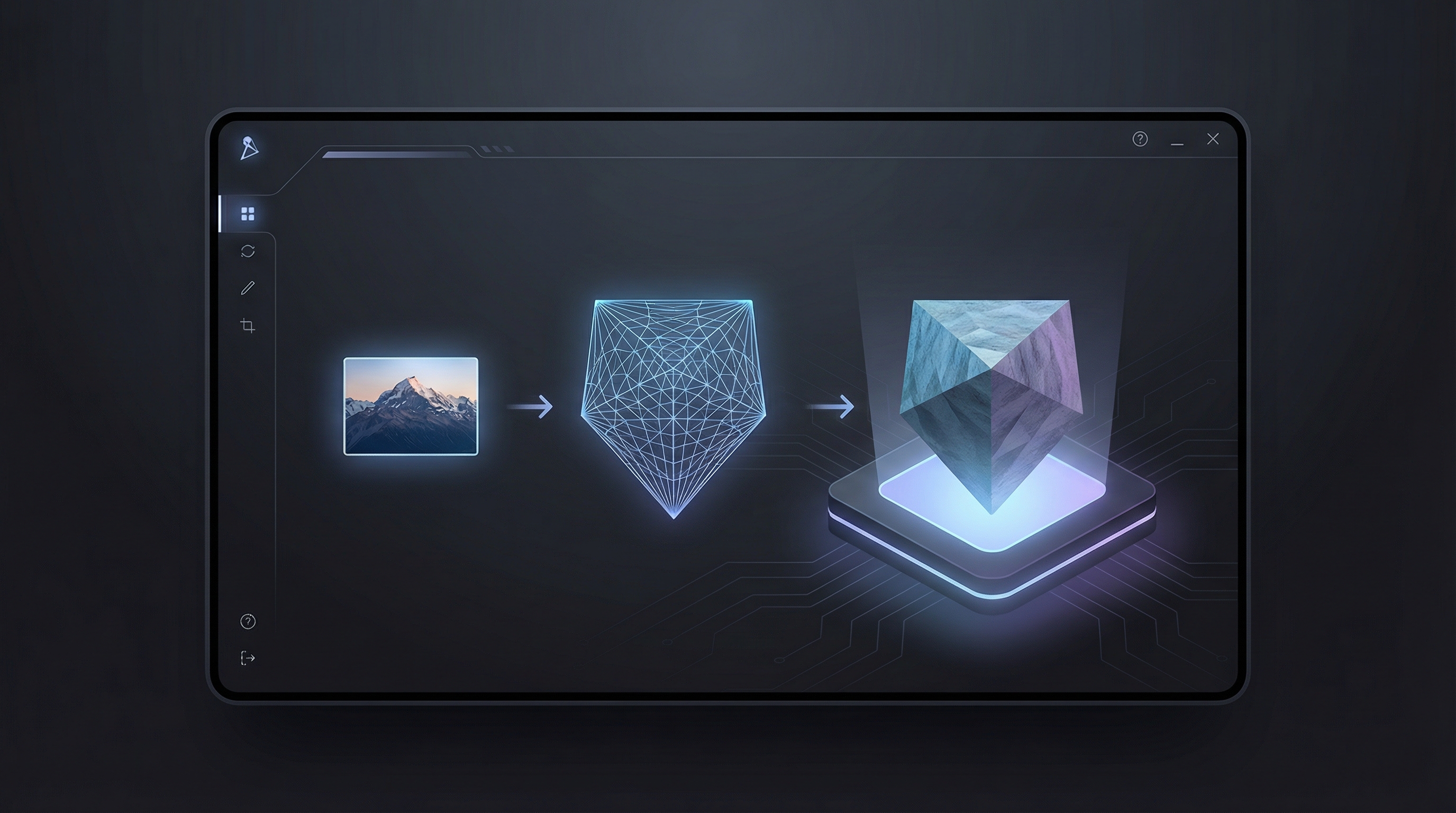
当你需要从产品图片、道具草图、家具照片、角色概念或视觉参考快速生成 3D 模型草稿时,HeyDream AI 上的 Tripo 3D 2.5 会很有用。你不必从空白 3D 场景开始,而是从一张源图出发,通过 AI 3D 模型生成器 的工作流创建可预览的 3D 资产。
它的实际价值在于速度。营销人员可以快速测试产品样机;游戏设计师可以快速搭建道具的初版体块;教育工作者可以把视觉想法变成课堂模型;AR 创作者可以判断某个物体是否具备足够的视觉结构来进行 3D 预览。其结果最适合作为“模型草稿”:用于探索、审阅、概念提案以及早期制作规划。
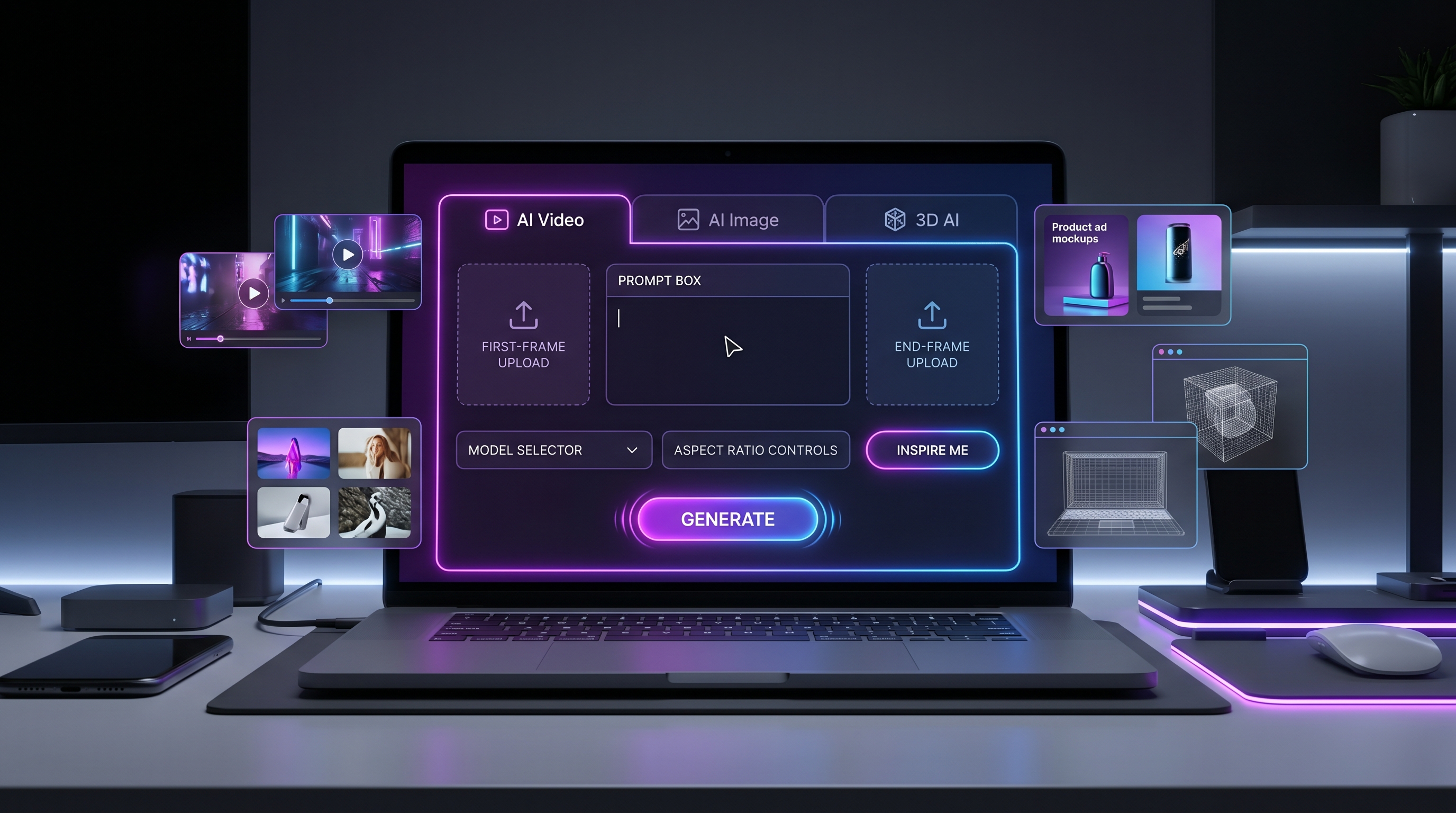
HeyDream AI 是一个不错的起点,因为它把 Tripo 3D 2.5 的模型页面与更广泛的创意工作流连接起来,包括 图像转 3D、AI 图像生成器、文本转图像、图像转图像、AI 视频生成器、图像转视频 和 文本转视频。当资产方向明确时,这让你更容易从图像概念走到 3D 模型草稿,再进入视觉预览或视频概念。
为了获得最佳效果,把 Tripo 3D 视为一个“快速视觉建模搭档”,而不是用来替代最终制作管线。源图、提示词和审阅流程越到位,生成的草稿就越有价值。

如何为图像转 3D AI 准备源图
源图是一套 图像转 3D AI 工作流的基础。清晰的图片能为模型提供更强的线索:轮廓、深度、材质、颜色与物体身份;杂乱的图片会让模型需要猜测的东西太多。
请使用一张干净的参考图:包含你想转成 3D 模型的物体、产品、角色或道具。主体应居中、完整可见、光照良好,并与背景分离。避免运动模糊、重阴影、边缘裁切、反光眩光、复杂的物体遮挡重叠,以及难以辨认的微小细节。目标是得到适用于游戏原型、产品样机、AR 预览、概念设计、3D 打印准备或动画草稿的 3D 模型。
针对产品类工作,请使用能清晰展示形体的图片。比如一张运动鞋照片应能看出鞋底厚度、鞋头形状、材质对比以及侧面轮廓;一张椅子照片应展示座面、椅腿、靠背支撑以及尺度线索;一张包装照片应清楚展示正面尺寸与材质走向,而不是依赖很小的印刷文字。
针对角色或玩具概念,建议简化参考图。大轮廓、清晰的四肢、易读的配件、明确的色块,通常比细密服装与小饰品更有效。如果后续会由 3D 美术清理草稿,请优先保证最重要的形体:头部形状、身体比例、姿势与关键配件。
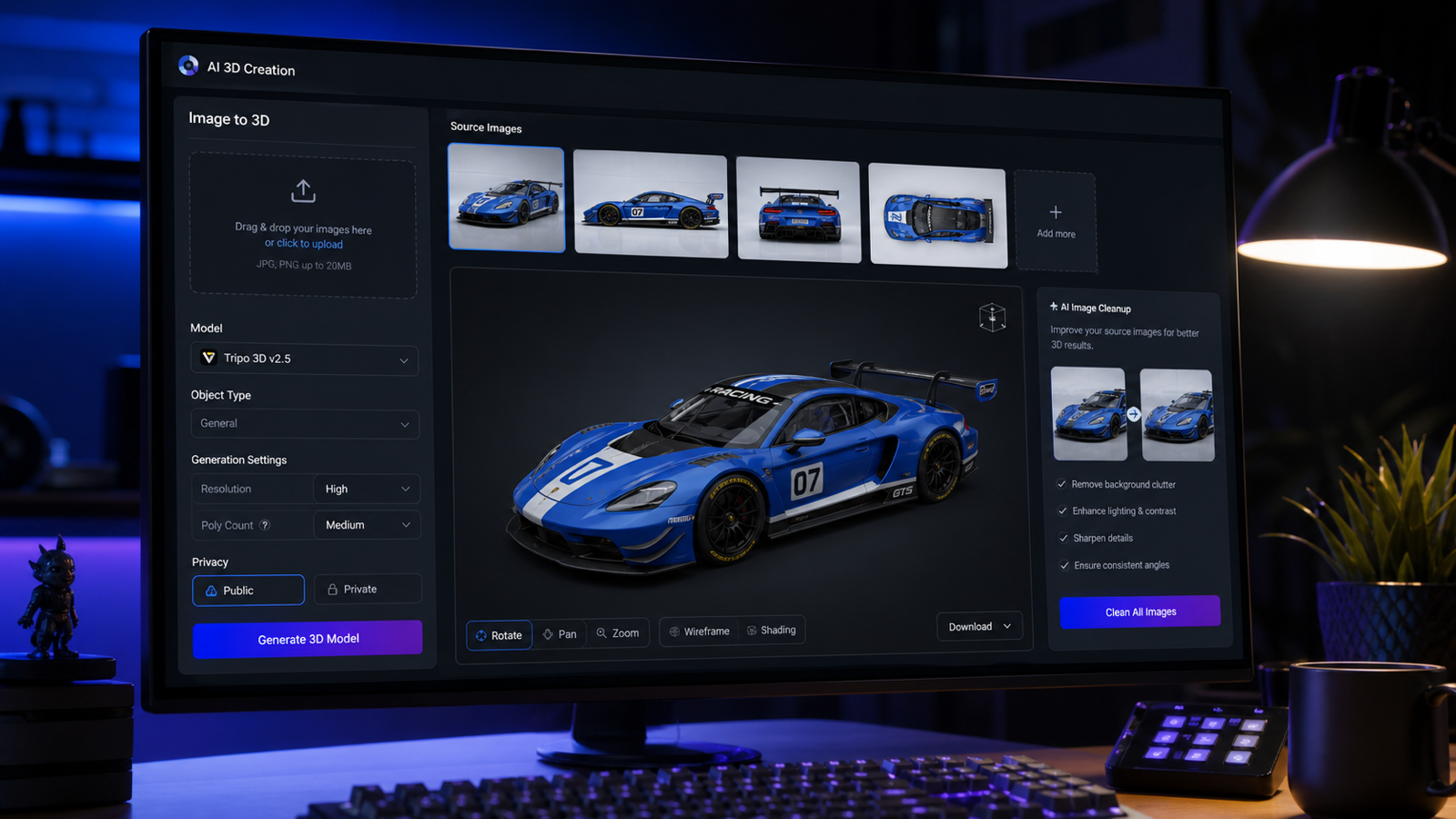
当主体需要更可信的深度时,多图参考尤其有用。请使用同一主体的多张参考图:正面、侧面、背面与 3/4 角度。确保各视角下的物体身份、比例、轮廓、材质方向与配色保持一致。这样才能生成几何可用、纹理走向可识别、结构清晰的干净 3D 模型草稿。

如何在 HeyDream AI 上一步步使用 Tripo 3D 2.5
基础的 HeyDream AI 3D 模型生成器 工作流很简单:打开 Tripo 3D 2.5 页面,提供源图或参考方向,生成 3D 模型草稿,然后在决定下一步之前检查结果。关键不只是生成一次,而是审阅、迭代,并把最适合下游用途的版本保存下来。
- 打开 HeyDream AI 上的 Tripo 3D 2.5。
- 当模型需要尽量保留产品、道具、家具、角色或物体设计时,上传一张干净的源图。
- 当你需要更强的深度引导时使用多视角,尤其适用于产品、家具、游戏道具与玩具。
- 若工作流支持,添加一句简短提示词,描述物体类型、材质、风格、尺度与用途。
- 选择页面上的可见生成设置,包括可用时的隐私/公开设置。
- 生成模型并等待预览。
- 旋转预览并检查轮廓、背面细节、表面伪影、缺失部件与纹理对齐情况。
- 决定是用更好的源图重新生成、把草稿用于概念预览,还是送入 3D 清理管线。
当页面或项目流程允许提示词引导时,可使用以下文本提示词公式:
Create a 3D model of [object/character/prop/product] with [shape], [material], [style], [scale], and [main details]. The model should be suitable for [game asset / product visualization / AR preview / toy concept / animation prop]. Keep the silhouette clear, avoid tiny fragile details, and prioritize readable form from all angles.
对于 HeyDream 用户,一个实用的工作流是先用 文本转图像 或 图像转图像 生成或优化参考图,再把更干净的参考图送入 图像转 3D 工作流。这样能让视觉概念与 3D 草稿保持一致。

提示词公式与 12 个 Tripo 3D 模型 AI 生成示例
好的提示词能缩小模型的任务范围。对于 Tripo 3D 模型 AI 生成,避免试图描述整段电影场景。应描述资产本身:形状、材质、风格、尺度与用途。
使用这个可复用的图像转 3D 准备公式:
Use a clean reference image of [object/product/character/prop]. The subject should be centered, fully visible, well-lit, and separated from the background. Avoid motion blur, heavy shadows, cropped edges, reflective glare, complex overlapping objects, and unreadable tiny details. The goal is a 3D model suitable for [game prototype / product mockup / AR preview / concept art / 3D printing preparation / animation draft].
使用这个多图参考公式:
Use multiple reference images of the same subject: front view, side view, back view, and 3/4 angle. Preserve the same object identity, proportions, silhouette, material direction, and color palette across all views. Generate a clean 3D model draft with usable geometry, recognizable texture direction, and clear object structure.
在测试 Tripo 3D 2.5 或相关 照片转 3D 模型生成器 工作流时,可直接复制使用以下提示词示例:
- Turn this product photo into a clean 3D model draft. Preserve the product shape, rounded edges, material texture, and main proportions. Keep the model suitable for ecommerce visualization and AR preview.
- Use these front, side, and back images as references. Generate a 3D model of the same object with consistent proportions, clean silhouette, realistic texture direction, and no extra decorative parts.
- Create a 3D model of a small wooden chair with curved legs, smooth oak material, simple seat cushion, clean geometry, and game-ready draft style.
- Turn this toy sketch into a 3D model concept. Preserve the cute silhouette, large head, short limbs, and simple accessories. Make the result suitable for toy design preview.
- Create a 3D model of a fantasy lantern prop with brass frame, frosted glass, small handle, warm glowing center, readable silhouette, and clean low-detail structure.
- Use this sneaker image as the reference. Preserve the shoe proportions, sole thickness, material contrast, and color placement. Generate a 3D draft for product visualization.
- Create a stylized game prop: a worn leather backpack with straps, buckles, side pockets, soft fabric folds, and clear readable form from all sides.
- Turn this furniture image into a 3D model. Keep the table shape, leg placement, wood grain direction, and clean scale. Avoid extra objects from the background.
- Create a 3D model of a ceramic coffee mug with a smooth handle, glossy surface, simple shape, and subtle handmade texture, suitable for a product mockup.
- Generate a 3D character prop from this concept image. Preserve outfit silhouette, main color blocks, hairstyle shape, and accessory placement, but keep the model simple enough for cleanup.
- Create a 3D model of a sci-fi crate with beveled edges, panel seams, metal material, a blank label area, and clean geometry for a game prototype.
- Turn this food package image into a 3D product model draft. Preserve the box dimensions, front-panel layout, and material feel, while avoiding fake readable brand text.
最强的提示词通常是把“必须保持可辨识的内容”说清楚。如果源图背景杂乱,也要明确指出:保留主体、忽略背景、避免添加无关部件。

审阅几何、纹理、尺度、导出与真实创作者用例
最有用的 3D 草稿,是在投入项目之前经过认真检查的版本。旋转模型,从正面、侧面、背面、顶视与 3/4 角度审阅。重点寻找清晰的轮廓、干净的主要形体、可信的纹理走向,以及仍然与源图一致的物体身份。
使用这个质量审阅公式:
Inspect the generated 3D model for silhouette accuracy, geometry cleanliness, texture alignment, surface artifacts, missing back details, scale, holes, floating parts, and export usability. Decide whether it is ready for preview, needs a new source image, or should be cleaned in 3D software.
用于游戏原型时,检查网格从游戏视距是否仍清晰可读。用于电商与产品可视化时,检查产品尺寸感、材质印象与正面形态是否仍准确。用于 AR 或教育时,尽早检查尺度与朝向。用于 3D 打印准备时,规划网格清理、壁厚审查、支撑结构以及在专用 3D 工具中测试格式。
用于客户或商业项目时,建议增加最终交付检查:商业使用条款、源图授权、隐私设置、导出选项、下载规则、纹理质量、面数质量,以及当前 HeyDream 与 Tripo 页面上显示的任何许可限制。这些细节可能会变化,因此应放在项目清单中,而不是写死在创意简报里。
HeyDream AI 在创作者工作流中的位置
HeyDream AI 适合作为基于浏览器的创意中枢,用于把图像想法快速推进到 3D 草稿。概念艺术家可以先生成参考图,再生成 3D 模型草稿,然后用 图像转视频 或 AI 视频生成器 做视觉预览。电商团队可以先生成多种产品图变体,再测试哪一张能生成最干净的 3D 模型。玩具设计师可以对比多个轮廓方案,然后把其中一个模型交给专家清理。
当你需要 Tripo 的官方信息时,请使用 Tripo AI 与 Tripo 平台文档,尤其适用于支持的模式、API 工作流、文本转 3D 细节、下载或平台特定的使用条款。HeyDream 页面更适合用于实际创作者工作流与当前的浏览器使用体验。
相关文章
- Tripo 3D Model AI Creation: How to Turn Images into 3D Models with HeyDream AI
- Image to 3D on HeyDream AI: A Practical Tripo 3D Step-by-Step Guide
- HeyDream AI Website Updates: A New Creative Launchpad for Images, Videos, and 3D
- HeyDream AI Image Generator Guide & Model Comparison
- How to Turn Images Into Better AI Prompts with HeyDream AI
- How to Turn Real Photos into Anime Art with HeyDream AI
读者也在看
- Free Online 3D Viewer: Open and Inspect 3D Models in Your Browser
- Text to 3D Generator with Meshy 3D: Create Better AI 3D Models from Prompts
- Meshy AI vs Tripo 3D AI Review: Which AI 3D Generator Fits Your Workflow?
- Tripo 3D H3.1 Upgrade Guide: What Changed and How to Create Better AI 3D Models
- Best AI 3D Model Generator in April 2026? A Review of Meshy 6
- 3D AI Studio Review: Features, Pricing, and How It Handles Image-to-3D Modeling
- Canva AI 3D Model Generator Review: What It Does Well and What It Doesn’t
- HexaGen Image-to-3D Review: What It Does Well & What Still Feels Unclear
常见问题(FAQ)
Tripo 3D 能把任何图片都变成可直接投产的最终模型吗?
它可以帮助快速生成 3D 模型草稿;是否能用于正式生产取决于模型质量、清理需求、源图授权、导出设置以及最终项目标准。
我应该用一张图还是多张图?
简单物体用一张干净图片即可;对产品、家具、玩具、角色与道具这类背面或侧面结构重要的对象,建议使用多视角。
生成后我应该检查什么?
检查轮廓、几何、纹理对齐、尺度、破洞、漂浮部件、背面细节,以及模型是否能导出或能按你的用途清理。
在 Tripo 3D 生成之前我能先用 HeyDream AI 吗?
可以。你可以先用 HeyDream AI 的图像工具制作更干净的参考图,然后用 Tripo 3D 2.5 或图像转 3D 工作流测试模型草稿。
结论
一份实用的 Tripo 3D 指南,重点不在“一键生成”,而在可重复的判断流程:选择干净的源图、给模型明确且聚焦的指令、从各个角度检查结果,并决定下一步制作动作。在 HeyDream AI 上,Tripo 3D 2.5 是一个便捷方式,可在图像、视频与创意工作流工具的配合下测试图像转 3D 草稿——特别适合你想把想法快速推进到可预览结果的时候。